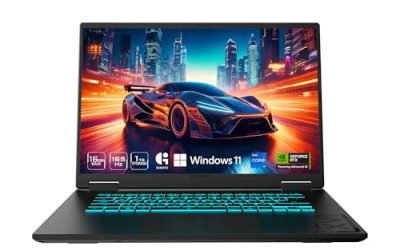
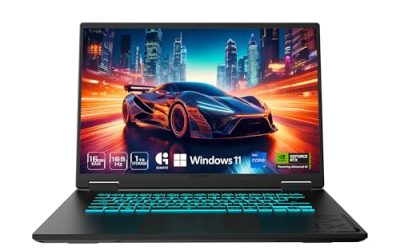
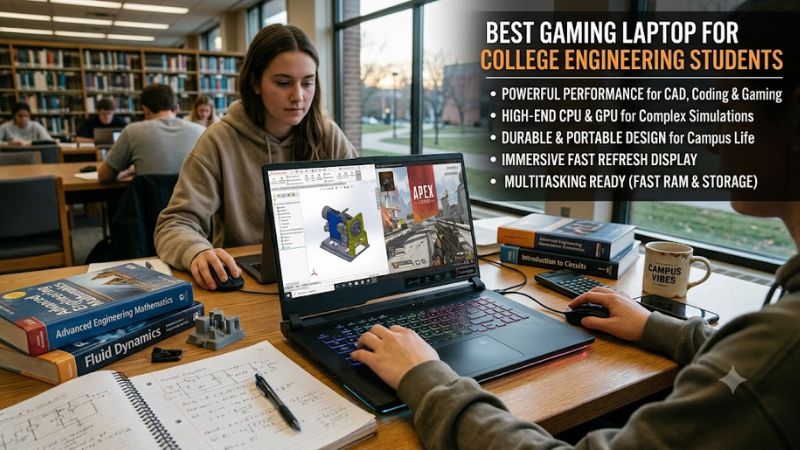
The best gaming laptop for college engineering students combines a capable processor, dedicated graphics, enough memory for demanding software, and a design you can carry across campus. For most students, a Windows laptop with an Intel Core Ultra 7 or AMD Ryzen 7 processor, an NVIDIA GeForce RTX 5060 or RTX 5070 Laptop GPU, 32GB of RAM, and a 1TB SSD is a practical starting point.
Best gaming laptops for college engineering students: comparison
| Laptop | Best for | Recommended configuration | Main drawback |
| Lenovo Legion Pro 5i Gen 10 | Best overall | RTX 5070/5070 Ti, 32GB RAM | Bulky for daily commuting |
| Acer Predator Helios Neo 16 AI | Demanding CAD and simulations | RTX 5070 Ti, 32GB RAM | Performance-focused design |
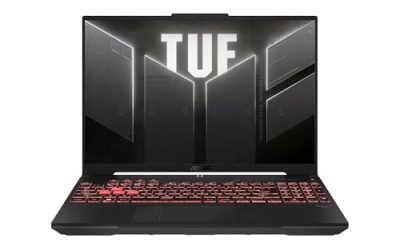
| ASUS TUF Gaming A16 (2025) | Value and upgrades | RTX 5060/5070, 32GB RAM | Specs vary by configuration |
| ASUS ROG Zephyrus G16 (2025) | Portability | RTX 5070, 32GB RAM | Premium pricing |
| HyperX OMEN MAX 16 | High-end GPU workloads | RTX 5080, 32GB RAM | Expensive and power-hungry |
| Lenovo Legion Pro 7i Gen 10 | Advanced 3D projects | RTX 5080/5090, 32GB or more | Overkill for many students |
These are recommended configuration targets, not claims that every model ships with the listed components. GPU power limits, memory capacity, displays, and upgrade options vary by SKU. This is a specification-based comparison, not a report of independent detailed research. No uniform benchmark results or directly comparable battery measurements were available for all six laptops.
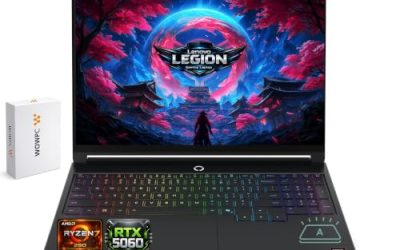
1. Lenovo Legion Pro 5i Gen 10 — best overall
The Lenovo Legion Pro 5i Gen 10 is a strong all-around option for engineering students who need one laptop for CAD, programming, technical coursework, and gaming.
Available configurations include Intel Core Ultra 7 255HX and Core Ultra 9 275HX processors, with RTX 5070 graphics featuring 8GB of GDDR7 VRAM or RTX 5070 Ti graphics featuring 12GB. Selected configurations offer a 16-inch, 2560 × 1600 OLED display and an 80Wh battery.
The 16:10 screen provides useful space for CAD interfaces, code editors, spreadsheets, and reference documents. Students handling larger 3D scenes should consider the RTX 5070 Ti version because its additional VRAM can help with graphics workloads that exceed an 8GB capacity.
Aim for 32GB of RAM and a 1TB SSD if your budget permits. Confirm the exact memory configuration and expansion options before ordering.
Strengths: Powerful CPU options, dedicated RTX graphics, a spacious display, and configurations suitable for demanding applications.
Weaknesses: Less convenient to carry than a thin laptop, with limited unplugged endurance during demanding work.
Buy if: You study mechanical engineering, mechatronics, aerospace engineering, or another discipline combining technical software with gaming.
Skip if: Low weight, long battery life, or the lowest possible price matters more than sustained performance.
2. Acer Predator Helios Neo 16 AI — best for demanding workloads
The Acer Predator Helios Neo 16 AI is worth considering for students working with complex 3D models, rendering applications, and demanding multitasking workloads.
Selected configurations include an Intel Core Ultra 7 255HX, RTX 5070 Laptop GPU with 8GB GDDR7, 16GB of RAM, and a 1TB PCIe 4.0 SSD. Higher-end versions offer the Core Ultra 9 275HX and RTX 5070 Ti with 12GB of GDDR7 VRAM.
Some RTX 5070 configurations list up to 115W of graphics power, while certain RTX 5070 Ti configurations list up to 170W. Check the exact model because these differences can affect sustained graphics performance.
The laptop’s 16-inch, 2560 × 1600 display provides room for technical applications and multitasking. If you choose a configuration with only 16GB of RAM, check the upgrade limit before buying. Memory capacity and maximum supported RAM differ between configurations.
Strengths: High-performance processor options, dedicated graphics, and configurations suited to demanding 3D work.
Weaknesses: Less portable than thin-and-light laptops, with important differences in memory limits and graphics power.
Buy if: You regularly run complex CAD projects, rendering workloads, or several demanding applications simultaneously.
Skip if: You need a lightweight daily carry or a configuration with more memory than the specific model supports.
3. ASUS TUF Gaming A16 (2025) — best for value and upgrades
The ASUS TUF Gaming A16 is a practical choice for students who want dedicated graphics without automatically paying for a premium gaming laptop.
Depending on the configuration, ASUS offers processors ranging from the Ryzen 7 260 to the Ryzen 9 8940HX, with RTX 5060 and RTX 5070 Laptop GPU options. The product family also offers a battery capacity of up to 90Wh and user-upgradeable RAM and SSD storage.
This flexibility matters for students whose requirements grow throughout a four-year degree. You can prioritize a capable processor and GPU initially, then expand storage or memory later if the specific configuration permits it.
However, the TUF A16 name covers different hardware combinations. Check the exact CPU, GPU power limit, screen, installed RAM, and supported memory capacity. An RTX 5070 operating at a lower power limit should not be assumed to match a higher-power version.
Strengths: Upgradeable components, multiple configurations, and a useful balance of gaming and productivity hardware.
Weaknesses: Display quality, installed memory, battery capacity, and GPU power vary by SKU.
Buy if: You want a versatile engineering laptop with room to expand storage or memory.
Skip if: You need a particularly lightweight machine or your university requires certified professional workstation graphics.
4. ASUS ROG Zephyrus G16 (2025) — best for portability
The ASUS ROG Zephyrus G16 is a better fit for students who move between lectures, labs, libraries, and home every day. Its thinner design makes it more convenient to carry than many performance-focused gaming laptops while retaining dedicated graphics.
ASUS lists configurations with an Intel Core Ultra 9 285H and GPUs ranging from the RTX 5070 to higher-end RTX 5090 Laptop GPUs. The RTX 5070 version has 8GB of GDDR7 VRAM and a listed maximum graphics power of 105W; the RTX 5070 Ti version has 12GB and a maximum of 115W.
Those power limits matter when comparing it with thicker gaming laptops. The Zephyrus prioritizes portability, so its GPU should not automatically be expected to match a higher-power version of the same GPU in another chassis.
Check memory upgradeability before purchasing because configurations may use different memory arrangements. Also consider the premium price against what your coursework actually requires.
Strengths: Portable design, dedicated RTX graphics, and a display suitable for productivity and gaming.
Weaknesses: Premium pricing, configuration-dependent memory upgradeability, and lower GPU power limits than some larger laptops.
Buy if: You want a laptop that is comfortable to carry daily and still capable of engineering work and gaming.
Skip if: Maximum sustained GPU performance per dollar is your priority.
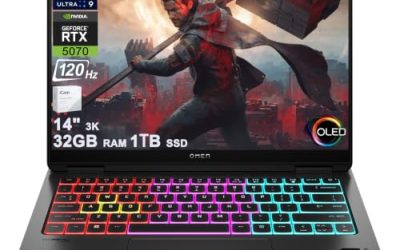
5. HyperX OMEN MAX 16 — best for high-end GPU workloads
The HyperX OMEN MAX 16 is suited to students whose workloads genuinely benefit from high-end graphics performance and additional VRAM.
One listed US configuration, model 16-ah1731nr, includes an Intel Core Ultra 7 270HX Plus processor, an RTX 5080 Laptop GPU with 16GB of GDDR7 VRAM, 32GB of DDR5-6400 memory, a 1TB PCIe Gen 5 SSD, and a 16-inch 2560 × 1600 OLED display with a refresh rate of up to 240Hz. Its listed battery capacity is 83Wh, and its power adapter is rated at 460W.
The 16GB of VRAM can be useful for GPU rendering and large visualization scenes that require more graphics memory. It does not mean every simulation will run faster: some engineering workloads depend primarily on CPU performance, system RAM, or specialized software support.
Strengths: RTX 5080 graphics with 16GB VRAM, 32GB of system memory, and a high-refresh-rate OLED display.
Weaknesses: High-end pricing, a large power adapter, and limited convenience for students who spend all day away from a desk.
Buy if: Your projects involve demanding GPU rendering, advanced visualization, or other workloads that justify an RTX 5080.
Skip if: Your coursework mostly involves coding, introductory CAD, and ordinary productivity applications.
6. Lenovo Legion Pro 7i Gen 10 — best for advanced 3D projects
The Lenovo Legion Pro 7i Gen 10 is a premium option for students who need more graphics headroom than a mainstream gaming laptop provides.
Consider an RTX 5080 or RTX 5090 configuration when your software can benefit from higher GPU performance, and select at least 32GB of system memory for demanding multitasking. Students working with very large assemblies, datasets, or virtual machines should investigate whether 64GB or more is appropriate and supported by the exact SKU.
The key question is whether your applications can use the additional GPU capability. GPU rendering and visualization may benefit considerably, but a CPU-bound simulation will not necessarily become faster simply because you choose a more expensive graphics card.
Strengths: Higher-end GPU options, performance-focused hardware, and capacity for demanding engineering and gaming workloads.
Weaknesses: Higher cost, less convenient portability, and potentially unnecessary graphics performance for typical undergraduate assignments.
Buy if: You have a clear need for advanced GPU acceleration and enough budget to support it.
Skip if: You are in the early years of your degree and would gain more from additional RAM, storage, or a more affordable laptop.
How to choose the right gaming laptop for engineering
Processor: prioritize your workload
A modern Intel Core Ultra 7/9 or AMD Ryzen 7/9 processor is a reasonable starting point, but the exact processor matters more than its branding alone.
Mechanical and aerospace engineering students may benefit from strong CPU performance for CAD and CPU-based simulations. Computer engineering students often need a capable processor for compiling code, running development environments, and using virtual machines. Architecture students should also consider the CPU and GPU requirements of their rendering and visualization software.
A top-tier processor is not necessary for every student. Match the CPU to the applications you expect to use rather than paying for specifications your coursework cannot exploit.
Graphics: balance GPU power and VRAM
| GPU category | Suitable workload |
| RTX 5060 Laptop GPU, 8GB VRAM | General engineering, gaming, and moderate 3D work |
| RTX 5070 Laptop GPU, 8GB VRAM | More demanding gaming and visualization |
| RTX 5070 Ti Laptop GPU, 12GB VRAM | Larger graphics projects and heavier rendering |
| RTX 5080 Laptop GPU, 16GB VRAM | Advanced GPU rendering and demanding visualization |
These categories are guidelines, not universal performance guarantees. Actual results depend on power limits, cooling, drivers, and software optimization. Some engineering applications also require certified workstation graphics or specific drivers, so verify university requirements before purchasing a GeForce laptop.
Memory and storage: aim for 32GB RAM and a 1TB SSD
For most students planning to keep their laptop throughout a four-year degree, 32GB of RAM and a 1TB SSD are sensible targets.
16GB can handle introductory programming and basic CAD, but memory pressure increases when you run multiple technical applications, browser tabs, simulations, and virtual machines together. Students handling large assemblies or datasets may benefit from 64GB.
Check the manufacturer’s memory limits and M.2 expansion options before buying. Not every laptop allows RAM upgrades, and not every configuration includes an unused SSD slot.
Battery life, display, and portability
A 16-inch, 16:10 display is useful for CAD interfaces, code editors, and technical documents. High refresh rates improve gaming smoothness but are less important than screen quality and workspace for many engineering tasks.
Gaming laptops also consume substantial power under heavy loads. Battery capacity alone cannot establish real-world runtime because brightness, CPU/GPU usage, and power settings affect results. Consider the laptop’s weight and power adapter alongside the machine itself, particularly if you commute daily.
Finally, verify Windows compatibility, required software versions, external display support, and any university-specific hardware requirements. A gaming laptop can be a capable engineering computer, but it is not automatically a certified workstation.
Frequently asked questions
1. What is the best gaming laptop for college engineering students?
The Lenovo Legion Pro 5i Gen 10 is our leading overall choice because it combines powerful processor options, dedicated RTX graphics, and a spacious display. Choose the RTX 5070 Ti configuration if your applications benefit from its additional VRAM.
2. Is an RTX 5060 enough for engineering?
Yes, an RTX 5060 Laptop GPU is sufficient for many undergraduate engineering workloads, including moderate 3D modeling, supported GPU-accelerated applications, and gaming. More demanding rendering projects may benefit from a higher-tier GPU.
3. Do engineering students need 32GB of RAM?
No, but 32GB is a practical target for multitasking, CAD, and virtual machines. Students running basic programming tools may manage with 16GB, while large projects and memory-intensive simulations may require more.
4. Are gaming laptops better than workstation laptops for engineering?
Gaming laptops can offer strong performance and gaming capability, while workstation laptops may provide certified graphics drivers and vendor support for specialized applications. Follow your university’s hardware requirements if professional certification is necessary.
Final verdict
For most students, the Lenovo Legion Pro 5i Gen 10 with 32GB RAM, a 1TB SSD, and an RTX 5070 or RTX 5070 Ti is the best starting point. Choose the Acer Predator Helios Neo 16 AI for demanding desk-based work, the ASUS TUF Gaming A16 for value and upgradeability, or the Zephyrus G16 for portability.
The HyperX OMEN MAX 16 and Legion Pro 7i Gen 10 make more sense for advanced GPU-intensive projects than for routine undergraduate coursework. Before purchasing, confirm the exact SKU, GPU power limit, memory upgrade options, and software compatibility.
The best gaming laptop for college engineering students is ultimately the one that meets your course requirements without making you pay for performance you will rarely use.