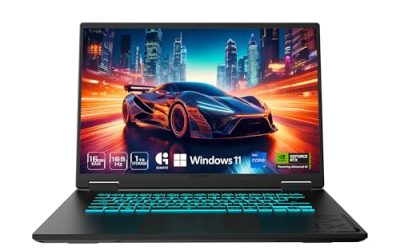
The best gaming laptop for computer science students balances programming performance, memory, storage, portability, and gaming capability. For most students, the ideal configuration includes a modern multi-core processor, 32GB of RAM, a 1TB SSD, and a dedicated GPU if gaming or GPU programming is important.
Best gaming laptops for computer science students at a glance

| Laptop | Best for | Configuration to target | Main drawback |
| Lenovo Legion 5i Gen 10 | Best overall | Core Ultra 7, RTX 5060, 32GB RAM, 1TB SSD | Relatively heavy |
| ASUS ROG Zephyrus G14 (2026) | Portability | Ryzen AI 9, RTX 5060, 32GB RAM, 1TB SSD | Soldered memory |
| Acer Predator Helios Neo 16 AI | GPU-intensive work | Core Ultra 7 or 9, RTX 5070 or higher, 32GB RAM | Bulky design |
| Lenovo Legion 5a Gen 11 | AMD alternative | Ryzen AI 9, RTX 5060, 32GB RAM, 1TB SSD | May require a RAM upgrade |
| HyperX OMEN 16 (2026) | Mainstream gaming and coding | Core Ultra 7, RTX 5070, 32GB RAM, 1TB SSD | Configuration-dependent value |
These are target configurations, not claims that every retail version includes those components. Some models ship with 16GB RAM or smaller SSDs. Confirm the exact SKU, graphics power limits, display, and upgrade options before purchasing.
How we selected these laptops
Our selection prioritizes the requirements of a typical computer science degree rather than gaming performance alone.
Processor performance matters for compiling code, running development environments, and handling demanding applications. Memory capacity becomes important when students run virtual machines, containers, emulators, and multiple applications simultaneously. Storage affects how much room remains for software, projects, datasets, and games.
We also considered display quality, portability, connectivity, upgradeability, and dedicated graphics capability. Recommendations are based on manufacturer specifications and intended use cases, not fabricated benchmark results or claims of personal testing.
1. Lenovo Legion 5i Gen 10 — Best overall
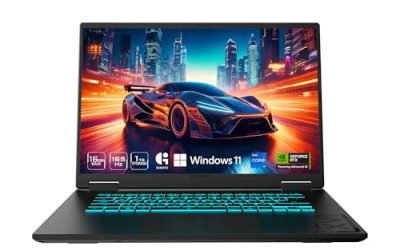
The Lenovo Legion 5i Gen 10 is the best all-around choice for students who need a capable programming machine that can also handle demanding games.
A listed 15-inch configuration, model 83F00005US, includes an Intel Core Ultra 7 255HX processor, an NVIDIA RTX 5060 Laptop GPU with 8GB GDDR7, 16GB DDR5-5600 memory, and a 512GB PCIe 4.0 SSD. Its 15.1-inch OLED display offers 2560 × 1600 resolution and a 165Hz refresh rate.
The processor is suitable for compilation, multitasking, and development tools. The RTX 5060 adds support for compatible CUDA workloads, game development, and modern PC games. The 16:10 display also provides useful vertical workspace for code editors, terminals, and documentation.
The main weakness is the base configuration’s memory and storage. Students should look for a 32GB RAM and 1TB SSD version or confirm that upgrading the original configuration is supported.
Strengths: Capable CPU, dedicated RTX graphics, high-resolution OLED screen, and potential memory upgrades.
Weaknesses: Base configuration has only 16GB RAM and 512GB storage; the laptop and charger are less convenient to carry than compact alternatives.
Buy if: You want a versatile Windows laptop for programming, gaming, and occasional GPU-intensive projects.
Skip if: Portability and long unplugged study sessions are more important than graphics performance.
2. ASUS ROG Zephyrus G14 (2026) — Best for portability
The ASUS ROG Zephyrus G14 is the best fit for students who carry their laptops between classrooms, libraries, and home every day.
The AMD-based GA403 configuration includes a Ryzen AI 9 465 processor, RTX 5060 Laptop GPU with 8GB GDDR7, 32GB onboard LPDDR5X memory, and a 1TB PCIe 4.0 SSD. Its 14-inch OLED display has a 2880 × 1800 resolution and a 120Hz refresh rate.
The combination of 32GB RAM and 1TB storage makes this configuration suitable for development environments, containers, databases, and moderate virtual-machine workloads. Its compact size also makes it more convenient for campus travel than a large gaming laptop.
The biggest limitation is soldered memory, which cannot be upgraded later. The smaller display can also feel restrictive when working with several windows simultaneously. Students who need more screen space can connect an external monitor at home.
The G14 family includes different AMD and Intel configurations, so verify the processor, GPU, memory, and display for the exact model rather than assuming every version has the same specifications.
Strengths: Compact design, 32GB memory in the specified AMD configuration, 1TB SSD, and dedicated graphics.
Weaknesses: Non-upgradeable RAM, smaller display, and potentially higher purchase cost.
Buy if: You prioritize portability but still want dedicated graphics for gaming and compatible GPU workloads.
Skip if: You need replaceable memory or the largest possible display for your budget.
3. Acer Predator Helios Neo 16 AI — Best for demanding GPU workloads
The Acer Predator Helios Neo 16 AI is the strongest option here for students whose coursework involves graphics programming, computer vision, rendering, or demanding local machine-learning experiments.
A high-end configuration includes an Intel Core Ultra 9 290HX Plus processor, an RTX 5080 Laptop GPU with 16GB GDDR7, 32GB DDR5 memory, and a 1TB PCIe 4.0 SSD. Its 16-inch IPS display offers 2560 × 1600 resolution and a 240Hz refresh rate. The listed maximum graphics power for this configuration is 175W.
The 16GB of GPU memory provides more capacity for compatible graphics and AI workloads than the 8GB available in the RTX 5060 configurations discussed above. However, performance depends on software support, cooling, power limits, and the workload itself. A more powerful GPU does not guarantee that every machine-learning model will fit into local memory.
This high-end version is more powerful than most computer science students need. Acer also offers lower-tier configurations, including RTX 5070 models, which may be more sensible for students who want gaming performance without paying for the highest GPU tier.
The larger chassis and power adapter are disadvantages for daily campus use. This laptop makes the most sense when GPU capability takes priority over portability.
Strengths: High-end GPU with 16GB VRAM, 32GB RAM, 1TB SSD, and a spacious high-resolution display.
Weaknesses: Higher potential cost, substantial carrying weight, and unnecessary graphics power for basic programming.
Buy if: Your projects benefit from stronger local GPU performance and you also want a gaming laptop.
Skip if: You mainly study web development, databases, or introductory programming.
4. Lenovo Legion 5a Gen 11 — Best AMD alternative
The Lenovo Legion 5a Gen 11 is a good alternative for students who prefer an AMD processor and dedicated NVIDIA graphics.
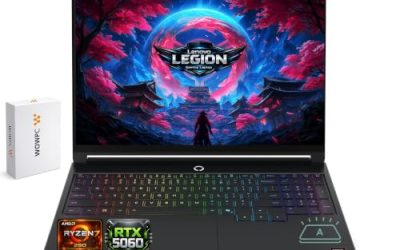
The listed configuration, model 83Q60001US, includes a Ryzen AI 9 465 processor, RTX 5060 Laptop GPU with 8GB GDDR7, 16GB DDR5-5600 SODIMM memory, and a 1TB PCIe 4.0 SSD. Its 15.3-inch OLED display offers 2560 × 1600 resolution and a 165Hz refresh rate.
This configuration is well suited to general software development, multitasking, gaming, and compatible GPU-accelerated applications. The 1TB SSD provides more breathing room than a 512GB drive for software installations, virtual machines, and games.
The main consideration is the installed memory. At 16GB, the listed configuration falls short of our preferred 32GB target for heavier workloads. Check the supported memory capacity and upgrade instructions before assuming that an upgrade will be straightforward.
Choosing AMD over Intel does not automatically deliver better programming performance. Actual results depend on the processors being compared, cooling, power limits, and the application.
Strengths: AMD processor, RTX 5060 graphics, 1TB SSD, and high-resolution OLED display.
Weaknesses: Listed configuration has 16GB RAM; gaming hardware adds weight and power consumption.
Buy if: You want an AMD-based gaming laptop and can obtain a suitable memory configuration.
Skip if: You want an especially lightweight computer or do not need dedicated graphics.
5. HyperX OMEN 16 (2026) — Best mainstream gaming and coding option
The HyperX OMEN 16 is worth considering if you want a full-size laptop for coding, gaming, and general academic work.
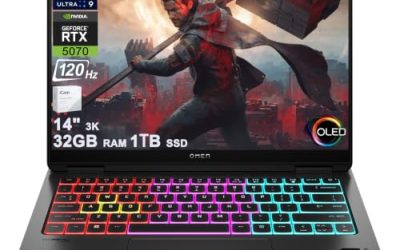
A listed configuration, model D9KM2UA#ABA, includes an Intel Core Ultra 7 356H processor, RTX 5070 Laptop GPU with 8GB GDDR7, 16GB DDR5-5600 memory, a 1TB PCIe 4.0 SSD, and a 16-inch OLED display with 2560 × 1600 resolution and a refresh rate up to 165Hz.
The large display provides room for an IDE, terminal, and documentation. Its dedicated GPU supports modern gaming and compatible accelerated workloads, while the 1TB SSD offers a practical amount of storage for a student’s projects.
The listed configuration has only 16GB RAM, so students planning to use several virtual machines or memory-intensive applications should check for a 32GB version or verify the upgrade options. Other OMEN 16 configurations may use different processors, GPUs, and displays, meaning the product name alone does not establish performance.
Strengths: Dedicated graphics, 1TB SSD in the cited configuration, large high-resolution display, and several configuration options.
Weaknesses: Some versions have only 16GB RAM, and the larger chassis is less portable than a 14-inch laptop.
Buy if: You find a suitable configuration at a competitive price and want a full-size gaming and programming machine.
Skip if: Your priorities are minimal weight, maximum battery endurance, or the lowest possible cost for basic coding.
What specifications do computer science students need?
| Component | Recommended target | When to spend more |
| CPU | Modern midrange or higher processor | Large builds, compilation, and demanding development tools |
| RAM | 16GB minimum for lighter work; 32GB preferred | Multiple virtual machines or large datasets |
| Storage | 512GB minimum; 1TB preferred | Games, containers, and virtual-machine images |
| GPU | Integrated graphics for general coding; RTX GPU for gaming and GPU workloads | CUDA, rendering, and compatible AI projects |
| Display | 14–16 inches, preferably 16:10 | Frequent multitasking and split-screen coding |
| Connectivity | USB-A, USB-C, and HDMI as needed | External monitors and development boards |
These are general recommendations, not universal degree requirements. Check your university’s software and operating-system requirements before buying.
How much RAM is enough?
32GB is the best target for a gaming laptop intended to last through a computer science degree. It offers more room for IDEs, browser tabs, Docker containers, databases, and virtual machines running together.
Sixteen gigabytes remains sufficient for many introductory programming, web development, and database assignments. Students on tighter budgets can start with 16GB if the laptop supports an affordable memory upgrade.
Consider 64GB only if your work specifically requires multiple memory-intensive virtual machines, large datasets, or other demanding applications. More memory does not automatically make every program run faster.
Do computer science students need an RTX GPU?
No. Most programming assignments, algorithms, web applications, and database projects do not require dedicated graphics.
An NVIDIA RTX GPU is useful for Unreal Engine development, 3D rendering, CUDA programming, compatible machine-learning frameworks, and demanding PC games. However, 8GB of VRAM can limit larger local AI workloads, so students should check the requirements of their intended software and models.
If you mainly write code, a less expensive laptop with a good processor, 32GB RAM, and a 1TB SSD may provide better value than paying extra for a high-end GPU.
Windows or Linux for programming?
Windows 11 is a flexible choice for students who want access to a broad PC gaming library alongside common development tools. Windows Subsystem for Linux (WSL) can provide a Linux development environment without requiring a separate computer, although some courses may require a full Linux installation or virtual machine.
Linux is also a strong option for software development, but verify compatibility with your games, graphics drivers, anti-cheat systems, and university applications before choosing it.
Follow your department’s supported software guidance first, particularly if your courses use specialized compilers, virtualization platforms, or hardware-development tools.
Buying guide: Avoid these common mistakes
Before purchasing, confirm the exact SKU rather than relying on the laptop’s product-family name. Different versions may have different graphics cards, memory capacities, displays, and power limits.
Check whether RAM is soldered or replaceable, how many SSD slots are available, and what upgrade capacities the manufacturer supports. Also compare the laptop’s weight with that of its power adapter, since gaming models can be inconvenient to carry between classes.
Battery life deserves particular attention. Gaming laptops can consume substantial power under load, and manufacturer estimates may use different testing conditions. Look for independent battery tests of the exact model and configuration instead of assuming that a larger battery guarantees longer runtime.
Finally, compare the total cost of your setup. You may need an external monitor, USB-C hub, mouse, or external backup drive. If a high-end gaming laptop leaves no budget for essential academic equipment, choose a more affordable configuration.
Frequently asked questions
1. What is the best gaming laptop for computer science students?
The Lenovo Legion 5i Gen 10 is our best overall choice for students who want a balance of programming capability and gaming performance. The ASUS ROG Zephyrus G14 is better for portability, while the Acer Predator Helios Neo 16 AI suits GPU-intensive work.
2. Is 16GB RAM enough for a computer science degree?
Yes, 16GB RAM is enough for many introductory programming and web development courses, but 32GB provides more headroom for containers, virtual machines, and demanding development environments. Check your course requirements before deciding.
3. Should computer science students buy a gaming laptop or a regular laptop?
A gaming laptop is preferable if you play demanding PC games or need dedicated graphics for compatible development workloads. A regular laptop is often better value for students who primarily code, attend lectures, and prioritize battery life and portability.
4. Is an RTX 5060 enough for computer science and AI development?
An RTX 5060 Laptop GPU with 8GB VRAM can handle many introductory GPU-programming projects, smaller machine-learning experiments, and modern games. Larger AI models may require more VRAM or access to university and cloud computing resources.
Final verdict
The Lenovo Legion 5i Gen 10 is our best overall recommendation for computer science students who want a single laptop for programming and gaming. Aim for 32GB RAM and a 1TB SSD, verifying that the chosen configuration includes those specifications or supports upgrades.
Choose the ASUS ROG Zephyrus G14 if portability matters most, the Acer Predator Helios Neo 16 AI if your projects require stronger GPU performance, the Lenovo Legion 5a Gen 11 if you prefer its AMD-based configuration, or the HyperX OMEN 16 if you find a suitable configuration at a competitive price.
Above all, match the hardware to your coursework. A balanced midrange laptop with sufficient memory and storage can be a better investment than an expensive gaming machine whose extra graphics power you rarely use.