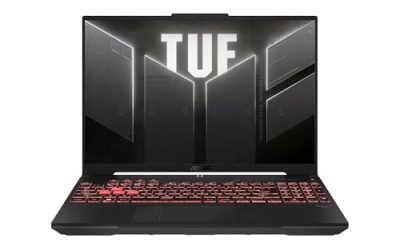
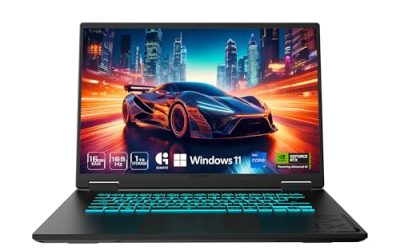
The best gaming laptop for Linux combines strong gaming performance with reliable hardware compatibility, graphics drivers, suspend behavior, and power management. For the simplest experience, choose a laptop designed for Linux, such as the System76 Oryx Pro. If you prefer hardware flexibility, the Framework Laptop 16 is another compelling option. Your ideal choice depends on GPU performance, budget, and preferred Linux distribution.
Quick Verdict
- Best Overall: System76 Oryx Pro — a dedicated gaming laptop sold with Linux operating system options and NVIDIA discrete graphics.
- Best for Upgradeability: Framework Laptop 16 — a modular design with configurable AMD graphics and replaceable components.
- Best for Budget-Conscious Linux Gamers: System76 Gazelle — a Linux-oriented laptop with discrete NVIDIA graphics, although its price is higher than many mainstream budget gaming models.
- Best for Demanding Workloads: System76 Serval WS — a workstation-class system suited to users who combine gaming with compute-intensive applications.
- Best for Maximum Performance: System76 Bonobo WS — a large, high-performance workstation laptop with powerful graphics options.
- Best for a Portable Linux Setup: ASUS ROG Zephyrus G14 — a compact gaming laptop worth considering if you are comfortable checking Linux compatibility before purchasing.
These recommendations prioritize Linux support, graphics capability, hardware configuration, and practical trade-offs. A laptop that runs Linux is not automatically a laptop whose every gaming feature works perfectly, so distribution-specific compatibility remains important.
Quick Comparison Table
| Product | Best For | Key Specifications | Main Advantage | Trade-Off |
| System76 Oryx Pro | Overall Linux gaming | Ryzen AI 7 450, RTX 5060 8GB, 16-inch 2560 × 1600 300Hz display | Linux-first configuration | Premium price; NVIDIA driver management |
| Framework Laptop 16 | Upgradeability | Ryzen 7040-series options, Radeon RX 7700S graphics on the expansion configuration | Modular, repairable design | Graphics depend on configuration and expansion hardware |
| System76 Gazelle | Linux gaming entry point | Intel Core 7, RTX 5050, 15-inch 144Hz display | Linux-focused hardware support | Less graphics headroom than higher-tier systems |
| System76 Serval WS | Gaming and workstation tasks | Intel Core Ultra 9 290HX Plus, RTX 5070 Ti configuration | High-end CPU and discrete graphics | Large chassis and higher cost |
| System76 Bonobo WS | Maximum configuration flexibility | Intel Core Ultra 9 290HX Plus, RTX 5080 or RTX 5090 options | High-end graphics and memory capacity | Heavy, expensive, and less portable |
| ASUS ROG Zephyrus G14 | Compact gaming | Configuration-dependent AMD Ryzen CPU and NVIDIA GeForce RTX graphics | Portable gaming-oriented design | Linux support varies by generation and components |
Configuration note: These product families can be sold in multiple configurations. The specifications above identify representative or manufacturer-listed configurations, not a guarantee that every retail unit has the same hardware. Verify the exact model, memory, storage, GPU, and display before purchasing. No cross-laptop FPS comparison is provided because comparable Linux benchmark results for the exact configurations and test conditions are not established here.
How We Selected the Best Linux Gaming Laptops
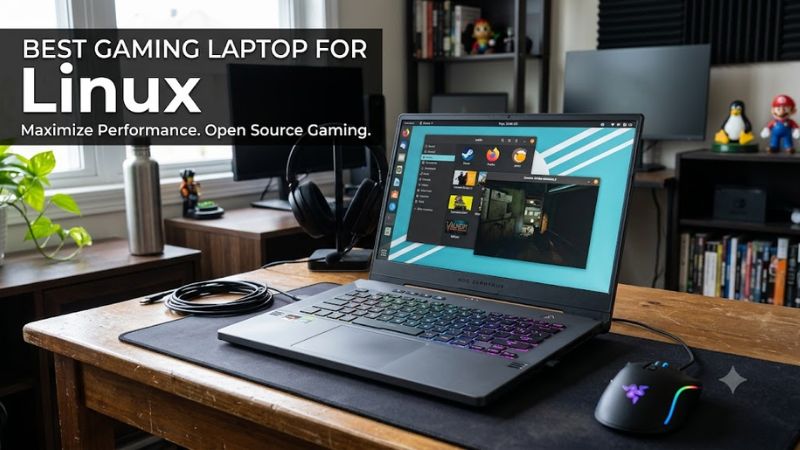
Linux gaming requires more than a capable GPU. A laptop must also support its wireless adapter, audio hardware, keyboard controls, display switching, suspend and resume, and power-management features under the chosen distribution.
The recommendations favor laptops with manufacturer-provided Linux support or documented Linux installation guidance. For mainstream gaming laptops, they also consider the likelihood of needing community-maintained fixes or newer kernel and graphics-driver versions.
Four factors carry particular weight:
- Linux compatibility: Availability of installation instructions, supported distributions, firmware updates, and hardware-specific documentation.
- Gaming hardware: Discrete GPU capability, VRAM, CPU performance, cooling design, and the laptop’s power configuration.
- Long-term ownership: Memory and storage expansion, repairability, firmware support, and access to replacement components.
- Practical usability: Display quality, keyboard functionality, portability, external monitor support, and the amount of troubleshooting likely to be required.
System76 receives particular attention because it sells laptops with Linux preinstalled. Framework is included for its documented Linux installation guidance and modular design. The ASUS option represents buyers who prefer mainstream gaming hardware and are willing to investigate compatibility more carefully.
This is a research-based comparison, not a claim of first-hand testing. No unsupported Linux gaming benchmarks, battery measurements, or thermal results are used to determine the rankings.
Detailed Product Recommendations
1. System76 Oryx Pro — Best Overall Gaming Laptop for Linux
Best For: Linux gamers who want a powerful dedicated gaming laptop without starting from a Windows-first installation.
Why We Picked It: The Oryx Pro is purpose-built for Linux users and is offered with Pop!_OS and Ubuntu options. That reduces the initial setup burden compared with purchasing an arbitrary gaming laptop and installing Linux yourself.
Key Specifications:
- CPU: AMD Ryzen AI 7 450.
- GPU: NVIDIA GeForce RTX 5060 Laptop GPU with 8GB GDDR7 VRAM.
- Display: 16-inch, 2560 × 1600 resolution, 300Hz, matte finish.
- Memory: Configurable up to 96GB DDR5-5600.
- Storage: Two M.2 PCIe Gen 4 slots, with up to 8TB total storage listed.
- Wireless: Wi-Fi 6E and Bluetooth 5.3.
- Operating systems: Pop!_OS 24.04 LTS, Ubuntu 24.04 LTS, or Ubuntu 26.04 LTS options listed by the manufacturer.
Features & Benefits: A 16:10 high-resolution display offers more vertical workspace for terminals, documentation, and development tools. The 300Hz refresh rate can benefit competitive games that sustain high frame rates, although the panel does not mean every game will reach 300 FPS.
The memory and dual-drive configuration options also suit users who want separate storage for games, development environments, and large media libraries.
Performance & Practical Use: The RTX 5060 Laptop GPU provides dedicated graphics for modern games, with performance depending on game engines, Linux driver support, power limits, resolution, and graphics settings. NVIDIA’s proprietary Linux driver is an important part of the setup for many demanding games.
System76’s Linux-oriented firmware and operating system options make this a particularly straightforward starting point. Nevertheless, verify game compatibility with Proton and check whether your preferred distribution supports the exact hardware configuration.
What Makes It Different: Unlike a typical Windows-first gaming laptop, the Oryx Pro is marketed specifically to Linux users and offers a Linux installation as part of the purchasing process.
Pros:
- Linux operating system options from the manufacturer.
- Dedicated NVIDIA graphics with 8GB VRAM.
- Expandable memory and dual M.2 storage.
Cons:
- Higher purchase cost than many entry-level gaming laptops.
- NVIDIA graphics can require proprietary drivers and additional configuration for some workflows.
Buy If: You want a high-refresh-rate gaming laptop with Linux available directly from the manufacturer.
Skip If: Your priority is the lowest possible price, or you specifically want an AMD-only graphics stack.
2. Framework Laptop 16 — Best for Upgradeability and Repairability
Best For: Linux gamers who value modular hardware, component replacement, and long-term flexibility.
Why We Picked It: The Framework Laptop 16 combines gaming-oriented hardware with a modular architecture. Framework also provides Linux installation instructions and compatibility guidance, making it a strong choice for users who want to manage their own operating system.
Key Specifications:
- CPU: AMD Ryzen 7040-series options, including configurations based on the Ryzen 9 7940HS.
- GPU: Integrated Radeon graphics, with a Radeon RX 7700S graphics expansion configuration available in the documented product design.
- Memory: Up to 64GB DDR5-5600 in the referenced configuration.
- Storage: M.2 NVMe storage, with capacity depending on the selected configuration.
- Display: 16-inch, 2560 × 1600-class display with a high-refresh-rate configuration.
- Operating system: Linux installation supported through Framework’s model-specific guidance; the precise distribution and kernel version matter.
Features & Benefits: Its modular design allows users to replace supported components rather than automatically replacing the entire laptop when a part becomes inadequate. This is particularly attractive to Linux enthusiasts who prefer to repair, customize, and maintain their systems.
The expansion-bay approach also distinguishes it from conventional gaming laptops. However, upgradeability does not mean that every component can be replaced with any arbitrary part; compatibility depends on the module, generation, and available hardware.
Performance & Practical Use: The RX 7700S configuration offers discrete graphics for gaming workloads, while the integrated Radeon GPU consumes less power during lighter tasks. The performance difference between those graphics configurations is substantial, so buyers should verify that the machine includes the discrete graphics hardware they want.
AMD’s Linux graphics stack generally integrates with the kernel and Mesa, making the platform attractive to users who prefer open-source graphics components. Newer hardware may still require a sufficiently recent kernel and Mesa version.
What Makes It Different: Its emphasis on modularity, repairability, and documented Linux setup makes it especially suitable for users who intend to keep and maintain a laptop for years.
Pros:
- Modular design and supported component replacements.
- Documented Linux installation and compatibility resources.
- AMD graphics options suited to gaming without relying on NVIDIA’s proprietary graphics driver.
Cons:
- Discrete graphics capability depends on the purchased configuration.
- Modular components and expansion hardware can increase the total cost.
Buy If: You want a gaming laptop that offers meaningful repair and upgrade options.
Skip If: You want a conventional laptop with minimal configuration decisions and the lowest initial cost.
3. System76 Gazelle — Best Linux-Oriented Entry Point
Best For: Buyers who want a Linux-focused laptop with discrete graphics but do not need a top-tier workstation configuration.
Why We Picked It: The Gazelle offers an alternative to the more expensive Oryx Pro, with a manufacturer-listed Intel processor, NVIDIA RTX 5050 graphics, and a 144Hz display.
Key Specifications:
- CPU: Intel Core 7, with the exact processor depending on the configuration.
- GPU: NVIDIA GeForce RTX 5050 Laptop GPU.
- Display: 15-inch, 1080p-class matte panel with a 144Hz refresh rate.
- Memory: Configurable up to 64GB DDR5 according to the listed product range.
- Storage: Configurable NVMe storage, with up to 8TB listed.
- Operating system: Linux options available through System76.
Features & Benefits: A 1080p display demands less graphics processing than a 2560 × 1600 panel at comparable settings. That can make the display resolution a practical match for an entry-level discrete GPU.
The matte panel can also reduce distracting reflections in brightly lit environments. Linux installation and support documentation are additional advantages for users who would rather avoid extensive manual setup.
Performance & Practical Use: The RTX 5050 Laptop GPU is positioned below the RTX 5060 in NVIDIA’s laptop graphics lineup. It is suitable for buyers targeting 1080p gaming, but actual performance depends on the game’s requirements, GPU power configuration, and driver support.
For Linux, check the required NVIDIA driver version and Proton compatibility for the games you play. New releases and anti-cheat systems can introduce limitations that a compatible GPU alone cannot solve.
What Makes It Different: It combines a more modest display resolution with dedicated graphics and Linux-oriented purchasing options, making it a practical starting point for general gaming.
Pros:
- Linux available from the manufacturer.
- Dedicated NVIDIA graphics.
- 144Hz display suited to responsive gaming.
Cons:
- Less graphics headroom than higher-tier laptop GPUs.
- A 1080p display provides less workspace than higher-resolution alternatives.
Buy If: You want a Linux-oriented gaming laptop for 1080p gaming and everyday computing.
Skip If: You need maximum graphics performance for demanding modern games, high-resolution rendering, or GPU-intensive creative applications.
4. System76 Serval WS — Best for Gaming and Workstation Applications
Best For: Developers, researchers, and technical professionals who also want a laptop capable of demanding gaming workloads.
Why We Picked It: The Serval WS combines a high-end processor with discrete NVIDIA graphics and workstation-oriented configuration options. It is worth considering when gaming is only one part of a demanding workload.
Key Specifications:
- CPU: Intel Core Ultra 9 290HX Plus in the listed configuration.
- GPU: NVIDIA GeForce RTX 5070 Ti Laptop GPU in the listed configuration.
- Display: 16-inch, 2560 × 1600-class, 240Hz panel.
- Memory: Configurable up to 96GB DDR5.
- Storage: Configurable NVMe storage, with up to 12TB listed.
- Operating system: Linux options from System76.
Features & Benefits: The combination of a high-performance mobile CPU and discrete graphics is useful for workloads such as compiling large projects, running GPU-accelerated applications, and playing demanding games.
Its memory and storage options also suit users who maintain large codebases, virtual machines, local development environments, or extensive game libraries.
Performance & Practical Use: A high-end CPU can improve workloads that scale across multiple cores, but not every game benefits equally from additional CPU resources. GPU performance, cooling, and power allocation still determine much of the gaming experience.
NVIDIA’s Linux driver support also makes application-specific compatibility worth checking. Some workstation applications rely on CUDA, while games generally depend on graphics APIs and Proton or native Linux support.
What Makes It Different: The Serval WS is designed around high-performance computing and workstation use rather than simply maximizing gaming features.
Pros:
- High-end processor and discrete graphics configuration.
- Large memory and storage configuration options.
- Linux-oriented hardware and operating system support.
Cons:
- More expensive than typical mainstream gaming laptops.
- Its size, cooling requirements, and power consumption can reduce portability.
Buy If: You need one Linux laptop for gaming, development, and demanding CPU- or GPU-intensive applications.
Skip If: You primarily play lighter games, browse the web, or need a thin, inexpensive laptop for everyday use.
5. System76 Bonobo WS — Best for Maximum Performance and Expandability
Best For: Buyers who want a large, high-performance Linux laptop and can accept the cost and weight associated with workstation-class hardware.
Why We Picked It: The Bonobo WS offers high-end graphics options and unusually extensive memory and storage configurations within a laptop. It is aimed at users who prioritize capability over portability.
Key Specifications:
- CPU: Intel Core Ultra 9 290HX Plus in the listed configuration.
- GPU: NVIDIA GeForce RTX 5080 or RTX 5090 Laptop GPU options.
- Display: 18-inch, with 2560 × 1600-class or higher-resolution options depending on configuration.
- Memory: Configurable up to 192GB DDR5.
- Storage: Configurable up to 16TB NVMe storage.
- Operating system: Linux options through System76.
Features & Benefits: The larger chassis provides room for a large display and extensive internal configuration options. High memory capacity is useful for users who run virtual machines, large development environments, scientific applications, or multiple demanding applications at once.
The RTX 5080 and RTX 5090 options also target buyers seeking higher graphics capability than entry-level gaming hardware provides. These are laptop GPUs, not desktop cards with identical power limits or performance.
Performance & Practical Use: This configuration is suitable for demanding games, GPU-accelerated applications, and heavy multitasking. However, choosing an RTX 5090 Laptop GPU does not guarantee a particular frame rate; power limits, cooling, resolution, drivers, and workload all matter.
The larger display is useful for games and productivity, but an 18-inch laptop is less convenient to carry daily. Its high-performance components also make plugged-in operation the sensible choice for sustained gaming.
What Makes It Different: Its combination of high-end mobile graphics, extensive memory capacity, and large storage options makes it better suited to users with unusually demanding requirements than to average gamers.
Pros:
- High-end NVIDIA laptop GPU options.
- Extensive memory and storage configuration choices.
- Large display suitable for gaming and technical work.
Cons:
- High purchase cost.
- Poorer portability than smaller gaming laptops.
Buy If: You want one machine for demanding Linux gaming and resource-intensive professional workloads.
Skip If: You regularly travel, prioritize battery life, or do not need workstation-level memory and graphics options.
6. ASUS ROG Zephyrus G14 — Best Compact Gaming Laptop for Linux Enthusiasts
Best For: Gamers who want a relatively compact laptop and are comfortable verifying Linux support for their exact hardware generation.
Why We Picked It: The Zephyrus G14 combines a portable form factor with gaming-oriented AMD processors and NVIDIA discrete graphics in selected configurations. It offers an alternative to the larger Linux-first machines above.
Key Specifications:
- CPU: Configuration-dependent AMD Ryzen processor.
- GPU: Configuration-dependent NVIDIA GeForce RTX Laptop GPU.
- Display: 14-inch panel; resolution, refresh rate, and OLED availability vary by generation.
- Memory: Capacity and upgradeability vary by model year and SKU.
- Storage: NVMe SSD, with expansion options depending on the generation.
- Operating system: Linux installation may be possible, but compatibility should be checked against the exact model.
Features & Benefits: A 14-inch display reduces the laptop’s footprint compared with 16- and 18-inch alternatives. This is useful for students, commuters, and gamers who need one machine for both travel and gaming.
Some configurations feature high-resolution OLED displays, which can provide strong contrast and vibrant colors. OLED technology also has potential image-retention and burn-in concerns, so static desktop use and brightness management deserve consideration.
Performance & Practical Use: Gaming performance depends heavily on the precise CPU, GPU, and power configuration. Two G14 generations can differ in display hardware, wireless components, firmware behavior, and Linux compatibility.
Before installing Linux, verify suspend and resume, Wi-Fi, Bluetooth, keyboard lighting, function keys, hybrid graphics, and external display output. A newer kernel and graphics stack may be required for newer hardware, and some proprietary gaming utilities may have no equivalent Linux implementation.
What Makes It Different: Its compact design offers more portability than most large gaming and workstation laptops, but the buyer takes on more compatibility research than with a Linux-preinstalled System76 system.
Pros:
- Compact chassis for a gaming-focused laptop.
- Discrete GPU configurations available.
- Suitable for users who value portability and gaming in one device.
Cons:
- Linux compatibility varies by generation and configuration.
- Some memory configurations may not permit conventional RAM upgrades.
Buy If: You want a portable gaming laptop and are willing to check Linux compatibility before purchase.
Skip If: You need guaranteed manufacturer-backed Linux support for every internal component or want the simplest possible Linux installation.
Buying Guide: How to Choose a Linux Gaming Laptop
1. Check Linux Compatibility Before Buying
Linux compatibility should be the first purchasing consideration, especially if you plan to use Linux as your only operating system.
System76 offers Linux-preinstalled configurations, while Framework provides model-specific Linux installation guidance. Mainstream laptops from ASUS, Lenovo, Acer, and other manufacturers may work well, but their compatibility depends on the precise model and component revisions.
Check the following before purchasing:
- Wi-Fi and Bluetooth support.
- Internal audio and microphone functionality.
- Suspend and resume reliability.
- Hybrid graphics and external monitor support.
- Keyboard shortcuts, brightness controls, and RGB lighting.
- Firmware update procedures and BIOS options.
A live USB session can help you identify obvious problems before installing Linux, although it cannot confirm every function will work reliably over time.
2. Choose a GPU That Matches Your Games
The laptop GPU determines much of your gaming capability, but the model name alone does not tell the entire story. Laptop GPUs have power limits that vary between chassis designs, and thermal constraints can affect sustained performance.
For example, an RTX 5050 Laptop GPU is generally better suited to entry-level gaming than an RTX 5070 Ti Laptop GPU. The latter offers a higher performance tier, but it also comes with greater potential cost, power consumption, and cooling requirements.
VRAM matters too. An 8GB GPU can be suitable for many games at 1080p, but demanding textures, ray tracing, and some newer games can require more memory. Buyers targeting high-resolution gaming should consider both the GPU’s processing capability and its VRAM capacity.
For Linux, confirm that the appropriate graphics driver supports your GPU. NVIDIA’s proprietary driver is important for many NVIDIA gaming configurations, while AMD’s open-source graphics stack depends on compatible kernel and Mesa versions.
3. Pick a Distribution and Driver Stack
Your Linux distribution influences the installation experience and how quickly newer hardware support becomes available.
- Pop!_OS: A strong starting point for users buying compatible System76 hardware, with manufacturer-oriented installation and graphics support.
- Ubuntu: A widely used option with extensive documentation and a large software ecosystem. Newer laptops may require a sufficiently recent kernel and graphics stack.
- Fedora: Worth considering for users who want relatively recent kernels, Mesa, and desktop components.
- Arch Linux: Suitable for experienced users who want fine-grained control and access to current software, but it requires more maintenance and troubleshooting.
No distribution is universally best for every gaming laptop. A stable distribution with suitable graphics drivers can be preferable to a newer distribution if the latter introduces problems with a specific device.
4. Understand Proton, Steam, and Anti-Cheat
Proton allows many Windows games to run on Linux through Steam, but compatibility is game-specific.
Steam’s compatibility information can help you determine whether a game runs, whether it has known problems, and whether additional configuration is required. Native Linux games can also have different feature support from their Windows versions.
Anti-cheat software is a particularly important consideration. Some games support Linux through Proton, while others remain incompatible because their developers do not enable the necessary support. Kernel-level anti-cheat systems and proprietary launchers can impose additional restrictions.
If you primarily play competitive multiplayer games, verify compatibility for your exact game library before purchasing hardware. A powerful laptop cannot overcome a game that does not support your operating system.
5. Balance RAM, Storage, and Upgradeability
For a gaming-focused Linux laptop, 16GB of RAM is a reasonable starting point. A 32GB configuration offers more room for modern games, browsers, development tools, and multitasking. Workstation users may benefit from 64GB or more, depending on their workloads.
Storage requirements depend on your game library and development needs. A 1TB NVMe SSD is a practical starting point for many users, while 2TB or more can be useful for large games, virtual machines, and creative projects.
Before purchasing, establish whether memory is soldered, whether the laptop has accessible SO-DIMM slots, and how many M.2 slots are available. Framework’s modular design is particularly appealing for repairability, but upgrade options still depend on supported components.
6. Consider Cooling, Power, and Battery Life
Gaming laptops generally deliver their highest sustained performance while connected to their supplied power adapter. Battery operation can reduce CPU and GPU power limits, and gaming places substantial demands on the battery.
Cooling is equally important. A high-end GPU operating in a compact chassis may face different thermal and power constraints from the same GPU tier in a larger workstation. Do not assume two laptops with the same graphics model will perform identically.
For daily portability, compare weight, charger size, battery capacity, and independent battery-life results for comparable workloads. For sustained gaming, prioritize cooling design, appropriate power delivery, and a chassis suited to the GPU.
7. Verify Firmware, Warranty, and Upgrade Support
Linux users should pay attention to firmware updates, BIOS controls, and the manufacturer’s repair policies. A laptop can have excellent basic compatibility but still lack convenient Linux support for a particular firmware update or proprietary configuration utility.
Confirm that firmware updates can be installed through a supported process, whether the warranty permits user-replaceable components, and how replacement parts are obtained. For a Linux-first purchase, documented support and clear maintenance procedures can be more valuable than a marginal increase in theoretical graphics performance.
Frequently Asked Questions
Is Linux good for gaming on a laptop?
Yes, Linux can provide a strong gaming experience on a compatible laptop, particularly when your games work through Steam and Proton or offer native Linux versions. Compatibility varies by game, anti-cheat system, graphics driver, and laptop hardware.
Which Linux distribution is best for gaming laptops?
Pop!_OS, Ubuntu, Fedora, and Arch Linux are all viable choices, depending on hardware support and user experience. Pop!_OS is a convenient starting point on compatible System76 laptops, while Fedora can suit users who want relatively recent graphics software.
Do NVIDIA gaming laptops work well with Linux?
Yes, NVIDIA gaming laptops can run Linux games effectively when the appropriate proprietary driver is installed and supported. Buyers should also check hybrid graphics, external display routing, suspend behavior, and compatibility with their preferred distribution.
Can every Windows game run on a Linux gaming laptop?
No, not every Windows game runs on Linux. Proton supports many Windows titles, but some games have incompatible anti-cheat systems, launchers, or other software restrictions. Check individual game compatibility before choosing Linux as your primary operating system.
Is AMD or NVIDIA better for Linux gaming?
Neither is universally better for every workload. AMD’s open-source graphics stack is attractive to users who prefer integrated kernel and Mesa support, while NVIDIA offers strong discrete laptop GPU options and CUDA support for compatible applications. Your preferred games, workload, and hardware generation should determine the choice.
How much RAM does a Linux gaming laptop need?
A laptop with 16GB of RAM can be sufficient for many games, while 32GB is a sensible target for heavier gaming and multitasking. Users running virtual machines, large development environments, or demanding professional applications may need 64GB or more.
Conclusion
The System76 Oryx Pro is the strongest overall starting point for buyers who want a dedicated gaming laptop with Linux available directly from the manufacturer. The Framework Laptop 16 is a better fit for users who prioritize modularity and repairability, while the System76 Gazelle suits buyers targeting a more modest gaming configuration. For maximum workstation capability, consider the Serval WS or Bonobo WS; for portability, investigate the ASUS ROG Zephyrus G14 with particular attention to model-specific Linux support. Before committing, verify your preferred games, exact laptop configuration, graphics drivers, and hardware compatibility.