The best gaming laptop for video editing and gaming needs a powerful GPU, a fast multicore processor, sufficient memory, and a color-accurate display. The right choice depends on your editing software, game resolution, project complexity, portability needs, and budget. These recommendations prioritize balanced performance for both creative work and gaming.
Quick Verdict
The best laptop for both video editing and gaming is not necessarily the model with the highest advertised frame rate. Video editing also depends on processor performance, GPU acceleration, memory capacity, storage speed, display quality, and codec support.
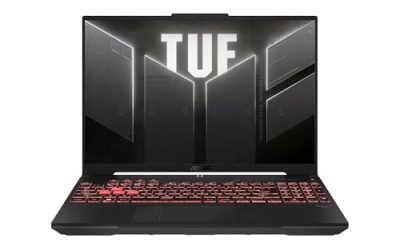
- Best overall: ASUS ROG Strix SCAR 16, configured with a high-tier NVIDIA GeForce RTX laptop GPU and a suitable Intel Core Ultra processor.
- Best for professional creative workloads: Razer Blade 16, with a high-performance GPU and a display configuration suited to color-sensitive work.
- Best for demanding 4K editing: MSI Raider 18 HX, configured with a high-tier RTX laptop GPU, ample RAM, and generous SSD storage.
- Best for portability: ASUS ROG Zephyrus G16, which balances a relatively portable chassis with gaming and creative capabilities.
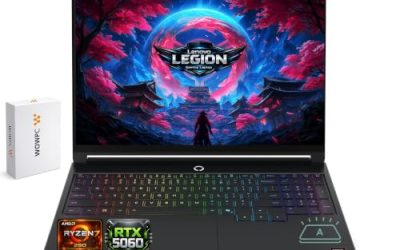
- Best for workstation-style workloads: Lenovo Legion Pro 7i, with a high-performance CPU and GPU configuration.
- Best for a premium OLED experience: Alienware 16 Area-51, provided the selected configuration meets the buyer’s display, memory, and GPU requirements.
These are model-family recommendations rather than verified, single-SKU rankings. Exact CPU, GPU, memory, display, and power configurations vary by model year and region. Confirm the complete configuration before buying.
Quick Comparison Table
| Laptop | Best For | Key Specifications to Prioritize | Main Advantage | Trade-Off |
| ASUS ROG Strix SCAR 16 | High-performance gaming and editing | High-tier RTX GPU, Core Ultra CPU, 32GB or more RAM | Strong performance-oriented design | Heavy chassis and substantial power demands |
| Razer Blade 16 | Premium creative and gaming use | RTX GPU, high-performance CPU, color-accurate display | Premium construction and display options | Typically expensive |
| MSI Raider 18 HX | Large projects and desktop replacement | High-tier RTX GPU, multicore CPU, 32GB–64GB RAM | Large screen and performance-focused cooling | Bulky and less portable |
| ASUS ROG Zephyrus G16 | Editing and gaming on the go | RTX GPU, 32GB RAM where available, OLED option | Portable design with a high-quality display | Sustained performance depends on power and cooling limits |
| Lenovo Legion Pro 7i | Performance-focused editing and gaming | High-tier RTX GPU, powerful CPU, upgradeable memory where supported | Gaming-oriented cooling and performance options | Weight and battery life can limit mobility |
| Alienware 16 Area-51 | Premium gaming and creative workloads | RTX GPU, multicore CPU, suitable high-resolution display | Performance-focused chassis | Size, weight, and configuration-dependent value |
How We Selected the Laptops
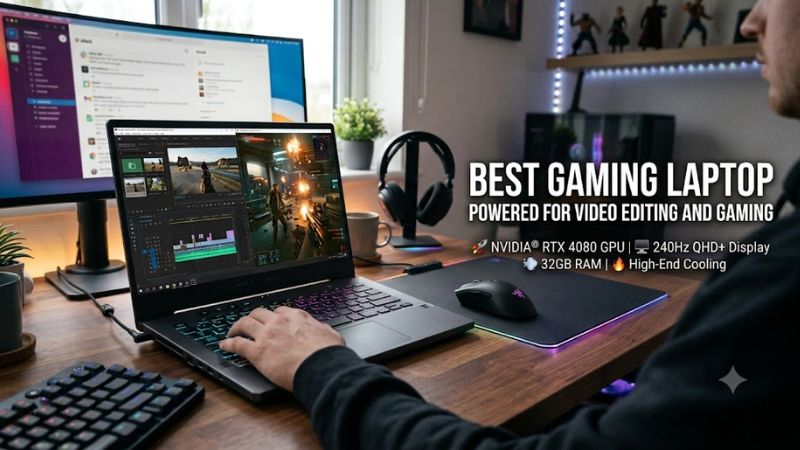
The recommendations focus on the hardware characteristics that matter across gaming and video production rather than manufacturer performance claims alone.
GPU acceleration: Modern video editors use supported GPUs for effects, playback acceleration, rendering, and encoding. NVIDIA GeForce RTX laptop GPUs are worth considering for applications that support CUDA or NVIDIA’s hardware encoding features. Actual gains depend on the software, codec, effects, and laptop GPU power configuration.
CPU performance: Video editing involves both single-threaded and multithreaded workloads. Timeline responsiveness, decoding, exports, and background tasks can benefit from different CPU characteristics. A balanced processor and GPU are preferable to spending the entire budget on graphics alone.
Memory and storage: Large projects, high-resolution footage, multiple applications, and complex timelines can consume substantial memory. SSD capacity also matters because source footage, proxy files, caches, and exports can quickly fill a small drive.
Display quality: Gaming benefits from high refresh rates, while video editing benefits from accurate colors, useful brightness, consistent image quality, and adequate resolution. An OLED panel can provide deep blacks and strong contrast, but buyers should consider burn-in precautions and the manufacturer’s warranty terms.
Cooling and power limits: Two laptops with the same nominal GPU can perform differently because of differences in total graphics power, cooling, firmware, and sustained operating conditions. A laptop’s GPU name alone does not establish its rendering speed or gaming frame rate.
The recommendations are based on hardware characteristics and product-family positioning. No first-hand testing is claimed, and exact SKU-specific benchmark comparisons are not presented where comparable evidence is unavailable.
Best Gaming Laptops for Video Editing and Gaming
1. ASUS ROG Strix SCAR 16 — Best Overall
Best For: Buyers who prioritize high gaming performance alongside GPU-accelerated editing, effects, and rendering.
Why We Picked It: The ROG Strix SCAR 16 is a performance-oriented gaming laptop family. Higher-tier configurations can combine powerful processors, discrete RTX laptop graphics, and high-refresh-rate displays, making the platform relevant to users who alternate between demanding games and creative applications.
Key Specifications:
- CPU: Intel Core Ultra processor, depending on generation and configuration.
- GPU: NVIDIA GeForce RTX laptop GPU, with the specific model varying by SKU.
- Memory: Check the selected configuration’s installed capacity and upgradeability.
- Storage: Confirm the installed SSD capacity and supported expansion options.
- Display: High-refresh-rate panel options vary by generation.
Features and Benefits: A powerful discrete GPU can accelerate supported editing effects and improve gaming performance. The performance-focused cooling design is also relevant to sustained workloads such as long exports and extended gaming sessions.
Performance and Practical Use: This family is a sensible candidate for demanding 1440p-class gaming and GPU-accelerated editing when configured with suitable hardware. Performance in 4K games or complex editing projects depends on the exact GPU, VRAM capacity, memory configuration, and workload. A high-refresh-rate display does not guarantee matching frame rates in every game.
What Makes It Different: Its central appeal is performance rather than minimizing size or weight.
Pros:
- Performance-focused CPU and GPU configurations.
- High-refresh-rate display options.
- Suitable for demanding games and GPU-accelerated creative work.
Cons:
- Portability is secondary to performance.
- High-end configurations can be expensive and power-hungry.
Buy If: You want a performance-oriented laptop for gaming, editing, and frequent GPU-intensive tasks.
Skip If: You prioritize quiet operation, long unplugged sessions, or a lightweight travel system.
2. Razer Blade 16 — Best Premium Creative and Gaming Laptop
Best For: Users who want a premium gaming laptop that also serves as a portable creative workstation.
Why We Picked It: The Razer Blade 16 family emphasizes a premium chassis, powerful component options, and high-quality display configurations. These characteristics make it attractive to creators who want gaming capabilities without a conventional oversized gaming-laptop design.
Key Specifications:
- CPU: Depends on the model year and regional SKU.
- GPU: NVIDIA GeForce RTX laptop graphics, depending on configuration.
- Memory: Verify capacity and whether the selected model permits upgrades.
- Storage: Confirm installed SSD capacity and expansion support.
- Display: Panel technology, resolution, refresh rate, and color coverage vary by generation.
Features and Benefits: A high-quality display can help editors inspect footage, color transitions, and fine details. GPU acceleration can also reduce processing time in supported creative applications, while the premium chassis makes the laptop suitable for users who work in different locations.
Performance and Practical Use: A suitably configured Blade 16 can handle demanding games and professional editing projects. However, its actual sustained performance depends on GPU power limits, cooling, software optimization, and the selected configuration. Buyers should compare the exact panel’s color specifications rather than assuming every version is equally suited to color-critical work.
What Makes It Different: It places greater emphasis on premium design and portability than many thicker performance-focused gaming laptops.
Pros:
- Premium construction.
- High-performance graphics options.
- Display configurations suited to creative work.
Cons:
- Premium pricing can reduce value compared with competing hardware.
- Memory and storage upgrade options depend on the exact model.
Buy If: You want a high-end gaming laptop that also fits a professional or mobile creative workflow.
Skip If: You want the lowest cost per unit of GPU performance or need easy internal upgrades without checking the specific design.
3. MSI Raider 18 HX — Best for Large Projects and Desktop Replacement
Best For: Editors who work with complex timelines, large media libraries, and demanding games at a desk.
Why We Picked It: The MSI Raider 18 HX family is designed around a large chassis and high-performance components. Its larger display can provide additional room for editing timelines, preview windows, audio controls, and asset panels.
Key Specifications:
- CPU: High-performance Intel processor, depending on generation.
- GPU: NVIDIA GeForce RTX laptop GPU, depending on SKU.
- Memory: Consider 32GB as a starting point and 64GB for heavier multitasking or demanding projects.
- Storage: Prefer a large primary SSD and additional supported storage for footage and project files.
- Display: Large-format panel with specifications varying by model.
Features and Benefits: A larger screen can make timeline editing more comfortable and reduce the need to connect an external monitor. A performance-focused chassis can also accommodate hardware and cooling designed for demanding workloads.
Performance and Practical Use: A high-tier configuration can be appropriate for 4K editing, complex effects, and demanding gaming. Nevertheless, 4K workflow suitability depends on the footage’s codec, bit depth, frame rate, effects, and editing software. High-resolution source material can still require proxies or optimized media, even on powerful hardware.
What Makes It Different: Its large display and desktop-replacement positioning favor workspace and sustained performance over portability.
Pros:
- Large screen for complex editing interfaces.
- High-performance component options.
- Suitable for users who primarily work at a desk.
Cons:
- Large dimensions and weight.
- Battery-powered performance may differ considerably from plugged-in operation.
Buy If: You want a laptop that can replace a desktop for substantial editing and gaming workloads.
Skip If: You commute frequently or need a lightweight laptop for daily travel.
4. ASUS ROG Zephyrus G16 — Best for Portability
Best For: Students, traveling creators, and gamers who need a relatively portable system for editing and gaming.
Why We Picked It: The ROG Zephyrus G16 combines a comparatively portable gaming-laptop design with discrete graphics and display options intended for premium mobile use. Its appeal lies in balancing creative capability with everyday portability.
Key Specifications:
- CPU: Varies by generation and configuration.
- GPU: NVIDIA GeForce RTX laptop graphics, depending on SKU.
- Memory: Confirm the installed capacity and whether it is soldered or upgradeable.
- Storage: Check SSD capacity and available expansion.
- Display: OLED and other display options depend on the specific generation.
Features and Benefits: A high-quality display can help with footage review, while discrete graphics support compatible gaming and editing workloads. Its smaller footprint can also make it more practical for carrying between classes, studios, and gaming spaces.
Performance and Practical Use: This family is worth considering for 1080p and 1440p-class gaming and common editing workloads, provided the configuration has sufficient memory and graphics performance. Because thinner laptops have tighter thermal and power constraints, buyers should compare sustained performance rather than relying only on the GPU model name.
What Makes It Different: Portability and everyday usability are more central to its design than maximizing chassis size or component power.
Pros:
- More travel-friendly than many large gaming laptops.
- Premium display options.
- Suitable for a mixed creative and gaming workload.
Cons:
- Some configurations limit memory upgrades.
- Thinner designs can impose performance trade-offs under prolonged heavy loads.
Buy If: You need one laptop for travel, video editing, study, and gaming.
Skip If: You routinely render complex projects for hours and prioritize maximum sustained performance over portability.
5. Lenovo Legion Pro 7i — Best for Performance-Focused Workloads
Best For: Users who want a powerful gaming laptop for demanding games, effects-heavy editing, and long work sessions.
Why We Picked It: The Legion Pro 7i family targets performance-focused buyers and offers configurations built around high-performance processors and discrete graphics. Its gaming-oriented design makes it a practical candidate for users who need substantial compute capability in a laptop.
Key Specifications:
- CPU: Intel processor, depending on generation.
- GPU: NVIDIA GeForce RTX laptop graphics, depending on configuration.
- Memory: Check installed capacity and the number of accessible memory slots.
- Storage: Confirm SSD capacity and available expansion.
- Display: Resolution, refresh rate, and color characteristics depend on the SKU.
Features and Benefits: The combination of a capable CPU, discrete GPU, and performance-oriented cooling can support gaming and editing in the same system. Storage expansion, where supported, can also help users separate applications from large project files.
Performance and Practical Use: Higher-tier configurations are suitable candidates for demanding gaming and GPU-accelerated editing. Real-world performance varies with GPU power, cooling behavior, memory, and the specific application. Buyers should also verify that the display provides the color coverage needed for their editing workflow.
What Makes It Different: It offers a performance-focused alternative to thinner premium gaming laptops, with less emphasis on minimal weight.
Pros:
- High-performance component options.
- Designed for sustained gaming workloads.
- Potentially practical storage and memory configurations.
Cons:
- Not ideal for buyers who prioritize minimal weight.
- Screen quality and upgradeability vary by configuration.
Buy If: You want a powerful all-purpose laptop for gaming and editing, with performance as the priority.
Skip If: You need a compact travel system or a display with specific color characteristics that the selected configuration cannot provide.
6. Alienware 16 Area-51 — Best for a Premium Performance-Oriented Design
Best For: Buyers who prefer a substantial gaming laptop and want enough CPU and GPU capability for creative applications.
Why We Picked It: The Alienware 16 Area-51 family emphasizes performance-oriented hardware and a distinctive chassis design. Depending on its configuration, it can serve users who want one system for demanding gaming and GPU-accelerated video production.
Key Specifications:
- CPU: Varies by generation and SKU.
- GPU: NVIDIA GeForce RTX laptop graphics, depending on configuration.
- Memory: Select sufficient RAM for the intended editing workload.
- Storage: Confirm installed SSD capacity and expansion support.
- Display: Verify the exact resolution, refresh rate, brightness, and color specifications.
Features and Benefits: A high-performance GPU can accelerate supported creative effects and deliver strong gaming capability. A well-matched CPU and memory configuration also helps when working with multiple applications, large timelines, and background rendering tasks.
Performance and Practical Use: A high-tier configuration may suit demanding games and editing projects, but the model name alone does not establish its performance against competing laptops. Verify the exact GPU, power configuration, cooling design, and independent results for the selected SKU before making a performance-based purchase.
What Makes It Different: Its distinctive chassis and performance-oriented design appeal to users who prefer a substantial gaming laptop rather than a minimalist portable system.
Pros:
- Performance-oriented hardware options.
- Suitable for combined gaming and creative workloads.
- Distinctive design.
Cons:
- Portability and battery life may be secondary considerations.
- Value depends heavily on the exact configuration and purchase price.
Buy If: You want a premium gaming laptop with sufficient hardware for editing and rendering.
Skip If: You prioritize lightweight portability or want a clearly documented advantage over less expensive alternatives.
Buying Guide: What Matters Most for Editing and Gaming?
1. Choose the Right GPU and Laptop Power Configuration
The GPU affects gaming frame rates and can accelerate compatible video effects, encoding, and rendering. NVIDIA GeForce RTX laptop graphics are a useful starting point for many buyers, particularly when their applications support NVIDIA-specific acceleration.
Do not compare GPUs solely by their product names. Laptop graphics power limits, cooling, and manufacturer power configurations can affect performance. VRAM is also important: complex effects, high-resolution assets, and some AI-assisted tools can consume substantial graphics memory.
For mainstream editing and gaming, a capable midrange or upper-midrange GPU may be sufficient. More demanding effects, high-resolution gaming, and complex projects can justify a higher-tier GPU if the additional cost is reasonable.
2. Balance the CPU with the GPU
A fast GPU cannot compensate for every CPU limitation. CPU performance matters for decoding, certain effects, application responsiveness, background tasks, and export workflows that do not scale primarily with GPU performance.
For mixed workloads, compare processor generation, sustained performance, core configuration, and the needs of your editing software. The best pairing depends on whether your projects rely more heavily on GPU acceleration, CPU-based encoding, or a mixture of both.
3. Buy Enough RAM for Your Projects
Memory requirements depend on the editing application, footage resolution, effects, multitasking, and operating system.
| Workload | Practical RAM Target |
| 1080p editing and gaming | 16GB minimum for lighter workloads; 32GB preferred for comfortable multitasking |
| 4K editing and gaming | 32GB as a sensible starting point |
| Complex 4K projects, heavy effects, and multitasking | 64GB may be beneficial |
| Large professional projects or specialized workflows | Determine capacity from the application’s requirements and actual workload |
These are planning recommendations, not universal software requirements. Certain projects may run with less memory, while demanding timelines can require more. Verify whether the laptop uses soldered RAM or accessible memory slots before buying.
4. Prioritize SSD Capacity and Expansion
Video files occupy significant storage, especially when recording at high bit rates or working with multiple camera angles. Your working drive may contain source media, proxy files, previews, caches, project backups, and exported footage.
A 1TB SSD is a practical starting point for many users, while 2TB or more can be more convenient for large projects and game libraries. Capacity needs depend on the amount of footage retained locally. Check the laptop’s supported SSD form factors, available slots, and upgrade limitations.
5. Choose a Display for Both Activities
Gaming benefits from high refresh rates, while editing benefits from accurate colors and reliable image reproduction.
Look for the following:
- Resolution: A 1440p-class display provides a useful balance of workspace and gaming demands. A 4K display can help with detailed footage inspection but requires more GPU resources in games.
- Refresh rate: Higher refresh rates can improve motion clarity and responsiveness, especially in competitive games.
- Color coverage: Check documented sRGB, DCI-P3, or other relevant gamut coverage and color accuracy.
- Brightness: Adequate brightness helps with varied working environments, although display brightness alone does not establish color accuracy.
- Panel technology: OLED offers deep blacks and strong contrast. Consider burn-in precautions, text clarity, and warranty coverage before choosing it for long editing sessions.
For professional color grading, consider calibrating the display and using an appropriate external reference monitor when the work requires tighter color control.
6. Evaluate Cooling and Sustained Performance
Video exports and demanding games can keep the CPU and GPU under load for extended periods. A laptop that performs well during a short burst may behave differently during a long render because of temperature and power limits.
Independent reviews that document the exact laptop configuration and sustained workload are more useful than isolated peak-performance claims. Compare noise, temperatures, power modes, and performance under comparable conditions when those measurements are available.
7. Check Software and Codec Compatibility
Before buying, confirm that the laptop meets the requirements of your editing application and the games you play. Hardware acceleration depends on software support, GPU drivers, codec implementation, and sometimes the specific media format.
For example, supported H.264, HEVC, or AV1 workflows can benefit from hardware decoding or encoding, but support varies by GPU generation, software version, chroma subsampling, bit depth, and codec profile. Do not assume every laptop supports every media format through hardware acceleration.
8. Consider Battery Life, Ports, and Portability
Gaming laptops generally deliver their highest performance when connected to the appropriate power adapter. Battery life during editing can be much shorter than during light office work, particularly with a discrete GPU and a bright display.
Check the available USB-C and USB-A ports, display outputs, card-reader support, and charging capabilities. If you use external monitors, fast external storage, or camera cards, the right connectivity can make a substantial difference to your workflow.
A 16-inch laptop is often a reasonable compromise between workspace and portability. Larger 18-inch models can be more comfortable at a desk but are less convenient to transport.
Frequently Asked Questions
Is a gaming laptop good for professional video editing?
Yes, a gaming laptop can be suitable for professional video editing if its CPU, GPU, memory, storage, and display meet the requirements of the specific workflow. A powerful GPU can accelerate supported effects and encoding tasks, but professional color work may also require display calibration and an external reference monitor.
Is 16GB RAM enough for video editing and gaming?
16GB RAM can handle lighter 1080p editing and many games, but 32GB is a more practical target for multitasking and 4K editing. Projects with complex effects, large timelines, or multiple applications may benefit from 64GB or more, depending on software requirements.
Is an RTX laptop GPU better than integrated graphics for video editing?
An RTX laptop GPU is generally advantageous for workloads that benefit from discrete graphics, GPU-accelerated effects, and supported hardware encoding. Integrated graphics can be sufficient for lighter editing, but the better choice depends on the software, footage formats, and project complexity.
Should I choose a 4K display or a high-refresh-rate display?
Choose a 4K display if detailed footage inspection and workspace are priorities, or a high-refresh-rate display if responsive gaming matters more. A high-quality 1440p display with strong color coverage and a high refresh rate can offer a practical compromise for users who regularly switch between editing and gaming.
Conclusion
The best gaming laptop for video editing and gaming depends on how much performance, portability, and display quality your workflow requires. The ASUS ROG Strix SCAR 16 and Lenovo Legion Pro 7i are strong starting points for performance-focused buyers, while the Razer Blade 16 and ASUS ROG Zephyrus G16 are worth considering when premium design or portability matters more. For large projects and desktop-replacement use, the MSI Raider 18 HX is another candidate. Before purchasing, verify the exact SKU, GPU power configuration, RAM, SSD expansion, display specifications, and independent performance data to ensure the laptop suits both your editing software and your games.