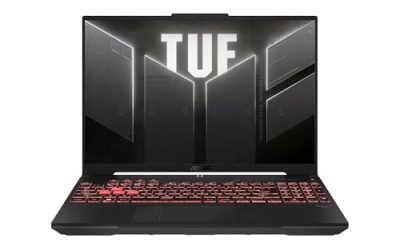
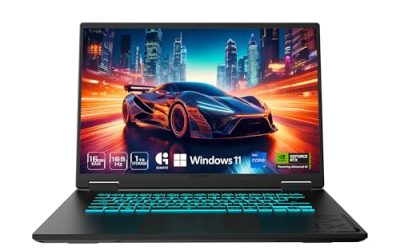
The best gaming laptop for VR gaming combines a capable dedicated GPU, strong sustained performance, sufficient memory, and compatible headset connections. High-end NVIDIA GeForce RTX 50 Series laptops offer substantial graphics headroom, but the right choice depends on your VR headset, games, portability needs, and budget.
Quick Verdict
- Best Overall: ASUS ROG Strix SCAR 18 — a high-performance option for demanding PC VR and simulation games.
- Best 16-Inch Performance: Lenovo Legion Pro 7i — a powerful alternative for buyers who want a smaller chassis than an 18-inch desktop replacement.
- Best Desktop Replacement: MSI Raider 18 HX AI — suited to a mostly stationary VR setup.
- Best Premium Alternative: Alienware 18 Area-51 — worth considering for buyers prioritizing a large chassis and high-end graphics configurations.
- Best Portable High-End Option: Razer Blade 16 — a more compact premium choice for people who also travel.
- Best Acer Option: Acer Predator Helios 18 AI — a large gaming laptop designed around demanding graphics workloads.
These are configuration-dependent recommendations, not a claim that every version of these laptops delivers identical VR performance. Confirm the exact graphics processor, memory, GPU power limit, ports, and headset compatibility before purchasing.
Quick Comparison Table
| Gaming laptop | Best for | Graphics configuration to consider | Main advantage | Main trade-off |
| ASUS ROG Strix SCAR 18 | Demanding PC VR | GeForce RTX 5080 or RTX 5090 Laptop GPU | High-end graphics options | Large, heavy chassis |
| Lenovo Legion Pro 7i | Performance in a 16-inch class | GeForce RTX 5080 or RTX 5090 Laptop GPU, where offered | Performance and portability balance | Exact specifications vary by generation |
| MSI Raider 18 HX AI | Stationary VR gaming | GeForce RTX 5080 or RTX 5090 Laptop GPU, where offered | Large performance-oriented chassis | Limited travel convenience |
| Alienware 18 Area-51 | Desktop replacement | High-end GeForce RTX Laptop GPU configuration | Large chassis for a powerful setup | Premium cost and substantial size |
| Razer Blade 16 | Portable premium VR | GeForce RTX 5080 or RTX 5090 Laptop GPU, where offered | More travel-friendly design | Expensive and configuration-sensitive |
| Acer Predator Helios 18 AI | Large-screen high-performance gaming | GeForce RTX 5080 Laptop GPU configuration | Strong graphics-focused design | Bulkier than mainstream laptops |
Important: These are GPU families to look for, not confirmation that every listed model or regional SKU offers each option. Exact CPU, GPU, VRAM, RAM, display, and GPU power limits must be checked against the specific configuration being sold.
How We Selected the Best Gaming Laptops for VR
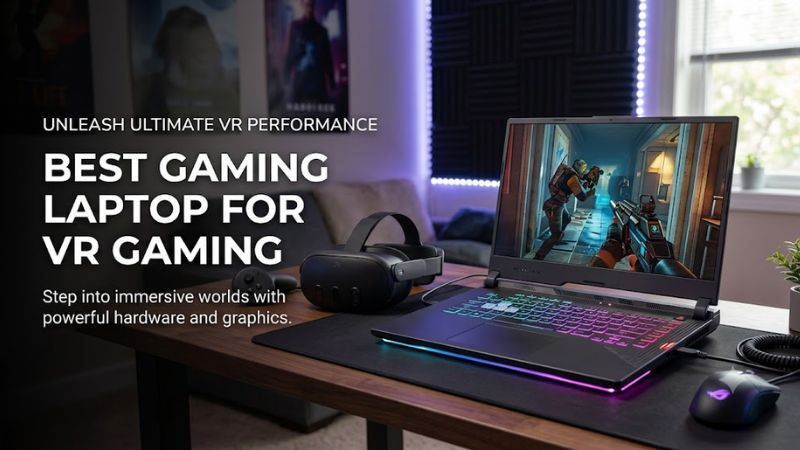
These recommendations prioritize the factors that most affect PC virtual reality rather than laptop screen refresh rate or marketing labels alone.
- Graphics performance: Higher-tier laptop GPUs provide more headroom for demanding VR games, high-resolution headsets, and simulation workloads. NVIDIA lists the GeForce RTX 5080 Laptop GPU with 16GB of GDDR7 memory and the RTX 5090 Laptop GPU with 24GB.
- GPU power limits: Two laptops with the same GPU name can perform differently because of their power limits, cooling systems, and operating modes. Manufacturer specifications are more useful than the GPU name alone.
- CPU capability: A modern, high-performance processor helps with CPU-intensive simulations, physics, and games that need consistent frame delivery.
- Headset connectivity: USB-C, DisplayPort-capable USB-C, HDMI, and wireless networking serve different purposes. The correct connection depends on the headset and laptop’s implementation.
- Memory and storage: A practical starting point for a new VR gaming laptop is 32GB of RAM and a 1TB SSD, especially for large games and demanding applications. Actual software requirements vary.
- Sustained performance: Cooling and power delivery matter because VR workloads can keep the GPU busy for extended periods.
This is a research-based comparison of published specifications and product characteristics, not a set of original VR benchmark results. No unsupported FPS figures, comparative temperature measurements, or battery-runtime claims are used to rank these laptops.
Detailed Product Recommendations
1. ASUS ROG Strix SCAR 18 — Best Overall for Demanding VR
Best For: Enthusiasts who want a high-end laptop for demanding PC VR, flight simulators, racing simulators, and graphics-intensive games.
Why We Picked It: The 2025 ROG Strix SCAR 18 offers configurations with the NVIDIA GeForce RTX 5080 or RTX 5090 Laptop GPU. The manufacturer lists up to 175W graphics power for these configurations, including Dynamic Boost. That makes the higher-end version a compelling candidate for buyers who prioritize graphics headroom.
Key Specifications:
- Processor: Intel Core Ultra 9 275HX in the documented 2025 configuration.
- Graphics: NVIDIA GeForce RTX 5080 Laptop GPU with 16GB GDDR7 or RTX 5090 Laptop GPU with 24GB GDDR7, depending on SKU.
- GPU power: Up to 175W for the documented high-end configurations, including Dynamic Boost.
- Memory and storage: Vary by configuration.
- Display: 18-inch-class display; resolution and panel specifications depend on SKU.
- Operating system: Windows 11 on the documented configurations.
Features & Benefits: The large chassis gives ASUS room to build a performance-oriented cooling system and accommodate powerful mobile graphics hardware. This is useful for long gaming sessions when sustained performance matters more than minimizing laptop size.
Performance & Practical Use: An RTX 5090 configuration offers more graphics resources than an RTX 5080 version, including additional VRAM. That extra capacity can be valuable in demanding applications, although actual performance depends on the headset, game, render resolution, and laptop power settings.
What Makes It Different: The combination of an enthusiast-class mobile GPU and a large chassis makes the SCAR 18 particularly suitable for a laptop-based VR station that spends most of its time on a desk.
Pros:
- Available with high-end RTX 50 Series Laptop GPUs.
- High GPU power limits in documented configurations.
- Large chassis suited to performance-focused cooling.
Cons:
- Bulky for frequent travel.
- High-end configurations can be expensive.
- Exact specifications and power limits vary by SKU.
Buy If: You want a powerful laptop for demanding VR and traditional PC gaming, and portability is secondary.
Skip If: You need a lightweight travel laptop or primarily play simpler VR titles that do not justify a flagship GPU.
2. Lenovo Legion Pro 7i — Best 16-Inch Performance Option
Best For: VR gamers who want a high-performance laptop without moving to an 18-inch chassis.
Why We Picked It: The Legion Pro 7i family is worth considering when a buyer wants a performance-focused laptop for gaming, simulation, and general computing. High-end configurations should be compared by their exact generation and GPU rather than by the Legion name alone.
Key Specifications:
- Processor: Varies by generation and configuration.
- Graphics: Select the highest suitable NVIDIA GeForce RTX Laptop GPU offered in the exact model being considered.
- GPU power: Verify the manufacturer’s power specification for the specific configuration.
- Memory: Check the supplied capacity and upgradeability before buying.
- Storage: Configuration-dependent NVMe SSD.
- Display: 16-inch-class display, with resolution and refresh rate varying by generation and SKU.
- Operating system: Verify the regional configuration.
Features & Benefits: A 16-inch performance laptop can be easier to transport than an 18-inch model while still providing a substantial cooling system and powerful components. Its built-in screen is useful for normal gaming and work, even though headset resolution and rendering demands matter more during VR sessions.
Performance & Practical Use: For demanding VR, prioritize a higher-tier GPU with a well-documented power limit over a premium display specification. A high refresh rate on the laptop screen does not establish how many frames the system can render for a headset.
What Makes It Different: This family is a useful middle ground for buyers who want performance without committing to a large desktop-replacement laptop.
Pros:
- Smaller chassis class than 18-inch alternatives.
- Performance-oriented design.
- Suitable for a combined gaming and productivity setup.
Cons:
- Configuration differences can materially change performance.
- The highest-tier versions may be costly.
- Exact GPU power limits need verification.
Buy If: You want one laptop for PC VR, conventional gaming, and travel between home and work.
Skip If: You want the smallest possible laptop or need a fixed, easily serviced desktop-style setup.
3. MSI Raider 18 HX AI — Best Desktop Replacement
Best For: Enthusiasts building a mostly stationary VR gaming setup.
Why We Picked It: MSI documents the Raider 18 HX AI with Intel Core Ultra 200HX-series processor options and NVIDIA GeForce RTX 5080 or RTX 5090 Laptop GPUs. Its published configurations include a maximum graphics power of 175W for these GPU options, including Dynamic Boost.
Key Specifications:
- Processor: Up to Intel Core Ultra 9 285HX in the documented Raider 18 HX AI family.
- Graphics: RTX 5080 Laptop GPU with 16GB GDDR7 or RTX 5090 Laptop GPU with 24GB GDDR7, depending on configuration.
- GPU power: Up to 175W, including Dynamic Boost, for the specified high-end configurations.
- Memory: DDR5; configurations and supported capacity vary.
- Storage: NVMe SSD options; verify the individual SKU.
- Display: Available with high-resolution 18-inch panels, including QHD+ and UHD+ options in the documented family.
- Connectivity: Includes Thunderbolt 5 and HDMI 2.1 on documented configurations; check the exact regional model.
Features & Benefits: MSI’s performance-focused chassis and Cooler Boost cooling system are designed for demanding workloads. The combination of a high-end GPU and multiple connectivity options can also help users connect peripherals and compatible external displays.
Performance & Practical Use: An RTX 5080 or RTX 5090 configuration is a strong starting point for demanding PC VR. The RTX 5090’s 24GB VRAM may be beneficial for particularly memory-intensive workloads, but it does not guarantee a specific frame rate or compatibility with every headset.
What Makes It Different: The Raider combines a large chassis, high-power graphics configurations, and broad connectivity, making it appropriate for buyers who treat their laptop as a semi-portable desktop replacement.
Pros:
- Documented high-end graphics configurations.
- Up to 175W graphics power for the specified RTX 5080 and RTX 5090 variants.
- Multiple high-speed connectivity options.
Cons:
- Large and heavy for everyday commuting.
- High-performance configurations can be costly.
- Cooling performance and noise vary with workload and power mode.
Buy If: Your priority is demanding VR performance at a desk, with occasional relocation.
Skip If: You frequently travel with your laptop or prefer a quieter, lighter system for general use.
4. Alienware 18 Area-51 — Best Large-Chassis Alternative
Best For: Buyers who want a large gaming laptop for VR, simulation titles, and conventional high-performance gaming.
Why We Picked It: Dell’s documented Alienware 18 Area-51 configuration family includes graphics options ranging from the GeForce RTX 5060 Laptop GPU to the RTX 5090 Laptop GPU. The highest-end version is worth comparing with other flagship laptops, provided its cost and physical size fit your setup.
Key Specifications:
- Processor: Varies by SKU; the documented high-end configuration includes an Intel Core Ultra 9 290HX Plus.
- Graphics: Options include RTX 5060, RTX 5070, RTX 5070 Ti, RTX 5080, and RTX 5090 Laptop GPUs.
- VRAM: Varies by GPU; the documented RTX 5080 has 16GB GDDR7 and RTX 5090 has 24GB GDDR7.
- Memory and storage: Configuration-dependent.
- Display: 18-inch-class display, with specifications varying by configuration.
- Connectivity: Confirm the exact port layout and display-output routing for the selected SKU.
Features & Benefits: The large chassis is aimed at buyers who value a powerful gaming platform more than compact dimensions. The wide range of graphics options also means buyers can choose a less expensive configuration rather than automatically paying for the flagship GPU.
Performance & Practical Use: The RTX 5090 version is the configuration to compare for demanding VR workloads. However, GPU power limits and cooling behavior should be verified independently of the GPU name, and the less expensive configurations should not be assumed to offer the same performance headroom.
What Makes It Different: The Area-51 offers several graphics tiers within a large-chassis product family, giving buyers flexibility to balance cost against GPU capability.
Pros:
- Broad range of NVIDIA graphics configurations.
- High-end option with 24GB GDDR7 VRAM.
- Large form factor suited to desk-based gaming.
Cons:
- Bulky compared with 16-inch laptops.
- The best configuration may be expensive.
- Specs and connectivity vary by SKU.
Buy If: You want a large gaming laptop and can choose a configuration that matches your headset’s needs.
Skip If: You prioritize portability or can get sufficient VR performance from a smaller, less expensive model.
5. Razer Blade 16 — Best Premium Portable Option
Best For: VR gamers who travel and also want a premium laptop for regular gaming and productivity.
Why We Picked It: The Blade 16 is a thinner, more travel-oriented alternative to large desktop-replacement laptops. It is worth considering when portability and premium construction matter alongside dedicated NVIDIA graphics.
Key Specifications:
- Processor: Depends on the model year and configuration.
- Graphics: Choose a specifically documented RTX 50 Series Laptop GPU configuration if you want current high-end graphics.
- GPU power: Confirm the maximum graphics power for the exact SKU.
- Memory and storage: Configuration-dependent.
- Display: 16-inch-class display; panel technology, resolution, and refresh rate vary by model.
- Connectivity: Check the selected model’s USB-C, DisplayPort-capable output, and other headset-relevant connections.
Features & Benefits: A smaller chassis makes the Blade 16 easier to transport than most 18-inch alternatives. It can serve as a general-purpose premium laptop when you are away from your VR setup.
Performance & Practical Use: Portability does not guarantee low temperatures, quiet fans, or high sustained GPU power. Compare its exact GPU and power limit with a larger laptop before paying more for the slimmer design.
What Makes It Different: Its central appeal is the balance between a portable chassis and high-end gaming hardware, rather than maximizing graphics power regardless of size.
Pros:
- More portable than most 18-inch gaming laptops.
- Premium design aimed at mobile use.
- Suitable for gaming and productivity beyond VR.
Cons:
- Premium pricing can reduce value.
- A thinner chassis may offer less thermal headroom than a larger design.
- Exact graphics power and headset connectivity need verification.
Buy If: You want a premium gaming laptop that can travel with you and support a compatible VR setup.
Skip If: You want maximum sustained GPU performance per dollar and rarely move your laptop.
6. Acer Predator Helios 18 AI — Best Acer Option for High-End VR
Best For: Buyers who prefer a large gaming laptop with a clearly documented high-end graphics configuration.
Why We Picked It: Acer’s documented US Predator Helios 18 AI configuration lists an NVIDIA GeForce RTX 5080 Laptop GPU with 16GB of GDDR7 memory and maximum graphics power of up to 175W. The specified model also includes 32GB of DDR5 memory and a 1TB NVMe SSD.
Key Specifications:
- Processor: Verify the exact SKU; the documented product page lists an Intel processor configuration.
- Graphics: NVIDIA GeForce RTX 5080 Laptop GPU.
- VRAM: 16GB GDDR7.
- Maximum graphics power: Up to 175W.
- Memory: 32GB DDR5 in the documented configuration.
- Storage: 1TB NVMe SSD in the documented configuration.
- Display: 18-inch, 2560 × 1600 LCD panel with a listed 250Hz refresh rate.
- Operating system: Confirm the supplied operating system on the retailer’s SKU.
Features & Benefits: The documented graphics power and dedicated VRAM make this configuration a serious candidate for demanding VR gaming. The supplied memory and SSD capacity also provide a practical starting point for a gaming library and other applications.
Performance & Practical Use: The RTX 5080 Laptop GPU is suitable to consider for demanding PC VR, but actual results depend on the headset, game, rendering resolution, and system configuration. The laptop’s 250Hz internal display is not an indication that it can render every VR title at 250 frames per second.
What Makes It Different: Acer provides a specific configuration with published GPU power, VRAM, memory, storage, and display information, which makes it easier to evaluate than a product listing that only gives a laptop family name.
Pros:
- Documented RTX 5080 Laptop GPU with 16GB GDDR7.
- Published maximum graphics power of up to 175W.
- 32GB RAM and 1TB SSD in the specified configuration.
Cons:
- Large chassis is less convenient for travel.
- An RTX 5080 is not equivalent to an RTX 5090.
- The exact SKU and headset connectivity still require confirmation.
Buy If: You want a large, high-performance gaming laptop with documented RTX 5080 specifications.
Skip If: You need a compact system or want the extra graphics memory available on an RTX 5090 Laptop GPU.
Buying Guide: How to Choose a Gaming Laptop for VR
The most important decision is not the laptop’s brand or screen refresh rate. It is whether the exact configuration can render your games at your headset’s resolution and frame rate while maintaining a stable connection.
1. Choose the Right Laptop GPU and Power Limit
For demanding modern PC VR, start by comparing laptops with higher-tier dedicated GPUs. NVIDIA’s RTX 50 Series Laptop GPUs include several distinct performance tiers, and their available memory and power limits differ.
| Laptop GPU | Standard VRAM configuration | Best use to consider |
| GeForce RTX 5090 Laptop GPU | 24GB GDDR7 | Demanding VR, simulators, and high-resolution workloads |
| GeForce RTX 5080 Laptop GPU | 16GB GDDR7 | High-end PC VR and demanding games |
| GeForce RTX 5070 Ti Laptop GPU | 12GB GDDR7 | A performance-oriented alternative when the configuration is suitable |
| GeForce RTX 5070 Laptop GPU | 8GB GDDR7 | Buyers balancing graphics capability and budget |
| GeForce RTX 5060 Laptop GPU | 8GB GDDR7 | Buyers targeting less demanding VR workloads with appropriate settings |
These are NVIDIA’s standard memory configurations, not guarantees of particular VR performance. A laptop’s cooling, GPU power limit, CPU, and game-specific requirements also affect results.
Recommendation: Compare the RTX 5080 and RTX 5090 configurations first if you intend to play demanding simulators or high-resolution VR games. Consider lower tiers when your headset and preferred games have more modest requirements.
2. Check Headset Compatibility Before Buying
Different headsets use different connection methods. A laptop can have a powerful GPU and still be unsuitable for a particular headset if the required connection or software support is missing.
- Meta Quest with PC Link: Check the current Meta Link compatibility requirements, USB connection requirements, and the laptop GPU’s support status.
- Wireless PC VR: Check Wi-Fi capability, network congestion, router placement, and the headset’s supported wireless streaming method.
- DisplayPort headsets: Confirm that the laptop provides a compatible DisplayPort connection, either directly or through an explicitly supported USB-C display output. Also verify how the port connects to the discrete GPU.
- HDMI-based headsets: Confirm the exact required HDMI version and display-output compatibility rather than relying on the presence of an HDMI port alone.
A USB-C connector does not automatically support DisplayPort output, and a port that supports video does not automatically guarantee compatibility with every headset.
3. Prioritize Stable Frame Delivery
VR requires rendering separate views for the user’s eyes, and frame delivery needs to remain consistent. Drops and stutters can be more uncomfortable in a headset than on a conventional monitor.
Look for a laptop with a capable CPU, strong sustained GPU performance, and adequate cooling. When evaluating independent benchmarks, check the game, headset or render resolution, graphics settings, upscaling, frame generation, and laptop power mode. Results from a different configuration may not predict your experience.
Frame generation and upscaling can help in supported games, but they do not eliminate every latency or frame-pacing problem.
4. Buy Enough RAM and SSD Storage
For a new high-performance VR gaming laptop, 32GB of RAM and a 1TB SSD are sensible starting points. More memory or storage may be useful for heavily modded games, simulation software, and large game libraries.
Check whether the laptop’s RAM is replaceable or soldered and how many SSD slots are available. Do not assume that a premium gaming laptop can be upgraded in every way.
5. Understand Cooling, Power, and Portability
High-end VR gaming places a sustained load on the GPU. A laptop that briefly reaches a high boost clock may not maintain that behavior throughout a long session.
Use the manufacturer’s documented GPU power limit as one comparison point, but do not treat it as a standalone performance score. Cooling design, combined CPU/GPU power, firmware settings, and ambient temperature all matter.
For a permanent VR setup, a larger 18-inch laptop may be reasonable. For frequent travel, a 16-inch model can be more convenient, although its thinner chassis may involve different power and cooling trade-offs.
6. Set a Realistic Budget
Compare complete laptop configurations rather than advertised starting prices. A model name may cover several GPUs, memory capacities, displays, and storage options, and those differences can substantially affect its value for VR.
If two laptops are close in price, prioritize the stronger verified GPU configuration, adequate VRAM, compatible ports, and a suitable cooling design over cosmetic extras. Verify the actual US price and availability at the time of purchase rather than relying on outdated promotional prices.
Frequently Asked Questions
What GPU do you need for VR gaming on a laptop?
For demanding modern PC VR, a higher-tier dedicated GPU such as the GeForce RTX 5080 Laptop GPU is a strong starting point to consider, while an RTX 5090 Laptop GPU provides more graphics resources. The minimum suitable GPU depends on the headset, game, rendering resolution, and software requirements.
Is 16GB of RAM enough for VR gaming?
16GB of RAM can be sufficient for some VR games, but 32GB is a more practical starting point for a new high-performance VR gaming laptop. The appropriate amount depends on the game, background applications, mods, and any additional creative or simulation workloads.
Can a gaming laptop run Meta Quest games through PC VR?
Yes, a compatible gaming laptop can run supported PC VR games through a Meta Quest headset using an appropriate Link or wireless connection. You must check the current headset software requirements, GPU compatibility, connection method, and the specific game’s requirements before buying.
Is an RTX 5080 laptop better than an RTX 5090 laptop for VR value?
An RTX 5080 laptop may offer better value when its price is substantially lower and its performance meets your needs, while an RTX 5090 laptop offers more VRAM and greater graphics resources. The better purchase depends on the actual price difference, GPU power limits, cooling, and the games you intend to play.
Does a 240Hz laptop display guarantee smooth VR gaming?
No, a 240Hz laptop display does not guarantee smooth VR performance. The display’s refresh rate describes the laptop screen, while VR performance depends on the headset’s refresh rate, rendering workload, frame delivery, and compatibility with the game and headset software.
Should you choose a gaming laptop or desktop PC for VR?
A desktop PC is generally worth considering when maximum sustained performance, upgradeability, and value are more important than portability. A gaming laptop makes more sense when you need a single portable computer for VR and other tasks, but you should account for its cooling limits and configuration-specific performance.
Conclusion
For demanding VR gaming, the ASUS ROG Strix SCAR 18 and MSI Raider 18 HX AI are strong high-end candidates, while the Lenovo Legion Pro 7i and Razer Blade 16 offer alternatives for buyers who want a smaller chassis. The Acer Predator Helios 18 AI is another compelling option with a documented RTX 5080 configuration. Before deciding, confirm the exact GPU, power limit, VRAM, memory, and headset connectivity for the specific laptop you intend to buy.