Choosing the best gaming laptop with a mux switch means finding a model that lets its dedicated GPU communicate directly with the built-in display when appropriate. This roundup compares gaming laptops with documented graphics-switching features, explaining their strengths, limitations, and the specifications to verify before buying.
How to Choose the Best Gaming Laptop With a MUX Switch
A MUX switch is valuable when you want more control over how a laptop’s graphics hardware drives its internal display. However, it does not make every game faster, and the benefits depend on the GPU, CPU, display connection, game settings, and power limits. Prioritize verified implementation over marketing labels.
1. Understand the Difference Between a MUX Switch and Advanced Optimus
A MUX switch changes the display path between integrated graphics and the dedicated GPU. In a hybrid configuration, the dedicated GPU can render a game while integrated graphics handles the display output. Direct routing can reduce the overhead associated with that arrangement in supported workloads.
NVIDIA Advanced Optimus adds automatic switching between supported graphics modes without requiring the user to manually change the display path and restart the laptop in many configurations. If you frequently switch between gaming and battery-powered productivity, this functionality can be more convenient than a basic manual MUX switch.
2. Choose the GPU and Its Power Limit Carefully
A MUX switch cannot compensate for a weak GPU, limited video memory, or restrictive thermal and power settings. Compare the exact laptop GPU, VRAM capacity, and manufacturer-specified graphics power rather than relying on the GPU name alone.
For example, two laptops carrying the same GeForce RTX GPU can perform differently because of their power limits and cooling systems. A higher-powered configuration with a capable cooling system may be a better gaming purchase than a thinner model with more display-switching features but less sustained GPU power.
3. Match the Display to Your Games
A high-refresh-rate display makes frame-rate improvements more useful in competitive games, especially when you play titles that can sustain high frame rates. Resolution also matters: rendering at 2560 × 1600 generally places a different workload on the GPU than rendering at 1920 × 1080.
Check the exact configuration’s resolution, refresh rate, response-time specification, and adaptive-sync support. A 240Hz panel does not mean every game will reach 240 FPS, and a MUX switch does not remove the GPU workload associated with higher resolutions or demanding graphics settings.
4. Check the Exact Configuration Before Ordering
Laptop families often include several GPU, display, memory, and regional configurations. A manufacturer’s specification page may describe multiple versions, so verify the complete model identifier and configuration rather than assuming every laptop in a product family includes the same graphics-switching feature.
Also check whether the laptop’s memory is upgradeable, how many M.2 SSD slots are available, and whether the graphics modes are controlled through the manufacturer’s software or BIOS. These details affect long-term value even though they do not directly determine MUX performance.
Top Gaming Laptops With a MUX Switch
The following shortlist focuses on laptop families with manufacturer documentation identifying a MUX switch or NVIDIA Advanced Optimus. The recommendations distinguish intended use from independently measured performance; they are not a benchmark ranking. Exact US availability, configuration, and pricing should be confirmed before purchase.
| Product | Best For | Key Spec | Compatibility | Watch Out For |
| ASUS ROG Strix G16 (2024) | Balanced gaming and upgrades | 16-inch QHD+ 240Hz display on documented configurations; MUX switch and Advanced Optimus | Configuration-dependent Intel CPU and NVIDIA GPU | Older generation; verify exact GPU and current stock |
| ASUS ROG Zephyrus G16 (2026) | Premium gaming and portability | 16-inch 2560 × 1600 OLED, up to 240Hz on documented configurations; MUX switch and Advanced Optimus | Configuration-dependent Intel CPU and NVIDIA GPU | Soldered memory on listed configurations |
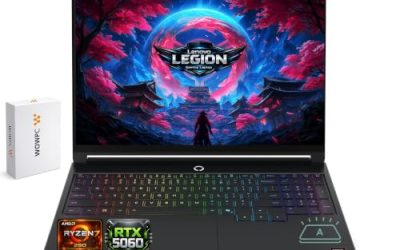
| Acer Nitro V 16 AI | Budget-conscious gaming | Documented configurations include RTX 50-series GPUs and a MUX switch | Exact ANV16 variant determines GPU, power limit, and features | Lower-power configurations may sacrifice sustained performance |
| ASUS ROG Zephyrus G14 (2025) | Compact gaming and travel | 14-inch 2880 × 1800 OLED, 120Hz; MUX switch and Advanced Optimus | Configuration-dependent AMD CPU and NVIDIA GPU | Soldered RAM and fewer storage expansion options than some larger laptops |
1. ASUS ROG Strix G16 (2024) — Best for Balanced Gaming
The ROG Strix G16 is a sensible starting point if you want a gaming-focused laptop with a high-refresh-rate display and a documented graphics-switching implementation. ASUS lists a 16-inch QHD+ panel with a 240Hz refresh rate and MUX Switch plus NVIDIA Advanced Optimus on applicable configurations. Its gaming-oriented design makes it worth comparing against newer machines.
The main limitation is its age. A 2024 model may offer attractive value when discounted, but its price should be weighed against newer GPU generations, remaining warranty coverage, and available memory and storage configurations. Buy it when the exact GPU and price make sense; consider a newer model if the price difference is small.
2. ASUS ROG Zephyrus G16 (2026) — Best for Premium Gaming
The 2026 Zephyrus G16 is worth considering if you want a premium 16-inch machine that combines gaming features with a high-quality display. ASUS documents configurations with a 2560 × 1600 OLED panel, a 240Hz refresh rate, MUX Switch, and NVIDIA Advanced Optimus. These features provide flexibility for switching between graphics modes and gaming workloads.
Its portability-focused design comes with trade-offs. ASUS lists onboard LPDDR5X memory without expansion on the documented configurations, so the selected memory capacity matters at purchase. Buyers who prioritize extensive upgrades or maximum sustained GPU power per dollar should compare larger gaming laptops before committing to a premium thin-and-light design.
3. Acer Nitro V 16 AI — Best for Budget-Conscious Buyers
The Nitro V 16 AI deserves consideration when the goal is to obtain a dedicated GPU and a MUX switch without automatically moving into a premium gaming-laptop price bracket. Acer’s published GPU specifications identify Nitro V 16 AI configurations with RTX 50-series graphics and a MUX switch, although the exact GPU and power limits vary by model.
The key limitation is configuration dependence. The Nitro V family includes different GPU options and power specifications, so the product name alone cannot establish its gaming performance. Compare the complete model number, graphics power, memory, screen resolution, and cooling design. Choose the configuration that fits your games and budget rather than paying extra for a feature label alone.
4. ASUS ROG Zephyrus G14 (2025) — Best for Compact Gaming
The Zephyrus G14 is a strong candidate for gamers who travel frequently or prefer a smaller laptop. ASUS documents a 14-inch 2880 × 1800 OLED display with a 120Hz refresh rate and MUX Switch plus NVIDIA Advanced Optimus on applicable configurations. The compact format combines a high-resolution screen with dedicated graphics.
Its size also creates trade-offs. The documented configuration uses onboard LPDDR5X memory, limiting future RAM upgrades, and its compact chassis differs from a larger machine designed around sustained high-power gaming. Check the exact GPU and its power limits before comparing it with a 16-inch alternative. It is most appropriate when portability and display quality matter alongside gaming.
FAQ
Does a MUX Switch Increase Gaming FPS?
A MUX switch can improve gaming performance in some situations, but the size of the improvement varies by game and system configuration. Directing the dedicated GPU to the internal display can reduce graphics-routing overhead, particularly in CPU-limited games. GPU-limited games may see a smaller difference, and a MUX switch does not increase the GPU’s rated processing capability.
Is NVIDIA Advanced Optimus Better Than a Manual MUX Switch?
NVIDIA Advanced Optimus is generally more convenient when you want supported automatic switching between integrated and dedicated graphics. A manual MUX switch can still provide the direct GPU display path needed for gaming. The better choice depends on supported hardware, software controls, display compatibility, and whether you prefer automatic or manual switching.
Can I Add a MUX Switch to a Gaming Laptop That Does Not Have One?
No, a MUX switch generally cannot be added as a simple software upgrade to a laptop that lacks the required display-routing hardware. External monitors may connect through different graphics paths, depending on the laptop’s ports and internal design, but that is not the same as installing a physical MUX switch. Verify the manufacturer’s documentation before purchasing a laptop for this feature.
Should I Choose a MUX-Switch Laptop Over One With a Better GPU?
Not automatically. A stronger GPU, higher sustained graphics power, effective cooling, and sufficient VRAM can matter more than the presence of a MUX switch. Compare the complete laptop configurations first, then use graphics-switching capability as a deciding factor when the other specifications and prices are reasonably close.
Final Thoughts
The best gaming laptop with a mux switch depends on your budget, preferred screen size, GPU requirements, and upgrade plans. The ROG Strix G16 suits balanced gaming, while the Zephyrus models emphasize premium displays and portability. Compare exact configurations and manufacturer specifications before buying, especially when prices are close.