Under 600 dollars is where gaming laptops start to look like gaming laptops. Below that line you are mostly choosing between seller-branded machines that borrow the word “gaming,” but around this cap a few listings name a real dedicated NVIDIA graphics chip, a high-refresh panel, and an H-series processor built for sustained load. That makes the search more interesting and also more treacherous, because the same results page mixes legitimate gaming hardware with everyday laptops wearing a gaming label. This guide is for buyers who want playable frame rates at 1080p and who are willing to read the spec line closely to get them.
The seven laptops here were selected because each calls itself a gaming machine or names gaming-class parts. Three list a dedicated GeForce chip, one is a Lenovo with an H-series Ryzen but no named graphics chip, and three are seller-branded models with little detail. Based on the listed specs, the sections below explain how to rank them by graphics hardware first, then memory and storage, then screen. Be realistic about one thing for 2026: the cap is a firm ceiling for you, but listing pricing moves, so confirm that a tempting model actually lands under it on the day you buy.
Our Top Picks




Top 3 picks at a glance
Quick Picks
As an Amazon Associate we earn from qualifying purchases at no extra cost to you.





| Product | Best for | Key spec from the title |
|---|---|---|
| Acer Nitro V | Strongest mainstream gaming balance | Core i5-13420H, RTX 4050 laptop GPU, 165Hz |
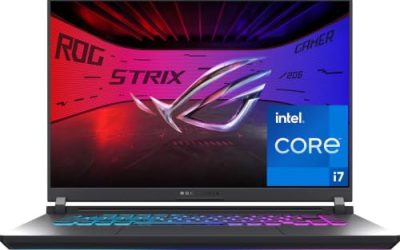
| ASUS ROG Strix G16 | Top-end performance if it fits the cap | RTX 5060, Core i7 14650HX, 165Hz, 1TB SSD |
| HP Victus Gaming 15 | Entry-level discrete-GPU gaming | Core i5-13420H, RTX 3050, 144Hz, 512GB NVMe |
| Lenovo 15 Gaming Laptop | Ryzen-based students who upgrade later | Ryzen 5 7535HS, 8GB DDR5, 256GB PCIe SSD |
| MALLRACE Gaming Laptop | Work-first users with light gaming | Ryzen 5 7430U, 16GB RAM, numeric keypad |
| Generic gaming laptop (Core) | Basic use with ample memory | Core processor up to 3.40GHz, 16GB, 512GB SSD |
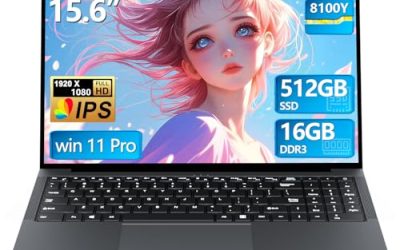
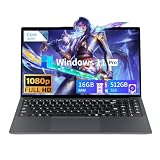
| Tunhail 15.6 inch | Everyday Windows 11 Pro machine | Core processor up to 3.40GHz, 16GB, 512GB |
How to Choose
With a 600 dollar ceiling, the right order of operations matters. Settle graphics first, then everything else.
Match the graphics chip to your games
Dedicated laptop GPUs fall into clear tiers. The RTX 3050 listed on the HP Victus is the entry rung for 1080p esports and older titles at medium settings. The RTX 4050 on the Acer Nitro V is a notch above and handles more recent games at 1080p with sensible settings. The RTX 5060 on the ASUS ROG Strix is the newest and fastest here. Listings that name no graphics chip rely on integrated graphics and should be judged as capable everyday laptops instead.
Memory configuration and upgrade room
Several of the strongest titles list only 8GB of RAM, including the Acer, the Lenovo, and the HP. That is a minimum, not a comfort level, and 16GB is the realistic target for modern games. Check whether the memory is soldered or socketed before you plan an upgrade, and note that DDR5, listed on the Acer, Lenovo, and ASUS, offers more bandwidth than the DDR4 on the HP. Storage of 512GB is the sensible floor, while a 256GB drive, as on the Lenovo, fills fast.
Display refresh rate, size, and panel type
For gaming, a 144Hz or 165Hz panel makes motion visibly smoother, provided your graphics chip can push that many frames. The Acer lists an IPS panel at 165Hz, and the ASUS lists a 16 inch 16:10 screen at 165Hz with a 3ms response time. Choose IPS over basic panels when you can, since colors and viewing angles hold up better. Ignore peak-brightness boasts and inflated resolution talk; Full HD is the right target at this size and budget.
Cooling, weight, and build corners that get cut
Powerful chips need airflow. H-series and HX processors draw more power, and thin shells can throttle in long sessions. Budget models trim cooling, keyboard quality, and battery capacity first, none of which appear in listing titles. Plan on a hard desk, keep vents clear, and expect short battery life when gaming unplugged on any laptop with a dedicated chip. If you game for long stretches, a cheap stand that lifts the rear edge can help airflow more than most buyers expect.
The 7 Best Options
Acer Nitro V
The Nitro V hits the sweet spot for this budget class. The title lists an Intel Core i5-13420H, an NVIDIA GeForce RTX 4050 laptop GPU, a 15.6 inch Full HD IPS display at 165Hz, 8GB of DDR5 memory, and a 512GB Gen SSD.
- Strength: the RTX 4050 plus a 165Hz IPS panel is a well-matched gaming pairing.
- Strength: DDR5 memory and a modern i5 H-series chip keep it current.
- Trade-off: 8GB of RAM is thin, so plan an upgrade to 16GB.
Skip it if you need a large screen or lots of included storage. It is the most balanced choice for a high school or college gamer who wants strong 1080p performance without leaving the budget tier.
ASUS ROG Strix G16
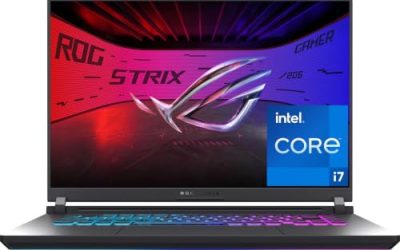
The ROG Strix G16 is a clear step above the rest on paper. The title lists a 16 inch FHD+ 16:10 display at 165Hz with a 3ms response time, an NVIDIA GeForce RTX 5060, a Core i7 14650HX processor, 16GB of DDR5 RAM, and a 1TB Gen 4 SSD.
- Strength: the RTX 5060 and HX-class processor are the strongest gaming hardware in the group.
- Strength: 16GB of DDR5 and a 1TB Gen 4 drive remove common budget bottlenecks.
- Trade-off: it sits at the top of the spec ladder, so verify the current listing actually fits a 600 dollar ceiling.
Skip it if the listing exceeds your cap, because stretching is easy to regret. It suits buyers who find it on a deep discount and want the longest useful life.
HP Victus Gaming 15
HP describes a 15.6 inch Full HD 144Hz laptop with an 8-core Intel Core i5-13420H, an NVIDIA GeForce RTX 3050, 8GB of DDR4 SDRAM, a 512GB NVMe SSD, and Windows 11 Home.
- Strength: a named RTX 3050 gives it genuine entry-level gaming capability.
- Strength: a 144Hz screen and 512GB NVMe drive suit fast-paced titles.
- Trade-off: DDR4 and only 8GB of RAM make it the least future-proof dedicated-GPU option.
Skip it if you want newer memory standards or a stronger graphics chip. It is a fine pick for a first gaming laptop where the budget is the priority.
Lenovo 15 Gaming Laptop
Lenovo lists a Ryzen 5 7535HS, 8GB of DDR5 RAM, and a 256GB PCIe SSD in a 15 inch gaming laptop with a Full HD-plus display, Wi-Fi 6, Bluetooth 5.3, a webcam, and Windows 11 Home in a Luna Grey finish.
- Strength: an H-series Ryzen 5 with DDR5 is a capable processor and memory pairing.
- Strength: Wi-Fi 6 and Bluetooth 5.3 are modern connectivity choices.
- Trade-off: only 256GB of storage and 8GB of RAM will feel tight quickly, and the title names no dedicated GPU.
Skip it if you plan to install several large games, because a 256GB drive leaves little space after Windows and a launcher. It suits students who want a clean design and expect to upgrade memory and storage later, and who value the webcam and current wireless standards for online classes.
MALLRACE Gaming Laptop
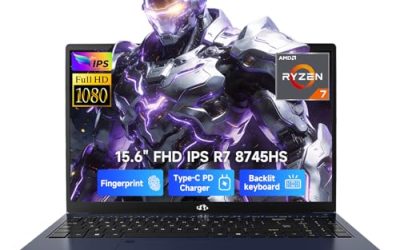
MALLRACE offers a 15.6 inch laptop with 16GB of RAM, a 512GB SSD, a numeric keypad, and an AMD Ryzen 5 7430U with Radeon Graphics. The title compares the chip with an Intel i7-1255, a claim best treated with caution.
- Strength: 16GB of RAM and a 512GB SSD give it more working room than the Acer or Lenovo.
- Strength: a numeric keypad suits spreadsheet and data work.
- Trade-off: a U-series processor with integrated graphics limits gaming to lighter titles.
Skip it if you want modern 3D games at higher settings, since the title lists integrated graphics only. It is better for a work-first user who plays casually, such as a bookkeeper or student who wants room for files, a full keypad, and the occasional round of an older title.
Generic Gaming Laptop (Core)
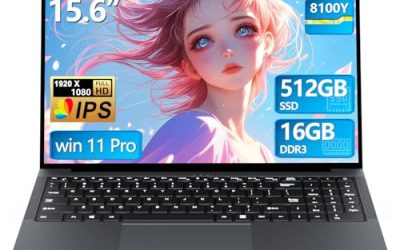
This unbranded listing includes a Core processor up to 3.40GHz, 16GB of RAM, a 512GB SSD, a 15.6 inch 1920 by 1080 display, and WiFi with Bluetooth 5.0, under a gaming label.
- Strength: 16GB of RAM and 512GB of storage match many better-known laptops.
- Strength: the 1080p display is the correct resolution for the size.
- Trade-off: no processor model or graphics chip is named, so performance is a question mark.
Skip it if you want predictable frame rates or a clear upgrade path, since the listing never says whether memory is socketed. It works as a basic laptop for homework and media, and it is the kind of listing where a short email to the seller asking for the exact processor model is time well spent.
Tunhail 15.6 Inch
The Tunhail lists a Core processor up to 3.40GHz, 16GB of RAM, 512GB of storage, a Full HD display, and Windows 11 Pro, described as a traditional laptop with a gaming tag.
- Strength: Windows 11 Pro is included, which some users prefer for work.
- Strength: 16GB of RAM supports multitasking.
- Trade-off: the vague processor line makes gaming performance unclear.
Skip it if graphics matter at all, because nothing in the title points to a dedicated chip. It fits everyday office and study tasks for a family that wants one capable Windows machine and does not mind that the gaming tag is mostly a label.
Which One Fits Your Situation
You want the best frame rates without overspending
The Acer Nitro V is the most balanced pick, with an RTX 4050 and a 165Hz IPS panel. Add RAM and it will serve for years of 1080p play.
You find a deal on a premium model
The ASUS ROG Strix G16 is the strongest laptop here by a wide margin. Only buy it if the listing price genuinely lands within your cap.
You need the cheapest real gaming setup
The HP Victus Gaming 15 with its RTX 3050 is the entry point for dedicated graphics. It handles esports and older games comfortably.
You mostly work and game on weekends
The MALLRACE Gaming Laptop gives you 16GB of RAM and a numeric keypad. Pick the Lenovo 15 Gaming Laptop instead if you prefer a Ryzen H-series chip and will upgrade storage yourself.
Common Mistakes
- Assuming any laptop with “gaming” in the title has a dedicated graphics chip.
- Buying 8GB of RAM and forgetting that modern games and background apps need more.
- Paying for a 165Hz screen paired with a graphics chip too weak to use it.
- Overlooking the storage size and filling a 256GB drive within weeks.
- Stretching past the cap for a premium model without checking the real listing price.
Frequently Asked Questions
Which graphics chip should I look for under 600 dollars?
Aim for an RTX 3050 or better. The RTX 4050 in the Acer is a stronger target, and the RTX 5060 in the ASUS is the highest tier listed here.
Is 8GB of RAM enough?
It runs games, but it leaves little room. Plan to move to 16GB, especially on the Acer, Lenovo, and HP, which list 8GB.
Do I need a 165Hz display?
Only if your graphics chip can deliver high frame rates. A 144Hz panel is plenty for most buyers at this budget.
Are the seller-branded laptops worth considering?
They can work for homework and media, but their titles omit key details. Ask for the exact processor model and warranty terms before purchase.