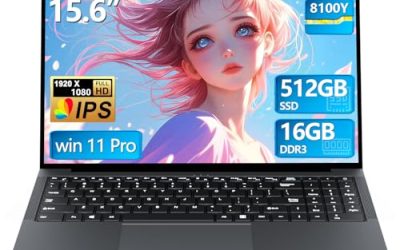
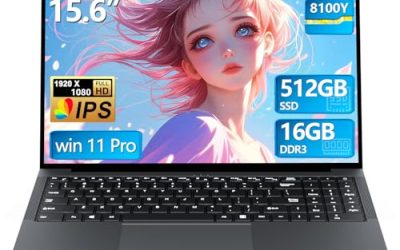
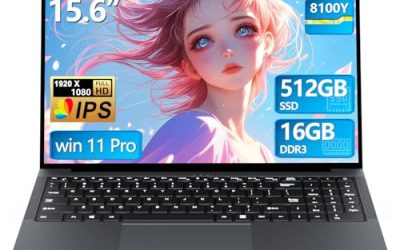
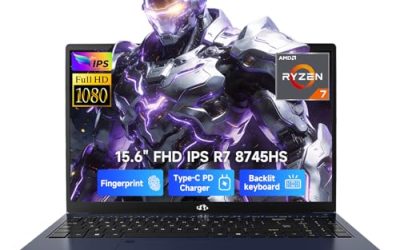
The mid-range is where gaming laptops make the most sense for most people. Entry models cut corners on memory and screens, while the premium tier asks you to pay for graphics power that a 1080p panel cannot fully show off. The middle of the market, built around cards like the RTX 4050, RTX 5050 and RTX 5060, is aimed at players who want smooth high-settings play on a 15 or 16-inch screen without turning the purchase into a major financial decision.
This guide is for students, first-time gaming laptop buyers and anyone upgrading from a machine that is three or four years old. Because the label “mid-range” is loose, it is defined here by the specs in each listing: a dedicated RTX 3050 to RTX 5060 graphics card, 16GB of RAM as the working norm, and a 144Hz to 180Hz screen. Shoppers looking at 2026 models will find that older cards remain on sale beside newer ones, so the differences below are worth understanding.
Our Top Picks
 HP Victus 15.6 inch FHD 144Hz Gaming Laptop16 GB RAM | 512 GB SSD | 13420H11.6 x 9.4 x 0.83 inches5.1 poundsCheck on Amazon





Top 3 picks at a glance
Quick Picks
As an Amazon Associate we earn from qualifying purchases at no extra cost to you.



| Product | Best for | Key spec from the title |
|---|---|---|
| ASUS ROG Strix G16 (RTX 5060) | Top of the mid-range with 1TB storage | Core i7 14650HX, RTX 5060, 16GB DDR5, 1TB Gen 4 |
| Acer Nitro V 16S AI | Memory and a fast 16-inch screen | Ryzen 7 260, RTX 5060, 180Hz WUXGA IPS, 32GB |
| Acer Nitro V (RTX 4050, 8GB) | Entry to the middle with an upgrade path | Core i5-13420H, RTX 4050, 165Hz FHD IPS, 8GB DDR5 |
| ASUS ROG Strix G16 (RTX 5050) | Latest-generation graphics at the lower end | Core i5 14450HX, RTX 5050, 16GB DDR5-5600 |
| HP Victus (RTX 4050 6GB) | Straightforward 1080p play | Core i5-13420H, RTX 4050 6GB, 16GB DDR4 |
| Acer Nitro V (RTX 4050, 1TB) | Storage-heavy gamers | Core i7-13620H, RTX 4050, 16GB DDR5, 1TB Gen 4 |
| HP Victus (RTX 3050) | Tightest budget in the group | Core i5-12450H, RTX 3050, 16GB, 512GB PCIe |
How to Choose
Know what each graphics card can reasonably do
An RTX 3050 is a capable 1080p card for popular and esports titles, but it is the oldest option here. The RTX 4050 is a modest step up, and the RTX 5050 and RTX 5060 are the newer picks, with the 5060 offering the most headroom for demanding games at high settings. Make sure the title lists the card by name; vague phrases such as “dedicated graphics” tell you little.
16GB of RAM is the target, and memory type matters
Games and background apps are comfortable at 16GB, so be cautious of listings that stop at 8GB, even if the rest of the specs look good. DDR5 is the newer, faster type; DDR4 is older, though it works fine for 1080p. The practical rule: if a laptop ships with 8GB, count on buying a memory upgrade soon. The listing with 32GB leaves the most room for streaming or editing alongside play.
Screen refresh rate, resolution and panel type
Mid-range laptops mostly use full HD (1920 by 1080) or the slightly taller FHD+ and WUXGA panels, and that is fine. A refresh rate of 144Hz is the baseline, with 165Hz and 180Hz as nice upgrades for fast games. Prefer IPS panels, which keep color and viewing angles consistent, and avoid listings that omit the panel type entirely.
Storage and the details that quietly raise cost
Choose 512GB as a minimum and 1TB if you install more than a handful of large games. A Gen 4 NVMe drive, as named on two listings, loads games faster than older drive types. Ignore marketing language like “beat i5” in generic titles, and treat generic-brand “gaming” laptops that list no graphics card with caution, since a gaming label alone does not guarantee discrete graphics.
The 7 Best Options
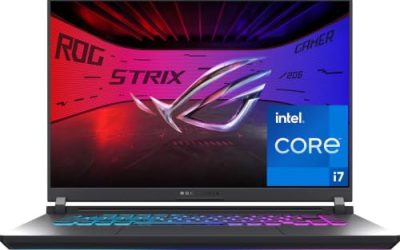
ASUS ROG Strix G16 (RTX 5060)
This is the most complete configuration in the group. The title lists a 16-inch FHD+ 16:10 display at 165Hz with a 3ms response time, an RTX 5060, a Core i7 14650HX processor, 16GB of DDR5 and a 1TB Gen 4 drive. It reads like a balanced build for players who want high settings in modern games without stepping up to the premium tier.
- Strength: the RTX 5060 is the strongest graphics card among the mid-range choices.
- Strength: 1TB of Gen 4 storage and a 165Hz 16:10 screen are well matched to the card.
- Trade-off: 16GB of RAM is standard, not generous, for the top of this group.
Skip it if you want 32GB of memory or if a 15.6-inch screen suits your bag better than a 16-inch one.
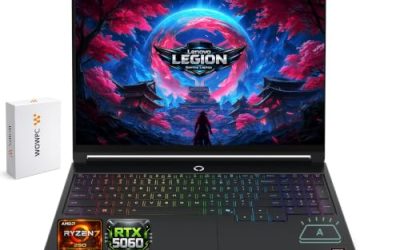
Acer Nitro V 16S AI
The Nitro V 16S AI also carries an RTX 5060 but pairs it with a Ryzen 7 260 processor, a 16-inch WUXGA IPS display at 180Hz and 32GB of memory. For mixed use, the memory is the headline: it leaves space for streaming, a browser and chat while a game runs. The title also quotes 572 AI TOPS for the graphics chip, a figure that describes AI workloads rather than frame rates, so treat it as a bonus.
- Strength: 32GB of memory is a rare spec at this tier and helps multitaskers.
- Strength: a 180Hz IPS panel is the fastest screen in the group.
- Trade-off: the title does not state the storage size in the visible text, so check it before deciding.
Skip it if you do not need that much memory and would rather save on the configuration.
Acer Nitro V (RTX 4050, 8GB)
This Nitro V pairs a Core i5-13420H with an RTX 4050 laptop GPU and a 15.6-inch FHD IPS display at 165Hz. The title lists only 8GB of DDR5 and a 512GB Gen drive, which makes it the lightest configuration among the Acer models. Because the rest of the specification is sound, the memory is the single item that decides whether this model is a bargain or a project, and buyers comfortable with installing a second module will see it as a flexible starting point.
- Strength: the 165Hz IPS display gives smooth motion at 1080p.
- Strength: DDR5 memory is a more current standard than DDR4.
- Trade-off: 8GB of RAM is the bottleneck, and most buyers will want a quick memory upgrade.
Skip it if you want a machine that is ready for modern games without any upgrades.
ASUS ROG Strix G16 (RTX 5050)
The lower-spec ROG Strix G16 is built around a Core i5 14450HX, an RTX 5050 laptop GPU, 16GB of DDR5-5600 and a 512GB drive, behind the same 16-inch 16:10 FHD+ 165Hz display as its sibling. It offers a current-generation RTX card at the entry level of the mid-range. Compared with the RTX 5060 sibling, the display and chassis story is the same, which makes the choice mostly about graphics power and storage rather than screen quality or design.
- Strength: the newest GPU generation among the lower-tier models.
- Strength: 16GB of DDR5-5600 is a solid memory configuration.
- Trade-off: 512GB of storage will fill quickly with large game installs.
Skip it if you want the RTX 5060 tier or more storage from the start.
HP Victus (RTX 4050 6GB)
This Victus pairs a 15.6-inch FHD 144Hz display with a Core i5-13420H, an RTX 4050 with 6GB of video memory, 16GB of DDR4 and a 512GB SSD. The title notes a Mica Silver finish, a change from the black common on gaming laptops. That makes it a plain, predictable choice for someone who wants to play popular titles at 1080p without browsing through long spec lists, and it suits a household where one laptop must handle both games and homework.
- Strength: 16GB of RAM from the start avoids an immediate upgrade.
- Strength: 6GB of video memory is stated clearly in the title.
- Trade-off: DDR4 memory is older than the DDR5 in other listings.
Skip it if you want a faster refresh rate than 144Hz or the newer memory type.
Acer Nitro V (RTX 4050, 1TB)
This Nitro V configuration combines a Core i7-13620H, an RTX 4050, a 15.6-inch FHD IPS 165Hz display, 16GB of DDR5 and a 1TB Gen 4 drive. It targets players who care about storage and processor strength as much as the graphics card. Compared with the 8GB Nitro V, this version doubles the memory and the storage while keeping the same card family, which is why it is the more rounded pick of the two.
- Strength: 1TB of Gen 4 storage handles a large library of games.
- Strength: the Core i7 processor and DDR5 memory create a balanced mid-range build.
- Trade-off: the RTX 4050 is a step below the 5060 cards in the group.
Skip it if graphics power is your priority over storage.
HP Victus (RTX 3050)
The oldest graphics card here sits inside a 15.6-inch Full HD 144Hz laptop with a Core i5-12450H, 16GB of RAM, a 512GB PCIe SSD, Wi-Fi 6 and a backlit keyboard. The title keeps the list short and the entry point low. Buyers who already know their library is mostly esports and older releases will find the specification perfectly adequate, and the 16GB of RAM avoids the common budget compromise.
- Strength: it is the most affordable way to get an RTX card and 144Hz screen in this guide.
- Strength: a backlit keyboard and Wi-Fi 6 cover the practical basics.
- Trade-off: the RTX 3050 and older processor will age faster than the newer cards.
Skip it if you want long-term headroom for upcoming releases.
Which One Fits Your Situation
You want the strongest mid-range laptop and will keep it for years
The ASUS ROG Strix G16 with the RTX 5060 is the safest long-term choice. It pairs the best graphics card in the group with 1TB of storage, which delays the need to upgrade.
You stream or work on the same machine
The Acer Nitro V 16S AI offers 32GB of memory and an RTX 5060, which suits creators and streamers who run several programs together.
You are on a limited budget
The HP Victus with the RTX 3050 is the entry point, while the HP Victus with the RTX 4050 adds a newer card and 6GB of video memory for a modest step up.
You want lots of storage
The Acer Nitro V with the Core i7 and 1TB drive keeps a deep game library on board, and it avoids the memory shortfall of the 8GB Nitro V.
Common Mistakes
- Buying an 8GB laptop and forgetting the upgrade: factor in extra memory if the title lists only 8GB.
- Assuming a gaming label means a dedicated card: always confirm a named RTX model.
- Choosing a higher refresh rate over the graphics card: a fast screen cannot make up for a weak GPU.
- Skipping the storage line: 512GB fills quickly in a modern game library.
- Comparing only generation numbers: an RTX 4050 and an RTX 5050 differ in more than the number.
Related guides
- Gaming Laptop Battery Draining While Plugged In Fix
- Graphics Cards For Low Wattage Power Supplies
- How To Stop Laptop Thermal Throttling In Software
Frequently Asked Questions
What defines a mid-range gaming laptop?
It generally means an RTX 3050 to RTX 5060 class graphics card, 16GB of RAM and a 144Hz to 180Hz 1080p-class screen. The goal is smooth high-settings play without premium parts.
Is an RTX 4050 still worth buying?
For 1080p play, yes. It handles popular games well, though the newer RTX 5050 and 5060 cards offer more headroom for upcoming releases.
Is 8GB of RAM enough for gaming?
It is the weak point of the 8GB Nitro V. Sixteen gigabytes is the comfortable target for current games, so plan on upgrading if you start with 8GB.
Do I need a 16-inch screen?
No. A 15.6-inch screen is lighter and easier to carry, while a 16-inch screen gives a bit more room. Pick the size that fits how and where you play.