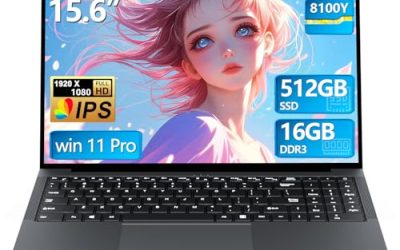
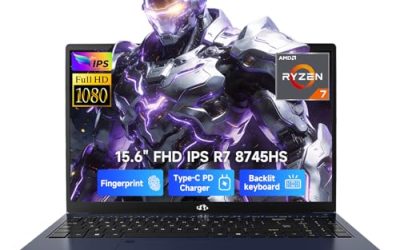
A gaming laptop under 400 dollars is a negotiation between the label on the lid and the parts underneath it. At this budget, a true gaming machine with a dedicated graphics chip is rare, and many listings use the word “gaming” for what is really a well-equipped everyday laptop. That does not make the search pointless. It means the smart buyer reads the processor, graphics, memory, and display lines first and treats the marketing word last. This guide is for students, casual players, and parents shopping for a first machine that can handle lighter titles and homework on the same device.
The five laptops below were chosen because their titles call them gaming laptops or list gaming-class parts. They range from an HP model that names a dedicated NVIDIA graphics chip to seller-branded machines that mention only a processor speed. Based on the listed specs, the sections that follow separate real gaming hardware from the labels, so you know what to expect from each before spending anything in 2026. Expect compromises everywhere, and plan on esports and older titles rather than the latest releases at high settings.
Our Top Picks
 HP Victus 15.6" Full HD 144Hz Gaming Laptop16GB | 512GB SSD19 x 12 x 3 inches7 poundsCheck on Amazon


Top 3 picks at a glance
Quick Picks
As an Amazon Associate we earn from qualifying purchases at no extra cost to you.




| Product | Best for | Key spec from the title |
|---|---|---|
| HP Victus 15.6 | The only listing with a named dedicated GPU | Core i5-12450H, GeForce RTX 3050, 144Hz |
| HILLSUSU Ryzen 7 6800H | Heavy multitasking and big storage | Ryzen 7 6800H, 24GB DDR5, 1TB NVMe SSD |
| MALLRACE Gaming Laptop | Spreadsheets, games, and a numeric keypad | Ryzen 5 7430U, 16GB RAM, 512GB SSD |
| Generic gaming laptop (Core) | Light games and school work on a tight budget | Core processor up to 3.40GHz, 16GB, 512GB |
| Tunhail 15.6 inch | Everyday use with Windows 11 Pro | Core processor up to 3.40GHz, 16GB, 512GB |
How to Choose
When the budget is capped at 400 dollars, four checks keep you from paying for a label.
Dedicated graphics versus integrated graphics
This is the single most important line. A dedicated chip such as the GeForce RTX 3050 named in the HP title has its own memory and its own cooling budget. The other four titles name only a processor, or a Radeon graphics label in the MALLRACE case, which usually means graphics built into the processor. Integrated graphics can run older and esports-style games at low settings but will struggle with demanding titles. If a title never names a graphics chip, assume it has none and judge it as a general-purpose laptop.
Memory and storage thresholds
Aim for 16GB of RAM as a floor for gaming, since 8GB leaves little room once a browser and launcher are open. Every pick here lists 16GB or more, and the HILLSUSU lists 24GB of DDR5. For storage, 512GB is workable for a handful of games, while 1TB NVMe avoids constant uninstalling. Be wary of eMMC storage or 128GB drives, which fill quickly and load slowly.
Display refresh rate and size
All five are 15.6 inch laptops with a Full HD 1920 by 1080 class screen. A 144Hz panel, listed on the HP, makes motion look smoother in fast games, while a standard 60Hz panel is fine for casual play. At this budget, brightness and color accuracy are rarely good, so do not expect a creative-grade screen. Ignore claims of unusual aspect ratios or inflated resolution figures that do not match 1080p on a 15.6 inch panel.
Processor naming and cooling honesty
Processors with an H in the name, like the i5-12450H and Ryzen 7 6800H, are built for higher power than U-series chips like the Ryzen 5 7430U. Vague wording such as “Core processor up to 3.40GHz” tells you almost nothing, because it names no model. Where budget laptops cut corners is thin cooling, plastic hinges, and weak battery life. A faster chip in a thin shell can throttle, so leave room on the desk for airflow and avoid soft surfaces. Battery capacity is almost never listed in these titles, so assume short unplugged sessions and keep the charger in your bag. Backlit keyboards, listed on the HP and the HILLSUSU, are a comfort feature rather than a performance one, so weigh them last.
The 5 Best Options
HP Victus 15.6
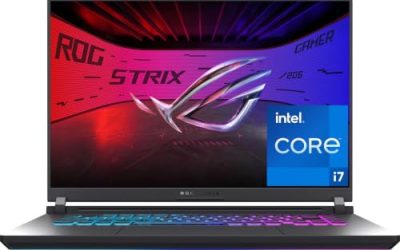
The HP Victus is the one listing here that reads like a purpose-built gaming laptop. The title names a 15.6 inch Full HD 144Hz display, an Intel Core i5-12450H, an NVIDIA GeForce RTX 3050, 16GB of RAM, a 512GB PCIe SSD, Wi-Fi 6, and a backlit keyboard.
- Strength: the RTX 3050 is a named dedicated graphics chip, which sets it apart from the others.
- Strength: a 144Hz screen and 16GB of RAM suit modern esports titles.
- Trade-off: its spec sheet is the strongest here, so confirm the current listing actually fits the 400 dollar cap.
Skip it if your budget leaves no room to stretch, or if you would rather have extra storage than a faster graphics chip. It is the right choice for a student who wants a single machine for gaming and coursework, and who is willing to watch for a sale or a refurbished unit to bring the cost in line with a hard budget ceiling.
HILLSUSU Ryzen 7 6800H
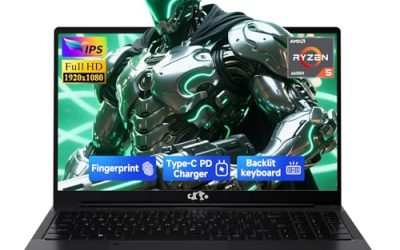
The HILLSUSU stands out for its memory and processor. The title lists a 15.6 inch gaming laptop with a Ryzen 7 6800H, 24GB of DDR5 RAM, a 1TB NVMe SSD, 8 cores and 16 threads up to 4.7GHz, Windows 11 Pro, and a backlit keyboard.
- Strength: 24GB of DDR5 RAM and a 1TB NVMe drive are generous for the category.
- Strength: an H-series 8-core processor handles multitasking and streaming alongside games.
- Trade-off: the title names no dedicated graphics chip, so gaming relies on integrated graphics.
Skip it if you expect high settings in recent releases, because the spec line gives no sign of a separate graphics card to carry the load. It fits buyers who also edit video, run virtual machines, or keep dozens of tabs open, and who value a large drive so game libraries and project files can live side by side.
MALLRACE Gaming Laptop
The MALLRACE pairs a Ryzen 5 7430U with Radeon Graphics, 16GB of RAM, and a 512GB SSD, plus a numeric keypad on a 15.6 inch screen. The title compares the processor to an Intel i7-1255, a claim worth treating cautiously.
- Strength: 16GB of RAM and a 512GB SSD cover everyday multitasking.
- Strength: the full numeric keypad helps with spreadsheets and accounting work.
- Trade-off: a U-series chip prioritizes efficiency over raw power, so games will run at modest settings.
Skip it if you want a dedicated graphics card or a high-refresh panel, since neither appears in the title. It suits light gamers who also need a roomy keyboard for work, such as someone who splits the week between a home office and a few evening sessions of older strategy or indie games.
Generic Gaming Laptop (Core Processor)
This unbranded listing promises a Core processor up to 3.40GHz, 16GB of RAM, a 512GB SSD, a 15.6 inch Full HD display, and WiFi with Bluetooth 5.0. It calls itself a gaming laptop but names no graphics chip or processor model.
- Strength: 16GB of RAM and 512GB of storage match the specs of pricier everyday laptops.
- Strength: a Full HD display is the right resolution for this size.
- Trade-off: with no model number, you cannot judge how fast the processor or graphics are.
Skip it if you need to know exactly what you are buying, or if you plan to rely on the gaming label for anything demanding. It is an option for homework, video, and very light games, best treated as an everyday laptop that happens to share a name with gaming hardware.
Tunhail 15.6 Inch
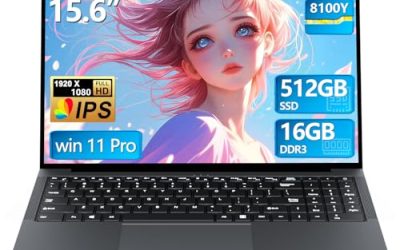
The Tunhail lists a 15.6 inch Full HD laptop with a Core processor up to 3.40GHz, 16GB of RAM, 512GB of storage, and Windows 11 Pro, described as a traditional laptop that also carries the gaming label.
- Strength: Windows 11 Pro adds business-oriented features at no extra cost.
- Strength: 16GB of RAM leaves room for multitasking.
- Trade-off: like the other generic listing, it omits the exact processor and any graphics detail.
Skip it if you want to compare real graphics performance, because the missing model name makes that impossible from the listing alone. It fits office, study, and streaming use with occasional casual games, and it suits households that value the Pro edition of Windows for its extra management and security options.
Which One Fits Your Situation
You want to play current esports titles
The HP Victus is the only pick with a named GeForce RTX 3050, and its 144Hz screen matches that purpose. If it exceeds your cap, look for similar dedicated-GPU models on sale.
You need a workhorse that also plays older games
The HILLSUSU Ryzen 7 6800H gives you the most memory and storage, so it suits students running big projects. Its 24GB of DDR5 and 1TB NVMe drive also leave the most room to grow over several years of school or work. Games will depend on integrated graphics.
You do accounting or data entry and play on weekends
The MALLRACE offers a numeric keypad and a Ryzen 5 chip with 16GB of RAM. It is a balanced choice for mixed work.
You just want a simple, inexpensive 15.6 inch laptop
Either the Tunhail or the unbranded Core model works, but confirm the processor model with the seller before buying. Ask for the exact chip name and check that the 16GB of RAM and 512GB drive match what arrives in the box.
Common Mistakes
- Trusting the word “gaming” without finding the graphics chip in the title.
- Accepting vague processor claims like “up to 3.40GHz” with no model name.
- Choosing 8GB of RAM or a small eMMC drive to save money and regretting it within months.
- Believing comparison claims such as “beats an i7” without checking the actual chip name.
- Ignoring return policies and warranty terms on lesser-known brands.
Frequently Asked Questions
Can a laptop under 400 dollars really play games?
Yes, within limits. Older and esports-style titles run at low settings on integrated graphics, while a model with a dedicated chip like the RTX 3050 handles more.
How much RAM do I need?
Treat 16GB as the target. All five picks list 16GB or more, which prevents slowdowns when you run a game, a browser, and chat apps together.
Is a 144Hz screen worth it at this budget?
It helps in fast games if your graphics hardware can produce high frame rates. On integrated graphics, the refresh rate matters less than getting a stable frame rate. A steady 60 frames per second at modest settings usually feels better than an unstable higher number, so tune the in-game quality sliders before worrying about the panel.
What is the biggest risk with unbranded laptops?
Vague specs and uncertain support. Confirm the exact processor, battery, and warranty before you rely on the machine for school or work. Keep the packaging and your order details until you have confirmed that the delivered specs match the listing, and run a system information check on day one.