Minecraft is an unusual game to shop for. It runs on almost anything, yet it can also be stretched to punishing levels with shader packs, ray tracing, large modpacks, and render distances pushed far past the defaults. A laptop that handles vanilla survival without trouble may stutter the moment you load a heavy modded world or switch on realistic lighting. So the decision this keyword implies is not simply “will it run Minecraft,” but “how far do I want to push it, and how much do I want to spend getting there?”
This guide is for parents buying a first gaming laptop, students who play between classes, and modders or server hosts who want more headroom. Eight listings are compared by their printed specs, from budget machines with integrated Radeon graphics to ROG models with current RTX chips. The advice reflects how the game itself behaves: Java Edition leans on the processor and memory, shader packs and ray tracing lean on the graphics chip, and everything benefits from fast storage. The advice below keeps those three levers in view for every listing. If you are shopping in 2026, those same three levers still decide the outcome.
Our Top Picks




Top 3 picks at a glance
Quick Picks
As an Amazon Associate we earn from qualifying purchases at no extra cost to you.





| Product | Best for | Key spec from the title |
|---|---|---|
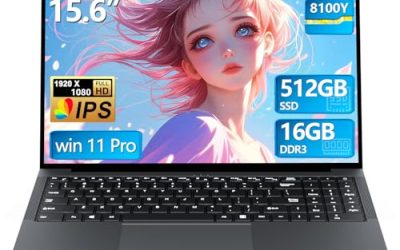
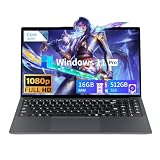
| Generic 15.6-inch Gaming Laptop | Vanilla play on the lowest budget | Core processor, 16GB RAM, 512GB SSD, FHD |
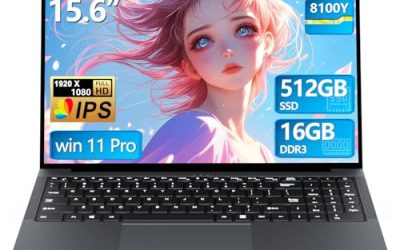
| Tunhail 15.6-inch Laptop | Casual play plus schoolwork | Core processor, 16GB RAM, Win 11 Pro, FHD |
| ASUS ROG Strix G16 (RTX 5060) | Shaders and ray tracing | RTX 5060, Core i7-14650HX, 1TB Gen 4, 165Hz |
| HP Victus 15 | Entry RTX with a familiar brand | RTX 3050, Core i5-12500H, 8GB RAM, 512GB SSD |
| KAIGERR Ryzen Laptop | Everyday play and connectivity | Ryzen 7430U, 16GB DDR4, WiFi 6, USB-C, webcam |
| MALLRACE Ryzen 5 Laptop | Vanilla play with a number pad | Ryzen 5 7430U, 16GB RAM, Radeon Graphics |
| NIMO 15.6-inch Light-Gaming Laptop | Integrated graphics with more cores | 8-core Ryzen 7, 16GB DDR5, Radeon 680M |
| ASUS ROG Strix G16 (RTX 5050) | Entry ROG with a modern GPU | RTX 5050, Core i5 14450HX, 16GB DDR5-5600 |
How to Choose
Integrated versus dedicated graphics
Plain Minecraft, with default textures and modest render distance, is playable on integrated graphics such as the Radeon 680M or Radeon Graphics listed here. Shader packs are the dividing line: they add dynamic lighting and shadows that put real load on the GPU, and a dedicated chip such as the RTX 3050, RTX 5050, or RTX 5060 handles them far more comfortably. Bedrock Edition’s ray tracing feature specifically requires an RTX-class graphics card, so only the NVIDIA-equipped models here can use it.
Processor strength for Java Edition and mods
Java Edition and large modpacks depend heavily on how fast a single CPU core can work, along with total memory available. That favors the high-power H-series chips, such as the Core i7-14650HX, Core i5 14450HX, and Core i5-12500H, over the U-series chips labeled Ryzen 7430U, which are designed for efficiency. If you plan to host a small server for friends while playing, extra cores help, and the NIMO’s listed 8 cores is worth noting.
Memory and storage
Aim for 16GB of RAM. Java Edition lets you assign several gigabytes to the game, and modpacks can use most of that, leaving the operating system with little room when total memory is 8GB, as on the HP Victus 15 listing. For storage, 512GB is workable, but worlds, resource packs, and launcher profiles accumulate. The NIMO’s 256GB drive is the tightest and would suit only a light library. A practical habit is to keep launcher profiles tidy, delete old world backups, and use an external drive for archives, which stretches a smaller internal drive further than most buyers expect.
Screen, ports, and where budget models cut corners
Full HD is the right resolution for a 15.6-inch screen. A 165Hz panel, as on the ROG models, smooths motion but is optional for a block-building game. Budget laptops that carry the “gaming” label without naming a graphics chip usually mean integrated graphics, so read the title for the GPU rather than the badge. Also check cooling and keyboard features: a backlit keyboard helps for late-night sessions, and a fast-charging USB-C port is handy for school.
The 8 Best Options
Generic 15.6-inch Gaming Laptop (Core, 16GB)
This unbranded listing shows a Core processor up to 3.40GHz, 16GB of RAM, a 512GB SSD, a 15.6-inch Full HD display, WiFi, and Bluetooth 5.0. It is for buyers who want an inexpensive way to run vanilla Minecraft, perhaps for a younger player whose worlds are mostly survival builds and redstone experiments. The spec sheet gives enough memory and storage to avoid early frustration, even if the graphics side is basic.
- Strength: 16GB of RAM and a 512GB SSD are solid numbers at the budget tier.
- Strength: Full HD resolution gives a clear view of the world.
- Trade-off: no dedicated graphics chip is named, so shaders and ray tracing are unlikely to be comfortable.
Skip it if you want shader packs or heavy mods.
Tunhail 15.6-inch Laptop
Tunhail lists a Core processor up to 3.40GHz, 16GB of RAM, 512GB of storage, a Full HD display, and Windows 11 Pro. It suits families who want one machine for homework and occasional Minecraft, where the same laptop moves from a school document to a creative world in the evening. The operating-system tier is the main thing that separates it from the similar budget listing above.
- Strength: 16GB of RAM supports Java Edition with a modest mod list.
- Strength: Windows 11 Pro is included for school or small-business tasks.
- Trade-off: the title also lacks a named discrete GPU, limiting visual features.
Skip it if you plan to use realistic lighting or Bedrock ray tracing.
ASUS ROG Strix G16 (RTX 5060)
This ROG model lists an RTX 5060, a Core i7-14650HX, 16GB of DDR5, and a 1TB Gen 4 SSD behind a 165Hz FHD+ 16:10 display. It is for players who want shaders, big modpacks, and room to grow into other games, including modern titles that make a Minecraft-only purchase look underpowered. The 1TB drive also leaves space for many worlds and launcher profiles.
- Strength: an RTX-class GPU supports shaders and Bedrock ray tracing.
- Strength: a high-power Core i7 HX processor suits Java Edition and server hosting.
- Trade-off: it sits in the premium tier, which is more than Minecraft alone requires.
Skip it if you only play vanilla survival and want to keep costs down.
HP Victus 15
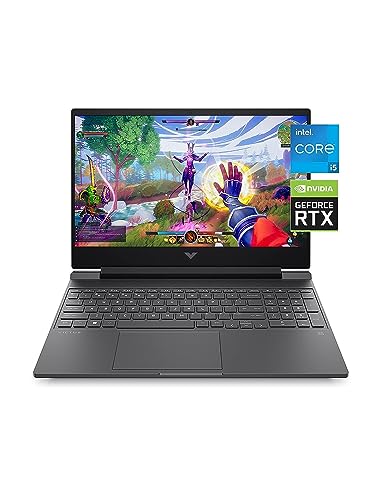
The Victus lists an RTX 3050, a 12th Gen Core i5-12500H, 8GB of RAM, a 512GB SSD, a Full HD display, Windows 11 Home, and a backlit keyboard. It is an entry-level way to get an RTX chip from a mainstream brand, which makes it a reasonable stepping stone for a player ready to try shaders. Plan on the memory upgrade, since the listed capacity is the weak point.
- Strength: a dedicated RTX 3050 can drive shader packs at reasonable settings.
- Strength: the H-series Core i5 gives better processing than U-series chips.
- Trade-off: 8GB of RAM is tight for modded Java Edition and may need an upgrade.
Skip it if you plan to run large modpacks without adding memory.
KAIGERR Ryzen Laptop
KAIGERR lists a Ryzen 7430U up to 4.3GHz, 16GB of DDR4, a 512GB SSD, a Full HD display, WiFi 6, USB 3.2, USB-C, and a webcam. It targets everyday users who also play Minecraft, such as students who split time between video calls, assignments, and a weekend survival world with friends. Its connectivity list is longer than that of many gaming-badged rivals.
- Strength: WiFi 6, USB-C, and a webcam suit school, calls, and online play.
- Strength: 16GB of RAM is enough for a modest Java setup.
- Trade-off: it relies on integrated graphics, so shaders will be limited.
Skip it if graphics quality matters more than portability.
MALLRACE Ryzen 5 Laptop
MALLRACE lists a Ryzen 5 7430U, Radeon Graphics, 16GB of RAM, a 512GB SSD, a 15.6-inch screen, and a numeric keypad. It suits buyers who want a familiar full keyboard for both gaming and spreadsheets, and who care more about everyday comfort than about visual effects. Treat it as a general laptop that happens to run Minecraft well at default settings.
- Strength: a numeric keypad helps with schoolwork and data entry.
- Strength: 16GB of RAM and 512GB of storage match the budget norm.
- Trade-off: Radeon integrated graphics will struggle with shader packs.
Skip it if you want ray tracing or high render distances.
NIMO 15.6-inch Light-Gaming Laptop
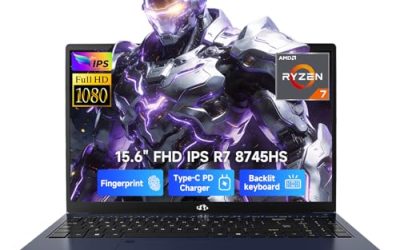
NIMO lists an 8-core Ryzen 7, 16GB of DDR5, a 256GB SSD, a Radeon 680M, a Full HD display, 100W fast PD charging, and a backlit keyboard. It aims at players who want the strongest integrated graphics in this list without paying for a dedicated chip. The fast-charging port also helps if the laptop travels between home, school, and a friend’s place.
- Strength: the Radeon 680M is a higher-tier integrated option than basic Radeon Graphics.
- Strength: DDR5 memory and 8 cores help with multitasking and server hosting.
- Trade-off: a 256GB drive fills quickly with worlds and launchers.
Skip it if you collect many modpacks or large worlds.
ASUS ROG Strix G16 (RTX 5050)
This lower-priced Strix lists an RTX 5050, a Core i5 14450HX, 16GB of DDR5-5600, and 512GB of storage on a 165Hz FHD+ panel. It is for players who want a current-generation GPU without the RTX 5060 cost, and who plan to use shaders and mods but not push every slider to maximum. It keeps the ROG look and a fast panel at a gentler price tier.
- Strength: a modern RTX chip supports shaders and ray tracing.
- Strength: 16GB of DDR5-5600 memory covers most modpacks.
- Trade-off: 512GB of storage may need expansion over time.
Skip it if you are only interested in vanilla play on a tight budget.
Which One Fits Your Situation
You want vanilla Minecraft for a child or teen
The Tunhail or the generic 15.6-inch model keeps costs low and provides 16GB of RAM. Windows 11 Pro on the Tunhail is a small advantage for homework.
You want shaders and ray tracing
Choose the ROG Strix G16 with RTX 5060 for the strongest balance, or the ROG Strix G16 with RTX 5050 if the premium tier feels excessive. The HP Victus 15 is the entry route, as long as you add RAM.
You play on integrated graphics but want the best one
The NIMO with Radeon 680M and 8 cores is the standout, provided you can live with 256GB of storage or add an external drive.
You also need a laptop for school or work
The KAIGERR, with WiFi 6, USB-C, and a webcam, or the MALLRACE, with a numeric keypad, balances everyday tasks with casual Minecraft.
Common Mistakes
- Trusting the word “gaming” in a title without checking whether a dedicated graphics chip is actually named.
- Buying 8GB of RAM for modded Java Edition, then running short of memory.
- Expecting Bedrock ray tracing on a laptop with only integrated graphics.
- Choosing a 256GB drive for a collection of worlds and modpacks.
- Paying for a 165Hz panel when the main game is a blocky builder that rarely needs it.
Related guides
- Gaming Laptop Battery Draining While Plugged In Fix
- Graphics Cards For Low Wattage Power Supplies
- How To Stop Laptop Thermal Throttling In Software
Frequently Asked Questions
Can integrated graphics run Minecraft?
Yes, for vanilla play at moderate settings. Shader packs and ray tracing are where dedicated graphics become important.
How much RAM does Minecraft need?
16GB total is a comfortable target because Java Edition lets you assign several gigabytes to the game while the system uses the rest. Heavy modpacks benefit from even more.
Do I need an RTX card?
Only for Bedrock ray tracing and for smooth shader packs. For plain survival, a good processor and enough memory matter more.
Is a high refresh rate worth it?
It makes motion feel smoother, but Minecraft is not as demanding as a fast shooter. Prioritize GPU tier, RAM, and storage first.