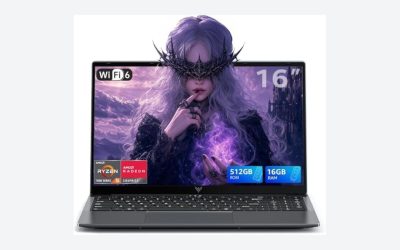
A thin and light laptop with dedicated graphics gives you a real NVIDIA GeForce RTX chip without the weight of a full gaming laptop. The catch is heat: the thinner the body, the harder it is for the chip to run at full power. The seven laptops below span the realistic range, from a truly slim 14-inch ROG to lighter-weight 15 and 16-inch gaming models.
Quick answer: For the thinnest option with a dedicated RTX chip, pick the ASUS ROG Zephyrus G14 with RTX 5060. For lighter gaming laptops that cost less, look at the msi Cyborg 15 or Lenovo LOQ. For a 2-in-1 with a dedicated GPU, the Surface Laptop Studio 2 is the one real option here.
Our Top Picks
 ASUS ROG Zephyrus G14 5060 Gaming Laptop 14.0"16GB RAM|1TB SSD12.25 x 8.75 x 0.75 inches3.3 PoundsCheck on Amazon
 Microsoft Surface Laptop Studio 2 14.4" Tablet 2-in-10.87" x 12.7" x 9.1"9.1 x 12.7 x 0.87 inches4.37 poundsCheck on Amazon


Top 3 picks at a glance
Picks at a Glance
| Laptop | Screen | Graphics | Memory / storage | Best for |
|---|---|---|---|---|
| ASUS ROG Zephyrus G14 (2026) | 14-inch OLED, 120Hz | GeForce RTX 5060 | 16GB / 1TB | Thinnest and most portable |
| msi Cyborg 15 | 15.6-inch FHD, 144Hz | RTX 5060 | 16GB DDR5 / 1TB | Light gaming laptop, good storage |
| Acer Nitro V 16S AI | 16-inch WUXGA, 180Hz | RTX 5060 | 32GB DDR5 / 1TB | Big screen, big memory |
| Lenovo LOQ | 15.6-inch FHD, 144Hz | RTX 4050 | 16GB DDR5 / 512GB | Everyday gaming and school |
| Microsoft Surface Laptop Studio 2 | 14.4-inch touch, 120Hz | RTX 4050 | 32GB / 1TB | Creators who want a 2-in-1 |
| Alienware 16 Aurora | 16-inch WQXGA, 120Hz | RTX 5050 | 16GB DDR5 / 1TB | Sharp screen, Wi-Fi 7 |
| HP Victus 15 | 15.6-inch FHD, 144Hz | RTX 4050 6GB | 16GB DDR5 / 512GB | Entry RTX with Ethernet |
Thin and Light Laptop With Dedicated Graphics: What the Words Mean
“Dedicated graphics” means a separate GPU, such as an NVIDIA GeForce RTX chip, with its own video memory. “Integrated graphics” are part of the processor and share system memory. A dedicated chip is the difference between running a modern game at playable settings and not running it at all.
“Thin and light” has no strict definition. In practice, laptops under roughly 4 pounds and about an inch thick qualify, and the lightest of the seven here come close to that. The mainstream gaming laptops below are slimmer than the oldest gaming bricks but are not ultrabooks. We call that out so you do not expect an ultrabook body with a desktop-class chip.
The 7 Best Thin and Light Laptops With Dedicated Graphics
1. ASUS ROG Zephyrus G14 RTX 5060: Best Overall
As an Amazon Associate we earn from qualifying purchases at no extra cost to you.

The 14-inch Zephyrus G14 is the closest thing to a slim, travel-friendly laptop that still carries a proper RTX graphics chip. This listing shows an AMD 8-core Ryzen 9 270, a GeForce RTX 5060 with 8GB, a 14-inch 2.8K OLED panel at 120Hz, 16GB of RAM, a 1TB drive and Wi-Fi 7, in Platinum White with a USB hub. For students, travelers and creators who also game, it balances size and power better than any other laptop here.
- Processor: AMD Ryzen 9 270
- Graphics: GeForce RTX 5060 (8GB)
- Display: 14-inch OLED, 2.8K, 120Hz
- Memory and storage: 16GB, 1TB
Best for: carrying one laptop for class, work and games. Skip if: you want a lower cost; this is the premium pick.
Pros: slim 14-inch body, OLED screen, Wi-Fi 7, 1TB of storage. Cons: premium cost tier, small chassis limits sustained power, 16GB RAM cannot be assumed upgradeable.
2. msi Cyborg 15: Best Light Gaming Laptop on a Budget

msi markets the Cyborg 15 as a thin and light gaming laptop. The listing shows a 15.6-inch Full HD 144Hz display, an RTX 5060, an Intel Core 7-240H, 16GB of DDR5, a 1TB SSD, Wi-Fi 6E and Windows 11 Pro. It is a plain, practical way to get the newer RTX 5060 without paying for a premium chassis, and the 1TB drive is generous at this level.
- Processor: Intel Core 7-240H
- Graphics: RTX 5060
- Display: 15.6-inch FHD, 144Hz
- Memory and storage: 16GB DDR5, 1TB SSD
Best for: a light, affordable RTX 5060 laptop. Skip if: you want a metal body or an OLED display.
Pros: RTX 5060 at a mainstream tier, 1TB SSD, Windows 11 Pro. Cons: 1080p panel, plain design, fans get loud under load.
3. Acer Nitro V 16S AI: Best Big Screen With Big Memory

The listing shows a Ryzen 7 260, an RTX 5060 laptop GPU, a 16-inch WUXGA IPS panel at 180Hz, 32GB of DDR5 and a 1TB Gen 4 SSD. That 32GB of memory is rare at this level and helps with multitasking, editing and heavier games.
- Processor: AMD Ryzen 7 260
- Graphics: RTX 5060 laptop GPU
- Display: 16-inch WUXGA IPS, 180Hz
- Memory and storage: 32GB DDR5, 1TB Gen 4 SSD
Best for: people who want a bigger screen and plenty of memory. Skip if: you need a 14-inch body for travel.
Pros: 32GB RAM, 180Hz screen, RTX 5060. Cons: larger than a 14-inch laptop, not the lightest here.
4. Lenovo LOQ RTX 4050: Best for Everyday Gaming and School

The LOQ line is Lenovo’s value-oriented gaming family. This version has an AMD Ryzen 5 7235HS, a GeForce RTX 4050, a 15.6-inch 144Hz Full HD display, 16GB of DDR5 and a 512GB SSD, with Ethernet, USB-C, HDMI and a backlit keyboard. The port selection makes it handy for a dorm or a desk, and the RTX 4050 handles popular esports titles at 1080p.
- Processor: AMD Ryzen 5 7235HS
- Graphics: GeForce RTX 4050
- Display: 15.6-inch FHD, 144Hz
- Memory and storage: 16GB DDR5, 512GB SSD
Best for: school and gaming on a sensible budget. Skip if: you want the newest RTX generation.
Pros: good port selection, RTX 4050, solid memory. Cons: 512GB fills quickly, older GPU generation, not very thin.
5. Microsoft Surface Laptop Studio 2: Best 2-in-1 With Dedicated Graphics

This is the only convertible here that pairs a touchscreen with a dedicated RTX chip. The listing shows a 14.4-inch 120Hz display that works as a laptop, a stage or a tablet, an Intel Core i7-13800H, 32GB of RAM, a 1TB SSD and a GeForce RTX 4050. It suits illustrators, video editors and designers who want to draw on the screen and still game after work.
- Processor: Intel Core i7-13800H
- Graphics: NVIDIA GeForce RTX 4050
- Display: 14.4-inch touch, 120Hz
- Memory and storage: 32GB, 1TB
Best for: creators who want a touch and pen friendly 2-in-1 with a GPU. Skip if: you only want gaming value; it sits in a high cost tier for an RTX 4050.
Pros: versatile 2-in-1 design, 32GB RAM, dedicated GPU. Cons: high cost for the GPU tier, older processor generation.
6. Alienware 16 Aurora RTX 5050: Best Sharp Screen and Wi-Fi 7

The Alienware 16 Aurora listing shows an Intel Core 7 240H, an RTX 5050, a 16-inch WQXGA 120Hz display, 16GB of DDR5, a 1TB SSD, Wi-Fi 7 and Windows 11 Home in blue. The sharper WQXGA screen and newer wireless standard make it a good fit for shoppers who split time between games and everyday work. The RTX 5050 is the entry tier of the current generation, so expect balanced rather than maximum settings in the newest games.
- Processor: Intel Core 7 240H
- Graphics: RTX 5050
- Display: 16-inch WQXGA, 120Hz
- Memory and storage: 16GB DDR5, 1TB SSD
Best for: a sharp screen and Wi-Fi 7 in a mainstream chassis. Skip if: you need the fastest GPU at the price.
Pros: WQXGA panel, 1TB storage, Wi-Fi 7. Cons: entry-tier RTX 5050, 120Hz is modest for esports, not especially light.
7. HP Victus 15 RTX 4050: Best Entry RTX With Ethernet
The Victus 15 is a lighter, plainer gaming laptop from HP. This listing shows a Ryzen 7 7445HS, an RTX 4050 with 6GB, a 15.6-inch Full HD 144Hz display, 16GB of DDR5, a 512GB SSD, Ethernet, a webcam, Wi-Fi 6 and Windows 11 Home. It lacks the premium feel of the Zephyrus, but it delivers a dedicated RTX chip in a body that is easy to move between rooms.
- Processor: AMD Ryzen 7 7445HS
- Graphics: RTX 4050 (6GB)
- Display: 15.6-inch FHD, 144Hz
- Memory and storage: 16GB DDR5, 512GB SSD
Best for: a first RTX laptop on a budget. Skip if: you want a very thin body.
Pros: RTX graphics, Ethernet, easy to find. Cons: 6GB of video memory, 512GB storage, plain plastic build.
Also Consider
- ASUS ROG Flow Z13: a 13.4-inch touchscreen convertible with an AMD Ryzen AI Max+ 395. It uses powerful integrated graphics rather than a separate GeForce card, so it fits the thin and light brief but not the dedicated graphics one. Check ASUS for the exact graphics specification.
- Lenovo Slim 7i Aura Edition: a very thin 14-inch OLED laptop with Intel graphics. It is a great portable laptop for work, not for demanding games.
- HP or Dell 2-in-1 laptops with AMD Radeon graphics: fine for casual games and video, but they do not include a dedicated card.
13-Inch and 2-in-1 Laptops With Dedicated Graphics
Two of the secondary searches for this topic deserve a direct answer.
Is there a 13-inch laptop with a graphics card?
Very few. The 13-inch class is dominated by integrated graphics. The closest options are 14-inch laptops such as the Zephyrus G14, or the 13.4-inch ROG Flow Z13, which uses strong integrated graphics instead of a separate card.
Is there a 2-in-1 with dedicated graphics?
Yes, but the choice is narrow. The Surface Laptop Studio 2 in this guide includes an RTX 4050 and a flip-style display. Most other 2-in-1 laptops, including the HP Spectre and Dell 2-in-1 families, use integrated graphics.
Which Laptop for Which Use?
| Your priority | Choose | Reason |
|---|---|---|
| Carry it every day | Zephyrus G14 | 14-inch body with a real RTX chip |
| Lowest cost for a new RTX generation | msi Cyborg 15 | RTX 5060 with 1TB in a mainstream chassis |
| Video editing and multitasking | Nitro V 16S AI or Surface Laptop Studio 2 | 32GB of memory on both |
| Dorm or desk with a wired network | Lenovo LOQ or HP Victus 15 | Ethernet and plentiful ports |
| Drawing and gaming | Surface Laptop Studio 2 | Touchscreen with a dedicated GPU |
| Sharper screen | Alienware 16 Aurora | WQXGA display |
Who Should Skip a Thin Gaming Laptop?
A thin laptop is the wrong choice if you want the highest frame rates for the money. A thicker laptop with the same GPU name usually cools better and runs faster over long sessions. It is also the wrong choice if you plan to keep it for many years and want easy repairs, since slim designs often solder memory to the board.
It is the right choice if you move your laptop between home, school and work, and you want one machine that can handle both documents and games. If that describes you, the weight and size savings are worth the small performance trade-off.
- Students: the Zephyrus G14 or Lenovo LOQ cover classes and games in one bag.
- Creators: the Surface Laptop Studio 2 or Nitro V 16S AI bring 32GB of memory.
- Casual gamers: the Victus 15 or Cyborg 15 give a dedicated chip at a lower tier.
GPU Tiers Explained for Thin Laptops
NVIDIA names do not tell the full story, but they give you a rough ladder. The table below shows how the chips in this guide relate to each other, based on the maker naming. Real performance depends on the power limit each laptop maker sets, so use this as a guide and not a promise.
| Graphics chip | Seen in | Typical use |
|---|---|---|
| RTX 5060 | Zephyrus G14, Cyborg 15, Nitro V 16S | Current-generation 1080p and some 1440p gaming |
| RTX 5050 | Alienware 16 Aurora | Entry tier of the newest generation, 1080p gaming |
| RTX 4050 | LOQ, Surface Laptop Studio 2, Victus 15 | Esports and many modern games at 1080p with settings adjusted |
If one game or creative app matters most to you, look up its recommended specification on the publisher page and compare it with the chip. This takes a minute and prevents the most common regret, buying a laptop that is one tier too low for the games you actually play.
Display Choices: OLED, IPS and Refresh Rate
Thin laptops tend to ship with better screens than budget gaming laptops, because the screen is part of the premium. Here is how to read the options.
- OLED (Zephyrus G14): deep blacks and rich color, good for movies and creative work. Check the maker page for brightness and burn-in guidance.
- IPS at 144Hz or 180Hz (Cyborg 15, LOQ, Victus 15, Nitro V 16S): smooth motion for competitive games and wide viewing angles.
- High-resolution IPS (Alienware 16 Aurora): a sharper image, but more demand on the GPU at native resolution.
- Touchscreen (Surface Laptop Studio 2): useful for drawing, notes and tablet-style use, with a 120Hz refresh rate for smooth scrolling.
A higher refresh rate only helps if your GPU can produce enough frames. An RTX 4050 at 1080p usually benefits from 144Hz in esports titles, while a 180Hz panel pays off most with the stronger RTX 5060.
Ports, Charging and Everyday Practicality
Thin laptops often cut ports to save space. Before you buy, check that the laptop has what you actually plug in.
- Video output. If you want an external monitor, look for HDMI or USB-C video output. The Lenovo LOQ lists both.
- Ethernet. Wired internet is more stable for online games. The LOQ and Victus 15 list an Ethernet port; slimmer laptops often need a USB adapter.
- Wireless standard. Wi-Fi 7 (Zephyrus G14, Alienware 16 Aurora) and Wi-Fi 6E (Cyborg 15) matter only if your router supports them.
- Charger type. Gaming laptops usually use a large power brick. Some slim models can also charge over USB-C at lower power, which is useful for travel but will not run the GPU at full power.
- Webcam and microphone. If you use video calls for school or work, confirm the laptop has a webcam. The Victus 15 listing names one; for the others, check the maker page.
Keep a Thin Gaming Laptop Cool and Quiet
Small habits protect performance and extend the life of the laptop.
- Use a hard, flat surface. Soft surfaces such as beds and couches block the vents.
- Lift the back. A stand or a small riser improves airflow under the chassis.
- Cap the frame rate. Limiting a game to your screen refresh rate reduces heat and fan noise without hurting the experience.
- Use the maker power modes. Choose quiet or balanced profiles for classes and the performance profile for games.
- Update drivers. Graphics and firmware updates sometimes improve thermal behavior.
- Clean the vents. Use compressed air in short bursts if dust builds up.
Common Mistakes When Buying a Thin Laptop With a GPU
- Assuming the chip name equals performance. Power limits vary between laptops, so the same RTX name can behave differently in different chassis.
- Ignoring RAM and storage. A good GPU with 8GB of RAM or a small drive limits the whole laptop.
- Paying for a 2-in-1 you will not use. The Surface Laptop Studio 2 is worth it only if you will draw, take notes or use tablet mode.
- Expecting ultrabook weight. A 16-inch gaming laptop is still a heavy bag item, even in a slimmer body.
- Skipping the seller check. Confirm condition, warranty and return terms before buying any laptop, especially at a very low cost tier.
How We Chose
This is research-based. We did not use these laptops ourselves. We started from listings in our store, kept only laptops with a named dedicated NVIDIA GeForce RTX chip, and ranked them by body size, graphics tier, memory, storage and display. We limited each brand to two picks and left out used or renewed listings.
Buying Guide: How to Choose a Thin Laptop With a GPU
Be honest about thermal limits
A thin laptop cannot cool a high-power GPU the way a thick one can. Makers set a power limit for the graphics chip, and a slim laptop with a given RTX name may run slower than a thicker laptop with the same name. Expect fan noise and heat when you push it, and judge a laptop by its category, not by the chip name alone.
Thresholds that matter
| Spec | Minimum to aim for | Why |
|---|---|---|
| Graphics | RTX 4050 or RTX 5050 class | Playable modern games at 1080p |
| RAM | 16GB | 8GB limits games and multitasking |
| Storage | 512GB (1TB preferred) | Modern games are large |
| Display | 144Hz for gaming, OLED for media | Smooth motion, richer color |
| Weight and size | 14-inch for travel, 15 to 16-inch for desks | Screen size drives weight |
Battery and charging
Dedicated graphics draw a lot of power, so battery life while gaming is short on all seven laptops. Choose a model with a quality USB-C or barrel charger and plan to play plugged in. Many slim laptops switch to the integrated graphics when you are not gaming to save energy.
Check the video memory
The RTX 4050 6GB in the Victus is fine for esports at 1080p, but newer, heavier games prefer 8GB of video memory. The RTX 5060 8GB in the Zephyrus G14 has more headroom.
FAQ
What is a thin and light laptop with dedicated graphics?
It is a laptop that combines a slim, lighter body with a separate GPU such as an NVIDIA RTX chip. It plays games far better than a laptop with integrated graphics.
Which thin laptop has the best graphics?
In this guide, the RTX 5060 models, the Zephyrus G14, Cyborg 15 and Nitro V 16S, have the strongest graphics. The G14 is the thinnest of the three.
Is there a 13-inch laptop with a graphics card?
Rarely. Most 13-inch laptops use integrated graphics. The nearest options are 14-inch models with a dedicated GPU or the 13.4-inch ROG Flow Z13 with strong integrated graphics.
Is there a 2-in-1 with dedicated graphics?
Yes. The Microsoft Surface Laptop Studio 2 combines a flip-style touchscreen with an RTX 4050. Most other convertibles use integrated graphics.
Do thin laptops throttle?
Often, yes. A thin body limits cooling, so the GPU may run at lower power during long sessions than a thicker laptop with the same chip.
Is 16GB of RAM enough?
For games, yes. Choose 32GB if you also edit video, stream or keep many apps open.
Can I upgrade the graphics later?
No. Laptop GPUs are soldered to the board, so pick the right one when you buy.
Is OLED a good choice on a gaming laptop?
Yes for color, contrast and movies, and the Zephyrus G14 offers it. A 120Hz OLED panel is smooth, but competitive players may prefer a 144Hz or faster IPS screen.
Should I buy a 14-inch or a 16-inch laptop?
Choose 14 inches if you carry the laptop every day, and 16 inches if it mostly stays on a desk and you want a larger, more immersive screen. Larger bodies usually cool the GPU better.
Which One Should You Buy?
Pick the ASUS ROG Zephyrus G14 if portability is the priority and you can spend more. Pick the msi Cyborg 15 for the best balance of cost and graphics. Pick the Acer Nitro V 16S AI if you want a big screen and 32GB of memory. Pick the Lenovo LOQ or HP Victus 15 for a lower-cost RTX laptop, and the Surface Laptop Studio 2 if you need a touchscreen 2-in-1.
Sources
- ASUS ROG Zephyrus and Flow product pages
- NVIDIA GeForce RTX laptop GPU pages
- msi, Acer, Lenovo, HP and Dell gaming laptop product pages
- Microsoft Surface Laptop Studio 2 product page
Last updated: November 2026
Related guides
More from Amazon
Programs that pair well with the guide above. Offers and eligibility are set by Amazon and may change.
Free shipping on eligible items, Prime Video and more. Eligible new members can start with a free trial.
Start a Prime free trialAd-free music streaming. Eligible new subscribers can start with a free trial.
Try Music Unlimited freeA Prime membership for ages 18-24 with a trial period. Eligibility is set by Amazon.
See Prime for Young AdultsAudiobooks and podcasts to listen to on the go. Eligible new members can start with a free trial.
Try Audible freeAs an Amazon Associate we earn from qualifying purchases.