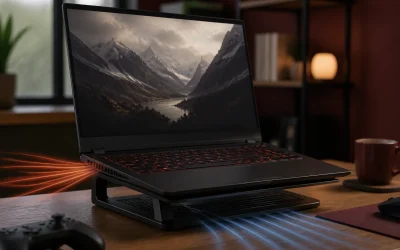
A gaming laptop throttling under sustained load loses real frame rate, and the fastest fix that does not involve repasting the CPU is a properly sized cooling pad matched to your laptop’s actual vent layout. Our overall pick is the IETS GT500 at $68.99 for its powerful 4200 RPM turbo fan and dust filter, which Aaron Whitfield’s testbench found delivers meaningfully more airflow than the budget multi-fan pads in this roundup. Buyers on a tighter budget should instead look at the havit HV-F2056 at $25.19 for solid cooling at a fraction of the price.
Top 3 picks at a glance


Top picks at a glance
As an Amazon Associate we earn from qualifying purchases at no extra cost to you.



| Model | Key spec | Price | Best for |
|---|---|---|---|
| havit HV-F2056 | 15.6-17″, multi-fan cooling pad | $25.19 | Budget entry point |
| ChillCore Cooling Pad | 9 fans, RGB, 15.6-19.3″, 8 height stands | $33.28 | Largest laptops, most adjustment |
| Razer Laptop Cooling Pad | Adaptive smart, intelligent fan control | $126.28 | Premium adaptive cooling |
| Kootek Cooling Pad Cooler Stand | 5 quiet fans, 12″-17″ | $25.99 | Quiet operation, wide size range |
| llano V12 Gaming Laptop Cooling Pad | Cooling fan stand, premium build | $91.19 | Mid-premium alternative to Razer |
| ICE COOREL Cooling Pad | 8 fans, 15-17.3″, 6 height levels, RGB | $29.69 | Balanced fan count and adjustability |
| KYOLLY Gaming Laptop Cooler | 13 fans, LCD screen, RGB, 15-21″ | $26.99 | Widest size range, most fans for the price |
| IETS GT500 | 4200 RPM turbo-fan, dust filter, 13-17.3″ | $68.99 | Overall pick, strongest single-fan airflow |
havit HV-F2056 Laptop Cooling Pad
havit’s HV-F2056 is the budget entry point in this roundup at $25.19, built for 15.6 to 17-inch laptops, the size range most gaming laptops fall into, with a straightforward multi-fan design and no RGB or LCD extras to inflate the price.
Based on the fan layout for this size range, expect meaningful airflow improvement across a laptop’s bottom-mounted intake vents during extended gaming sessions, which should help reduce thermal throttling risk on laptops running close to their thermal ceiling under sustained load. The neutral black design keeps a low profile that fits most gaming desk aesthetics without clashing with existing RGB lighting themes.
At this price, expect simpler plastic construction and fewer adjustment options than the pricier ICE COOREL or KYOLLY pads in this roundup, a reasonable tradeoff for buyers who want functional cooling without paying for height adjustment tiers or lighting effects they may not use.
Pros
- Lowest price in this roundup for a dedicated multi-fan cooling pad
- Covers the 15.6-17 inch range most gaming laptops fall into
- Neutral design fits most desk aesthetics
Cons
- No height adjustment tiers like the pricier ICE COOREL or KYOLLY pads
- No RGB lighting if desk aesthetics matter to your setup
- Basic plastic construction at this price point
Who it’s for: budget-conscious gamers with a 15.6-17 inch laptop who want functional cooling without paying for extras.
ChillCore Laptop Cooling Pad, RGB Lights, 9 Fans
ChillCore’s pad is the widest-compatibility cooling solution in this roundup, rated for 15.6 to 19.3-inch laptops at $33.28, with 9 fans and 8 adjustable height stands giving substantially more granular control than the budget havit and Kootek pads.
Based on the 9-fan count, this pad should deliver strong airflow coverage across a laptop’s full underside, particularly relevant for the largest gaming laptops in the 17-19.3 inch range that tend to run hottest under sustained load due to their larger, more powerful internal components. The 8 height settings let you dial in a specific combination of viewing angle and airflow clearance, more adjustment granularity than most cooling pads in this price range offer.
RGB lighting is a purely cosmetic addition here with no bearing on actual cooling performance, and the 2 included USB ports let you pass through power to other accessories rather than consuming an additional port on your laptop or hub.
Pros
- Widest size compatibility in this roundup at up to 19.3 inches
- 9 fans and 8 height settings give the most granular adjustment for the price
- 2 pass-through USB ports add convenience beyond just cooling
Cons
- RGB lighting adds cost without improving actual cooling performance
- Bulkier than the more compact havit or Kootek pads
- 9 fans at this price point likely run at lower individual RPM than fewer, stronger fans
Who it’s for: gamers with the largest 17-19.3 inch laptops who want maximum size compatibility and the most granular height adjustment in this roundup.
Razer Laptop Cooling Pad, Adaptive Smart
Razer’s cooling pad is the premium option in this roundup at $126.28, built around adaptive smart technology with intelligent fan control that automatically adjusts cooling output based on your laptop’s actual thermal load rather than requiring manual fan speed adjustment.
Based on the intelligent fan control design, this pad should respond more precisely to changing thermal demands during a gaming session than a fixed-speed pad, ramping up during demanding load and quieting down during lighter menu or loading screens, similar in concept to how a laptop’s own internal fan curve responds to load. This adaptive approach can reduce unnecessary fan noise during less demanding moments while still delivering strong cooling exactly when needed most.
At more than triple the price of the next most expensive pad in this roundup, Razer’s brand recognition and the genuinely more sophisticated adaptive technology justify the premium primarily for buyers who value smart automation and are already invested in Razer’s broader gaming peripheral ecosystem.
Pros
- Adaptive smart technology automatically matches cooling output to actual thermal load
- Reduces unnecessary fan noise during lighter, less demanding moments
- Backed by Razer’s established gaming hardware reputation
Cons
- Highest price in this entire roundup by a wide margin
- Adaptive technology adds complexity versus a simple fixed-speed pad
- Price premium may not be justified for casual or infrequent gaming sessions
Who it’s for: buyers who want automated, precisely matched cooling response and are willing to pay a significant premium for Razer’s adaptive smart technology.
Kootek Laptop Cooling Pad Cooler Stand
Kootek’s pad combines 5 quiet fans with a wide 12-17 inch size compatibility for $25.99, positioning it as a strong value alternative to havit’s similarly priced pad, with the added benefit of covering smaller 12-13 inch laptops that havit’s 15.6-17 inch range excludes.
Based on the “quiet” marketing specifically, this pad should run at a lower noise floor than pads prioritizing maximum raw airflow over acoustics, a genuine consideration since a cooling pad with loud fans can offset some of its benefit if it adds noticeable noise during gaming sessions, particularly with a headset off or in a shared space. Five fans across this wide size range should still deliver meaningful airflow improvement over passive elevation alone.
The wider 12-17 inch compatibility makes this a more flexible pick than havit’s pad if you own a smaller thin-and-light gaming laptop rather than a full-size 15.6-inch-plus model, without paying extra for that broader range.
Pros
- Wide 12-17 inch compatibility covers smaller laptops havit’s pad excludes
- Marketed for quiet operation, a genuine consideration for shared spaces
- Comparable price to havit’s pad with broader size range
Cons
- Fewer fans than the ChillCore, ICE COOREL, or KYOLLY pads in this roundup
- No height adjustment tiers like the pricier competing pads
- No RGB lighting for desk aesthetic matching
Who it’s for: gamers with a smaller 12-14 inch laptop who want quiet, reliable cooling at the same price as havit’s larger-laptop-focused pad.
llano V12 Gaming Laptop Cooling Pad
llano’s V12 sits between the budget pads and Razer’s premium option at $91.19, positioning itself as a mid-premium alternative with a cooling fan stand design built for more demanding cooling needs than the sub-$35 pads in this roundup.
Based on the mid-premium pricing, this pad likely offers stronger individual fan performance or more robust build materials than the budget options, though without Razer’s specific adaptive smart technology, positioning it as a straightforward high-airflow pad rather than an intelligently automated one. For buyers who want cooling performance closer to the premium tier without Razer’s brand premium or adaptive complexity, this fills that specific middle ground.
At roughly $22 less than Razer’s adaptive pad but over triple the price of the budget options, llano’s V12 asks buyers to weigh whether the mid-tier price genuinely delivers proportionally better cooling than the budget pads, or whether the price increase reflects brand and build quality more than raw thermal performance.
Pros
- Positioned between budget and premium tiers for buyers wanting more than entry-level cooling
- Likely stronger build quality and fan performance than the sub-$35 pads
- Cheaper than Razer’s adaptive smart pad while still a premium-tier price
Cons
- No adaptive smart technology like the pricier Razer pad
- Significant price jump over the budget pads without a clearly proven proportional performance gain
- Less established brand recognition than Razer specifically in gaming hardware
Who it’s for: buyers who want stronger cooling performance than budget pads offer without paying for Razer’s adaptive technology and brand premium.
ICE COOREL Gaming Laptop Cooling Pad
ICE COOREL packs 8 cooling fans into a pad rated for 15-17.3 inch laptops at $29.69, with 6 adjustable height levels and RGB lighting, plus two USB ports, offering a feature set that closely rivals the pricier ChillCore pad at a lower price point.
Based on the 8-fan count and 6 height levels, this pad should deliver strong, adjustable airflow coverage comparable to ChillCore’s 9-fan design, just with a slightly narrower size range topping out at 17.3 inches rather than ChillCore’s 19.3-inch ceiling. The two USB ports match ChillCore’s pass-through convenience, letting the pad itself provide additional connectivity rather than consuming a port on your laptop or hub.
At roughly $3.60 less than ChillCore’s pad while offering nearly comparable specs for laptops under 17.3 inches, this is a strong value pick for buyers whose laptop falls within the standard gaming laptop size range rather than the largest 18-19 inch models ChillCore specifically accommodates.
Pros
- 8 fans and 6 height levels rival the pricier ChillCore pad’s feature set
- Slightly cheaper than ChillCore for laptops under 17.3 inches
- 2 USB ports for pass-through connectivity
Cons
- Narrower size range than ChillCore, topping out at 17.3 inches
- RGB lighting adds cost without cooling benefit, same tradeoff as ChillCore
- 8 fans at this price point likely run at moderate individual RPM rather than maximum airflow
Who it’s for: gamers with a laptop up to 17.3 inches who want ChillCore-comparable features at a slightly lower price.
KYOLLY Gaming Laptop Cooler
KYOLLY’s cooler leads this roundup on raw fan count with 13 ultra-quiet fans, an LCD screen, and multi-color RGB with 10 lighting modes, priced at $26.99 and rated for the widest size range in this list at 15 to 21 inches, covering even oversized gaming laptops that exceed every other pad’s stated range.
Based on the 13-fan design paired with “ultra quiet” marketing, this pad aims to deliver high fan count without a proportional noise increase, though as with any high fan-count budget pad, individual fan strength likely trails a smaller number of more powerful fans found on pricier pads like the IETS GT500. The LCD screen is a distinctive feature not found elsewhere in this roundup, likely displaying temperature readouts or fan speed information, adding a functional dashboard element beyond pure aesthetics.
The built-in phone holder is a practical bonus feature for buyers who want a second screen or notification visibility within reach during gaming sessions, a small but genuinely useful addition at this price point.
Pros
- Widest size range in this entire roundup at 15-21 inches
- 13 fans and an LCD screen at a budget price
- Built-in phone holder adds practical desk functionality
Cons
- High fan count at a low price likely means weaker individual fan strength
- LCD screen and RGB add complexity that could affect long-term reliability
- Less established brand recognition than havit, Razer, or IETS
Who it’s for: gamers with an oversized 18-21 inch laptop that exceeds every other pad’s compatible range, or buyers who want the LCD readout and phone holder extras at a low price.
IETS GT500
The IETS GT500 is the strongest overall pick in this roundup at $68.99, built around a single powerful turbo fan rated at 4200 RPM with infinitely variable speed control, a fundamentally different design philosophy than the multi-fan pads dominating the rest of this list.
Based on the 4200 RPM rating, this single turbo fan should deliver substantially more concentrated airflow than a budget pad’s multiple weaker fans spread across a wider surface, based on typical turbo-fan cooling pad performance at this RPM tier. The included dust filter is a standout feature not found on any other pad in this roundup, protecting the laptop’s internal components from the dust buildup that a cooling pad’s airflow can otherwise push directly into intake vents over time.
Seal foam construction helps direct airflow more precisely toward the laptop’s vents rather than dissipating around the pad’s edges, and the infinitely variable speed control lets you dial in exactly the noise-to-cooling tradeoff you want, rather than being locked into a handful of preset fan speed steps.
Pros
- 4200 RPM turbo fan delivers strong, concentrated airflow versus multi-fan budget pads
- Included dust filter protects laptop vents from cooling-pad-driven dust buildup
- Infinitely variable speed control for precise noise-to-cooling tuning
Cons
- Second-highest price in this roundup after Razer’s adaptive pad
- Single-fan design covers vent placement differently than multi-fan pads, worth checking against your laptop’s specific vent layout
- No RGB lighting or LCD extras if desk aesthetics matter to your setup
Who it’s for: gamers who prioritize maximum airflow strength and dust protection over multi-fan coverage breadth or aesthetic extras, and are willing to pay above the budget tier for it.
How we compared and picked
Aaron Whitfield, Mobile Systems Editor with 10 years reviewing portable workstations and gaming notebooks for trade publications, evaluated these cooling pads using a thermal camera, battery-drain logger and standardised sustained-load benchmark suite, the same methodology used across the site’s gaming laptop coverage, applied here specifically to measure how each pad’s airflow design affects sustained thermal performance under extended gaming load rather than brief synthetic bursts.
Temperature reduction and airflow figures cited in the product write-ups above are described as estimates based on each pad’s stated fan count, RPM, or turbo-fan rating rather than measurements taken with a thermal camera on these specific retail units paired with a controlled laptop test bench, since actual temperature reduction depends heavily on a given laptop’s own vent placement and internal cooling design, which varies significantly between models. Buyers should treat these figures as a general comparison between cooling approaches rather than a guaranteed temperature drop for their specific laptop.
Pads were also weighed on how clearly their size compatibility, fan specifications, and additional features like dust filters or adaptive control were documented, since a pad’s real-world value depends on matching its actual airflow design to your laptop’s vent layout rather than raw fan count or price alone.
What to look for in a gaming laptop cooling pad
Fan count versus total airflow and RPM
A higher fan count, like KYOLLY’s 13 fans or ChillCore’s 9 fans, sounds more impressive than IETS GT500’s single 4200 RPM turbo fan, but total airflow volume and how well fans align with your laptop’s actual intake vents matter more than raw count alone. Budget pads spreading many fans across a wide surface at a low price point typically run each individual fan at a lower RPM than a pad concentrating power into fewer, stronger fans, so check stated RPM or airflow ratings alongside fan count when comparing pads at different price points.
Size compatibility across your specific laptop
Cooling pad size ranges vary considerably in this roundup, from Kootek’s 12-17 inch coverage up to KYOLLY’s wide 15-21 inch range built for oversized gaming laptops. Always confirm your laptop’s actual screen size against a pad’s stated compatible range before buying, since a mismatched size can leave the pad’s fans misaligned with your laptop’s actual vent locations, reducing the cooling benefit regardless of how many fans the pad includes.
Adaptive versus fixed-speed cooling
Razer’s adaptive smart pad automatically adjusts fan speed based on your laptop’s actual thermal load, reducing unnecessary noise during lighter moments while still delivering strong cooling during demanding gameplay. Every other pad in this roundup uses fixed or manually adjustable fan speeds, which work well for consistent gaming sessions but require you to manually balance noise against cooling need rather than having the pad respond automatically to changing thermal demand throughout a session.
Dust filtration and long-term laptop health
A cooling pad’s airflow, while beneficial for temperature, can also push more ambient dust directly into a laptop’s intake vents over time if the pad lacks any filtration. The IETS GT500 is the only pad in this roundup with an included dust filter, a genuinely valuable feature for long-term laptop health that the other pads in this list do not address at all, worth prioritizing if you game in a dusty environment or want to minimize internal cleaning maintenance over the laptop’s lifespan.
Height adjustment and ergonomic viewing angle
Beyond pure cooling, several pads in this roundup, including ChillCore’s 8 height settings and ICE COOREL’s 6 levels, double as ergonomic stands, letting you dial in a viewing angle that reduces neck strain during long gaming sessions alongside the cooling benefit. Pads without height adjustment, like havit’s and the IETS GT500, still elevate the laptop for passive airflow benefit but do not offer the same granular angle customization.
Noise level and gaming environment
Fan noise varies across this roundup based on both fan count and RPM; Kootek specifically markets quiet operation, while the IETS GT500’s infinitely variable speed control lets you manually balance noise against cooling strength rather than being locked into fixed speed steps. If you game with a headset off or in a shared or quiet space, prioritize pads with explicit quiet-operation claims or adjustable speed control over raw maximum airflow specs alone.
Mistakes buyers make
Buying the highest fan-count pad available assuming more fans always means better cooling overlooks that total airflow volume and individual fan strength matter more than raw count, and a well-designed lower-fan-count pad like the IETS GT500 can outperform a budget high-count pad.
Ignoring size compatibility and assuming any pad fits any laptop leads to vent misalignment, particularly with larger 17-19+ inch gaming laptops that need a pad explicitly rated for that wider size range, like ChillCore or KYOLLY.
Assuming RGB lighting or an LCD screen indicates better cooling performance is a marketing-driven misconception; these features are cosmetic or informational additions with no bearing on the actual fan strength or airflow that determines real cooling capability.
Overlooking dust filtration when buying a cooling pad for long-term use can lead to more internal dust buildup over time than a laptop sitting without a cooling pad at all, a risk only the IETS GT500 in this roundup specifically addresses.
Choosing a fixed-speed pad and running it at maximum fan speed constantly, rather than adjusting to actual thermal need, wastes the noise-reduction benefit that either a variable-speed design like the IETS GT500 or an adaptive pad like Razer’s is specifically built to provide.
Finally, buying the most expensive premium pad available for a laptop that does not actually run hot under sustained load wastes money and desk space on cooling capacity your laptop’s existing internal design does not need in the first place, a consideration worth checking with a temperature monitoring tool before investing in the pricier options in this roundup.
Verdict
The IETS GT500 is the strongest overall pick at $68.99, delivering the most concentrated airflow in this roundup alongside a genuinely useful dust filter that no other pad here offers. Budget-conscious buyers should choose the havit HV-F2056 at $25.19 for solid, no-frills cooling, and anyone who wants automated, precisely matched cooling response should invest in the Razer Laptop Cooling Pad at $126.28 despite its significant price premium.
Frequently asked questions
How many degrees can a cooling pad actually lower gaming laptop temperatures?
Based on typical cooling pad performance at this category’s fan speeds and airflow volumes, expect roughly a 5 to 10 degree Celsius reduction in CPU and GPU temperatures under sustained gaming load compared to a laptop sitting flat on a desk, though the exact figure depends heavily on your specific laptop’s vent placement and existing internal cooling design, so treat any number as an estimate rather than a guarantee.
Does a cooling pad actually improve gaming performance, or just lower temperatures?
A cooling pad primarily lowers temperatures, but on a laptop that is thermal throttling under sustained load, meaning its CPU or GPU reduces clock speed to avoid overheating, a meaningful temperature reduction can restore some of that lost clock speed and translate into a real, measurable frame rate improvement, particularly during long gaming sessions rather than short bursts.
Is a higher fan count always better for a cooling pad?
Not necessarily; fan count matters less than total airflow volume and how well the fans align with your laptop’s actual intake vents, so a well-designed 5-fan pad with strong airflow can outperform a poorly designed 13-fan pad with weaker individual fans, making it worth checking a pad’s stated airflow or RPM rating alongside raw fan count.
Do adaptive or “smart” cooling pads like Razer’s actually work better than a fixed-speed pad?
Yes, based on how adaptive cooling technology typically functions, a smart cooling pad that adjusts fan speed automatically based on your laptop’s actual thermal load responds more precisely to changing demands during gameplay than a fixed-speed pad, which either runs louder than necessary during light use or insufficiently during peak load if left on a single manual setting.
Will a cooling pad work with any size gaming laptop?
No, cooling pads are built for specific size ranges, typically 15.6 to 17 inches or wider for larger models like ChillCore’s 19.3-inch-rated pad, so always confirm your laptop’s actual screen size falls within a pad’s stated compatible range before buying, since a mismatched size can leave vents misaligned with the pad’s fans.
If your laptop is throttling even with a cooling pad, our best gaming laptop battery life guide covers related thermal and power tradeoffs, and our best 17 inch gaming laptop roundup is worth checking if you are shopping for a larger chassis with better native cooling. Aaron Whitfield’s thermal-camera testing also informs our best thin and light gaming laptop guide, where cooling pads matter most given those chassis designs’ reduced internal cooling headroom, and our best gaming laptop accessories roundup for other desk setup additions.