A gaming laptop and a gaming desktop with similar sticker prices deliver meaningfully different real-world experiences, and the right choice depends on whether you value portability or price-to-performance more. This comparison breaks down the actual numbers behind cost, upgradability, sustained performance, and noise, rather than treating the decision as a simple matter of taste.
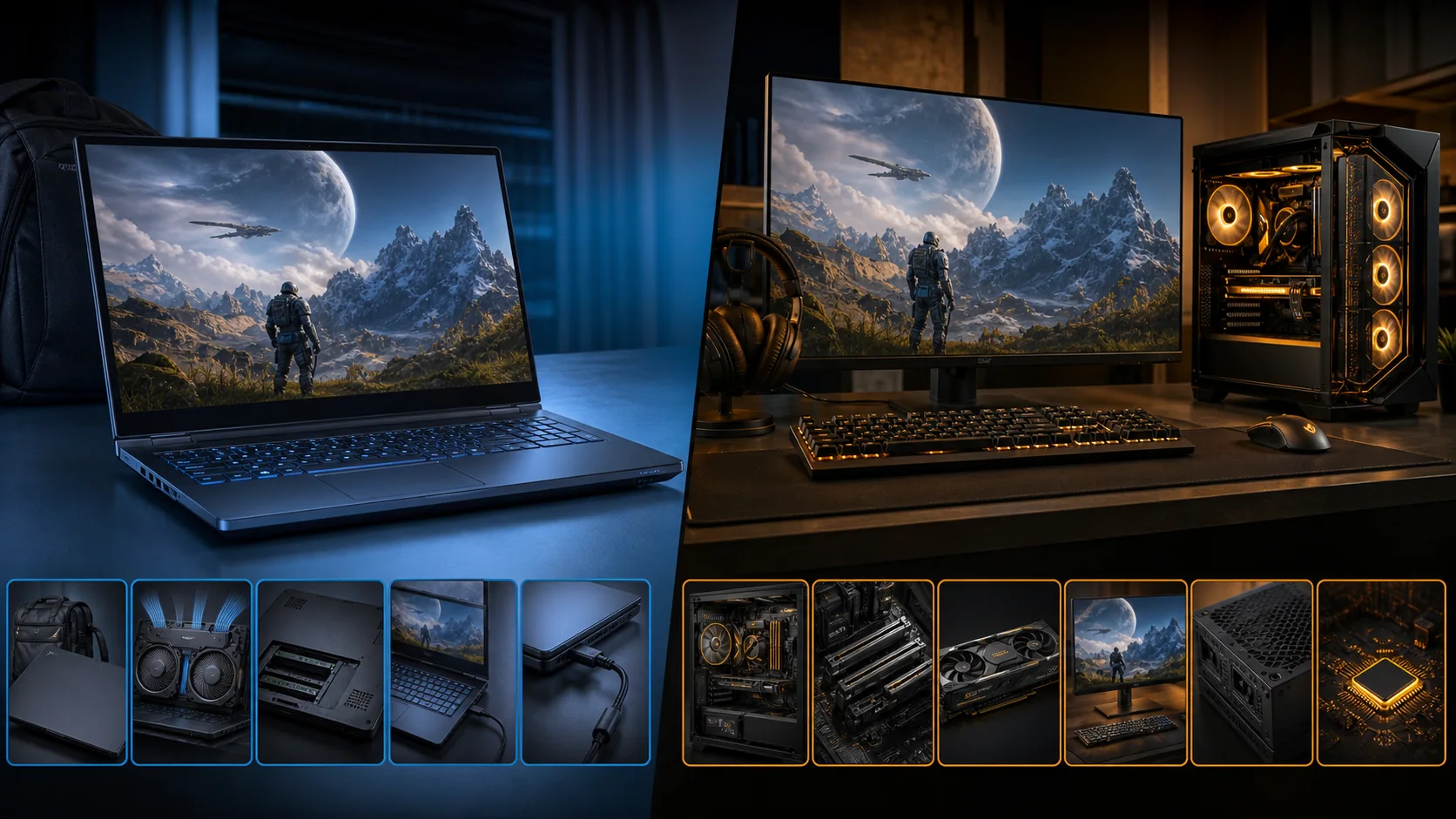
Top 3 picks at a glance
Price and performance per dollar
At any given price point, a desktop delivers more raw gaming performance than a laptop, typically estimated at 20-40% more frames per dollar depending on the specific components compared, because desktop GPUs and CPUs run at higher power limits without the size, weight, and battery constraints that force laptop components to operate in a reduced power envelope.
As an Amazon Associate we earn from qualifying purchases at no extra cost to you.





This gap exists even when a laptop and desktop share the exact same GPU model name, since the laptop version of, for example, an RTX 5070 runs at a lower total graphics power rating than its desktop counterpart, a distinction covered in detail in our guide to laptop GPU TGP explained.
Desktop pricing also benefits from component modularity: you can mix a mid-tier GPU with a cheaper case, power supply, and cooler, or splurge on the GPU while economizing elsewhere, while a laptop bundles the display, keyboard, battery, chassis, and cooling system into one fixed package where you cannot selectively cut costs on the parts that matter less to you.
Where laptops can close some of this gap is in bundled value: a laptop already includes a display, keyboard, and battery, all of which cost extra when building a desktop from scratch, so a fair price comparison should account for these included peripherals rather than comparing bare component prices in isolation.
Even accounting for bundled peripherals, most cost analyses still find desktops ahead on pure gaming performance per dollar at every price tier from budget builds through high-end configurations, with the gap narrowing somewhat at the very high end where premium laptop cooling closes some of the power-limit disadvantage.
Upgradability over the years you own it
A desktop’s core appeal beyond initial price is its upgrade path: you can replace the GPU alone every few years to keep pace with new games, add RAM or storage independently, or even swap the CPU and motherboard for a larger platform upgrade, all without replacing the case, power supply, or peripherals you already own.
A gaming laptop offers a much narrower upgrade path. RAM and storage are upgradable on most models through an access panel, typically requiring only a small screwdriver, but the GPU and CPU are soldered or otherwise fixed for the laptop’s entire service life on virtually every current model, meaning the performance ceiling you buy on day one is the performance ceiling for as long as you own it.
This difference compounds over time: a desktop bought three years ago with an aging GPU can often get a meaningful performance boost from a single GPU swap costing a few hundred dollars, extending its useful life for several more years, while a laptop from the same era facing the same aging-GPU problem has no equivalent option short of replacing the entire machine.
Cooling systems are also generally non-upgradable on laptops, since the heatsink and fan assembly are custom-sized to fit the specific chassis, whereas a desktop lets you replace stock cooling with aftermarket air or liquid coolers if thermal performance or noise becomes a priority later.
The practical implication is that a desktop’s total cost of ownership spreads more favorably over a longer usable lifespan through incremental component upgrades, while a laptop’s entire value is essentially locked in at purchase and depreciates as a whole unit rather than through replaceable parts.
Portability: the one category laptops win outright
A gaming laptop can go anywhere: a dorm room, a friend’s house, a coffee shop, or on a flight, running entirely on battery power for lighter tasks and plugging in wherever an outlet is available for full gaming performance. This flexibility has no desktop equivalent short of a small form factor build that still requires a monitor, keyboard, and mouse at the destination.
For students, frequent travelers, or anyone who splits time between two locations, such as a home and a family member’s house, this portability advantage often outweighs the performance and cost gap entirely, since a desktop simply is not a realistic option if gaming needs to happen in more than one fixed location.
LAN parties and local esports events remain a niche but real use case where a laptop’s self-contained design, needing only a power outlet and a network connection, beats hauling a desktop tower, monitor, and peripherals to a venue, even though dedicated small form factor desktop cases have narrowed this gap somewhat for enthusiasts willing to build around portability specifically.
Weight and battery life still meaningfully limit how portable a “portable” gaming laptop actually is during gaming itself, since most gaming laptops weigh 4.5-7 pounds, heavier than an ultrabook, and battery life while gaming drops to just 1-3 hours as covered in our guide to gaming laptop battery life explained, meaning true unplugged gaming sessions are shorter than the portability pitch initially suggests.
For anyone who only ever games from one fixed spot, whether a dorm desk or a home office, this portability advantage provides no real benefit, which is exactly why the laptop-versus-desktop decision should start with an honest assessment of whether you actually need to move your gaming setup, not whether portability sounds appealing in the abstract.
Sustained performance and thermal headroom
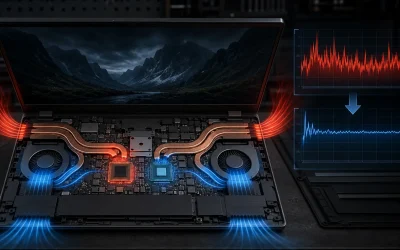
A desktop’s larger case interior allows significantly more airflow and heatsink surface area than any laptop chassis can accommodate, which means desktop components can sustain their rated boost clocks for extended gaming sessions far more reliably than laptop components running in a compact, thermally constrained enclosure.
Laptops, even well-cooled ones, are more prone to thermal throttling during long, demanding sessions, where the CPU or GPU temporarily reduces clock speed to stay within safe temperature limits, which can cause frame rate dips during extended play that a desktop with the same GPU tier would not experience under equivalent load.
This gap varies significantly by laptop chassis design: larger 16-inch and 17-inch laptops with more robust cooling systems handle sustained load noticeably better than thin 14-inch designs, which is a major reason two laptops advertising the same GPU model can perform quite differently in real, extended gaming sessions rather than short benchmark runs.
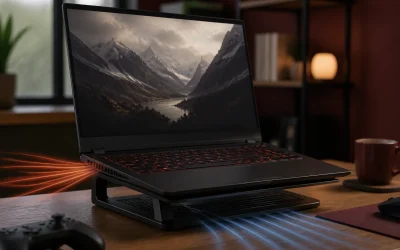
For readers who already own a gaming laptop and want to reduce throttling through cooling pads, undervolting, or maintenance, our guide on how to keep a gaming laptop cool covers practical steps that can meaningfully improve sustained performance without any hardware replacement.
Desktops largely avoid this concern by design, since even a budget desktop case typically has enough interior volume and airflow to keep components running near their full rated boost clocks throughout hours-long sessions, a reliability advantage that becomes more pronounced the longer and more demanding your typical gaming session is.
Noise levels during gaming
Under sustained gaming load, laptop fans generally run louder relative to the room than desktop fans at an equivalent performance tier, because smaller laptop fans must spin at higher RPM to move sufficient air through a compact chassis, producing a higher-pitched, more noticeable sound than the larger, slower-spinning fans a desktop case can accommodate.
Desktop builders have more flexibility to prioritize quiet operation specifically, choosing larger case fans, more airflow-optimized case designs, or liquid cooling for the CPU, all of which can maintain full performance while running notably quieter than a laptop pushed to similar thermal loads.
Some premium gaming laptops include quiet or balanced performance modes in their control software, trading some sustained clock speed for meaningfully reduced fan noise, which is worth checking if noise matters to you specifically, since default “performance” or “turbo” modes are usually tuned for maximum clocks rather than acceptable noise levels.
For shared living spaces, dorm rooms, or late-night gaming sessions where noise matters more than squeezing out maximum frame rates, this is a real practical consideration that spec sheets rarely highlight, making independent noise-level reviews worth checking before committing to either option.
Display, peripherals, and desk setup flexibility
A gaming laptop’s built-in display is fixed at purchase, typically ranging from 14 to 17 inches with a specific resolution and refresh rate combination that cannot be changed later, though nearly all gaming laptops support connecting an external monitor for a larger or higher-refresh-rate viewing experience at a fixed desk.
A desktop requires purchasing a monitor, keyboard, and mouse separately, which adds to the total setup cost but also means you choose exactly the display size, resolution, and panel technology you want, along with peripherals matched precisely to your grip style and typing preference rather than accepting whatever is built into a laptop chassis.
Multi-monitor setups are far more practical on a desktop, where adding a second or third display is simply a matter of GPU output availability, while a laptop typically supports at most one or two external displays depending on its port selection and integrated graphics switching behavior.
Peripheral flexibility extends to keyboards and mice as well: a desktop setup lets you choose any mechanical keyboard switch type and any mouse shape or weight that fits your grip, covered in detail in our guides on mechanical keyboard switches and choosing a gaming mouse, whereas a laptop’s built-in keyboard and trackpad are fixed, pushing serious players toward external peripherals anyway even when using a laptop.
Longevity and resale value
A desktop’s incremental upgrade path directly extends its useful lifespan, since replacing just the GPU every three to four years can keep a desktop competitive with current games for a decade or more of total ownership, spreading the original chassis, power supply, and storage investment across a much longer timeframe than a laptop allows.
A gaming laptop’s useful life for demanding gaming is more tightly bound to its GPU tier at purchase, generally remaining comfortable for new releases for three to four years before needing to reduce settings meaningfully, after which the entire unit typically gets replaced rather than upgraded, since no individual component swap restores competitive performance.
Resale value also tends to favor desktops in a specific way: individual components like a GPU can be sold separately when upgrading, recovering some value from the exact part being replaced, while a laptop must be sold as a complete unit, and the resale market for older gaming laptops is generally less liquid than for individual desktop GPUs.
Physical wear also affects laptops more directly over years of use, since hinges, keyboards, trackpads, and battery capacity all degrade with regular handling and travel in ways that a stationary desktop’s components simply do not experience to the same degree.
Total cost of ownership over four years
The table below illustrates a simplified total cost comparison over a four-year ownership period, assuming a desktop owner performs one GPU upgrade partway through versus a laptop owner who makes no hardware changes, based on typical current market pricing patterns.
| Scenario | Initial cost | Mid-period upgrade | 4-year total | Performance trend |
|---|---|---|---|---|
| Desktop (mid-tier GPU) | $1,000 | +$400 GPU swap at year 2 | $1,400 | Stays competitive throughout |
| Laptop (equivalent tier) | $1,300 | None available | $1,300 | Gradually falls behind after year 2-3 |
This simplified comparison excludes the value of the laptop’s built-in display, keyboard, and battery, which a desktop buyer would need to purchase separately, so the real gap in total value delivered is smaller than the raw dollar figures suggest, though the desktop still generally ends the four-year period with stronger relative gaming performance thanks to the mid-period GPU upgrade option.
Which use case favors each option
A desktop is the stronger choice if you game primarily from one fixed location, want the most performance per dollar spent, and value the ability to upgrade individual components over years rather than replacing the entire machine when performance needs increase.
A laptop is the stronger choice if you genuinely need to game in more than one location, whether that is switching between a dorm and a family home, traveling frequently, or simply wanting the flexibility to game from different rooms without a fixed setup, since this is the one category where a desktop has no real equivalent.
Content creators who need to travel for work but also want gaming capability often land on a laptop specifically for this dual-purpose flexibility, accepting the performance and upgradability tradeoffs in exchange for a single portable machine handling both needs.
Competitive esports players focused purely on titles like Valorant or League of Legends, which run comfortably even on modest hardware, may find the laptop-versus-desktop performance gap largely irrelevant to their specific games, making portability or desk space constraints the deciding factor instead of raw power.
The hybrid middle ground worth knowing about
Some players adopt a hybrid approach: a modest, portable laptop for travel and casual use paired with a more powerful desktop at home for serious gaming sessions, splitting the two use cases across two machines rather than compromising on a single device that tries to do both well.
External GPU enclosures, which connect a desktop-class graphics card to a laptop over Thunderbolt, exist as a niche option to boost a laptop’s gaming performance while docked at a desk, though the added cost of the enclosure and GPU together often approaches or exceeds simply buying a more powerful laptop or a small desktop outright, limiting this option to specific enthusiast use cases.
For most buyers, the honest answer is to pick one primary use pattern, fixed-location gaming or genuinely mobile gaming, and choose the machine that best serves that primary pattern rather than trying to optimize for both scenarios equally with a single purchase.
Frequently asked questions
Is a gaming laptop or desktop better value for the same money?
A desktop delivers noticeably more raw performance per dollar spent, commonly 20-40% more depending on the exact components compared, because desktop parts run at higher power limits without the size and battery constraints laptops face, so if pure price-to-performance is your only priority, a desktop wins at almost any budget.
Can I upgrade a gaming laptop like I can a desktop?
You can upgrade RAM and storage on most gaming laptops, but the GPU and CPU are fixed for the laptop’s entire life, while a desktop lets you swap the GPU, CPU, RAM, storage, and cooling independently over years, extending its useful life significantly longer than a laptop’s typical three to four year GPU-limited lifespan.
Do gaming laptops perform as well as desktops with the same GPU name?
No, a laptop GPU sharing the same model name as a desktop GPU runs at a lower power limit due to size and thermal constraints, so a laptop RTX 5070 delivers meaningfully less performance than a desktop RTX 5070, typically landing closer to the performance of one desktop tier below it.
Which is quieter, a gaming laptop or a gaming desktop?
Under heavy gaming load, laptops are generally louder relative to their size since smaller fans must spin faster to move enough air through a compact chassis, while a desktop with larger case fans and more interior airflow space can often cool the same performance tier while running quieter.
Should I buy a laptop or desktop for my first serious gaming PC?
Choose a desktop if you only ever game at one location and want the most performance per dollar with a long upgrade path, and choose a laptop if you genuinely need to game in multiple locations, since portability is the one advantage a desktop cannot match at any price.