Choosing a gaming laptop comes down to matching four specs, GPU tier, display, cooling design, and RAM/storage, against your budget and the games you actually play, rather than comparing laptops by brand reputation or RGB lighting. The GPU tier alone determines most of what frame rates you will get, and everything else either supports that GPU properly or bottlenecks it. This guide walks through each spec in the order it should actually influence your decision.
Top 3 picks at a glance
GPU tier: the spec that decides almost everything
The graphics card inside a gaming laptop sets the ceiling for frame rates and visual settings across nearly every game you will play, more than any other single component. Current-generation mobile GPUs span from the RTX 5050 and RTX 5060 at the entry level, through the RTX 5070 and RTX 5070 Ti in the midrange, up to the RTX 5080 and RTX 5090 in high-end laptops, each tier roughly doubling raw rendering capability from the tier below it.
As an Amazon Associate we earn from qualifying purchases at no extra cost to you.







An RTX 5060-class laptop GPU comfortably handles 1080p gaming at high settings in most current titles, typically landing in the 80-120 fps range depending on the specific game’s optimization, based on the GPU’s rated specifications rather than a benchmark run on any particular unit. This tier suits players targeting a 1080p, 144Hz or similar display without pushing into demanding ray-traced settings.
Moving up to an RTX 5070 or RTX 5070 Ti opens up 1440p gaming at high settings with headroom for ray tracing in supported titles, generally estimated around 70-100 fps at 1440p high settings for demanding AAA titles based on the GPU’s throughput tier, again as an estimate tied to the hardware class rather than a specific tested result.
The RTX 5080 and RTX 5090 tiers target 1440p at maximum settings with ray tracing enabled, or entry-level 4K gaming with upscaling technology like DLSS assisting frame rates, and these tiers carry a significant price premium that mainly benefits players who specifically want the highest visual fidelity or are pairing the laptop with a 4K external display.
Importantly, laptop GPUs of the same model name as their desktop counterparts run at meaningfully lower power limits, so a laptop RTX 5070 does not match a desktop RTX 5070’s performance, typically landing somewhere between the desktop tier above and below it depending on how the laptop manufacturer configures power delivery, a topic covered in full detail in our guide to laptop GPU TGP explained.
CPU: matching processor to GPU tier
The CPU handles game logic, AI, physics calculations, and feeding instructions to the GPU, and pairing a weak CPU with a powerful GPU creates a bottleneck where the GPU sits idle waiting for CPU-processed data, particularly in CPU-heavy games like strategy titles or simulation games with large numbers of active units.
Current gaming laptops commonly ship with Intel Core i7 or i9 HX-series processors, or AMD Ryzen 7 and Ryzen 9 mobile processors, both of which comfortably handle any current GPU tier without becoming the limiting factor in most games. CPU bottlenecking is much less of a concern than it was several generations ago, since even midrange laptop CPUs now have enough cores and clock speed for gaming workloads.
Where CPU choice matters more is in games with heavy simulation or physics loads, such as large-scale strategy titles or flight simulators, and in streaming or content creation scenarios where the CPU handles video encoding simultaneously with rendering the game itself, both of which benefit from higher core counts.
Core count and clock speed both matter, but for gaming specifically, a CPU with fewer, faster cores often performs comparably to one with more, slightly slower cores, since most games still rely heavily on a handful of primary threads rather than scaling perfectly across a dozen or more cores.
As a practical rule, avoid pairing a high-end GPU like an RTX 5080 or RTX 5090 with an entry-level CPU tier if one is offered as a cost-cutting configuration option, since this mismatch wastes GPU potential in CPU-limited scenarios, while pairing a strong CPU with a weaker GPU is a safer imbalance since the GPU remains the limiting factor either way.
Display specs: refresh rate, resolution, and panel type
Refresh rate, measured in Hz, determines how many times per second the display updates the image, with 144Hz now the common baseline on gaming laptops, and 240Hz or even 300Hz+ available on laptops targeting competitive esports players. Higher refresh rates only provide visible benefit when the GPU can actually sustain frame rates close to that number, which loops back to matching display refresh rate against GPU tier.
Resolution options on current gaming laptops typically include 1080p, 1440p, and increasingly 1600p or QHD+ variants on 16-inch and larger chassis. Higher resolution delivers a sharper image but demands significantly more GPU power to maintain high frame rates, which is why resolution and GPU tier need to be chosen together rather than independently.
Panel type affects color accuracy and viewing experience: IPS panels, now standard on the large majority of gaming laptops, offer wide viewing angles and accurate colors suitable for both gaming and any content work, while older TN panels, mostly phased out, traded color accuracy for marginally faster response times that modern IPS panels have largely closed the gap on.
Response time, measured in milliseconds, describes how quickly a pixel changes color, with gaming laptop displays commonly rated between 3ms and 7ms, low enough that most players will not perceive ghosting or motion blur during fast-paced gameplay at these speeds.
Mini-LED and OLED display options have become more common on premium gaming laptops, offering significantly better contrast and, on OLED specifically, near-instant pixel response times, at a price premium over standard IPS panels and with some tradeoffs around peak brightness for HDR content depending on the specific implementation.
RAM and storage: what you actually need
16GB of RAM is the realistic minimum for smooth gaming performance in current titles without background apps causing noticeable slowdown, and it remains the standard configuration on most gaming laptops priced under $1,200. Some current titles recommend 16GB as a baseline requirement on their own system requirement pages, making this less of a comfortable buffer than it was a few years ago.
32GB provides comfortable headroom for gaming alongside Discord, a browser with many tabs, or streaming and recording software running simultaneously, and it has become the more common configuration on laptops in the $1,300-1,800 range specifically because multitasking alongside gaming has become the norm rather than the exception.
64GB or more is generally unnecessary for gaming alone and only becomes worthwhile if you are also doing heavier content creation work like large-scale video editing or 3D rendering on the same machine, where the additional RAM directly speeds up those specific workloads rather than gaming performance itself.
Storage should prioritize NVMe SSD speed over raw capacity for gaming specifically, since load times depend heavily on sequential read speed, with 512GB as a tight minimum given that modern AAA titles frequently require 80-150GB of install space each, and 1TB as a more comfortable baseline for a library of more than a handful of large games.
Many gaming laptops include a second M.2 slot for adding storage later, which is worth checking specifically if you plan to start with a 512GB drive and expand rather than buying the largest configuration upfront, since aftermarket NVMe SSD prices are often meaningfully cheaper than the laptop manufacturer’s storage upgrade pricing at purchase time.
Cooling design and chassis size
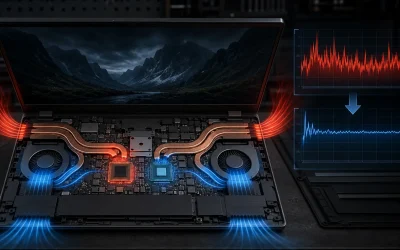
Cooling directly determines how much of a GPU and CPU’s rated performance a laptop can actually sustain during long gaming sessions, since thermal throttling reduces clock speeds once components hit their temperature limits, and two laptops with the identical GPU model can perform meaningfully differently under sustained load based purely on cooling system quality.
Larger chassis, typically 16-inch and 17-inch models, generally accommodate bigger heatsinks, more fans, and more vent area than thin 14-inch designs, which is why the thinnest, most portable gaming laptops often need to run their components at lower power limits to stay within safe thermal margins compared to bulkier alternatives with the same GPU model.
This tradeoff between portability and sustained performance is significant enough to deserve its own detailed breakdown, covered fully in our guide to how to keep a gaming laptop cool, which covers cooling pad options, undervolting, and thermal maintenance for laptops you already own.
When comparing two laptops with the same GPU listed, checking independent thermal and sustained-performance reviews matters more than trusting the spec sheet alone, since manufacturers can configure the same GPU model at different power limits, and a laptop advertised with a top-tier GPU running at a reduced power limit will underperform a competing laptop running that same GPU at its full rated power.
Battery life expectations
Gaming laptop battery life varies dramatically depending on whether you are gaming, which draws maximum power from both CPU and GPU simultaneously, versus general productivity use, which relies on the laptop’s integrated graphics and power-saving modes to stretch runtime considerably further.
While actively gaming on battery power, most gaming laptops last only 1-3 hours before needing a charge, since sustained GPU load at full power draws far more current than the battery can support for extended periods, and many laptops automatically limit performance when running unplugged to protect battery health and manage heat.
For general use, such as web browsing, document work, or video playback, the same laptop can often stretch to 6-10 hours by relying on integrated graphics switching technology, which is why gaming laptop battery specifications listed by manufacturers usually reflect this lighter productivity scenario rather than gaming performance.
For a full breakdown of battery capacity, GPU switching technology, and realistic hour-by-hour expectations across different workloads, see our dedicated guide on gaming laptop battery life explained.
Build quality, keyboard, and port selection
Chassis material affects both durability and weight: aluminum or magnesium-alloy chassis, common on premium models, resist flex and feel sturdier than the all-plastic construction found on many budget gaming laptops, though plastic construction has improved significantly in rigidity over the past several product generations.
Keyboard quality matters more on a laptop you will actually type and game on daily than most buyers initially consider, with key travel, per-key RGB lighting availability, and anti-ghosting key rollover all varying between models. A shallow, mushy keyboard is a persistent annoyance that spec sheets rarely communicate well, making hands-on reviews or in-store testing valuable before committing.
Port selection has become a real differentiator as manufacturers trim thickness: check specifically for a sufficient number of USB-A ports if you use wired peripherals, a full-size HDMI or DisplayPort output for external monitors, and whether the laptop supports USB-C charging as a backup to the included power brick, which is a convenient feature on some but not all current models.
Webcam quality and microphone array quality vary considerably and matter if you use the laptop for video calls or light streaming, with budget models sometimes cutting corners here even when core gaming specs are otherwise strong, so check dedicated reviews rather than assuming any built-in webcam is adequate.
What you can and cannot upgrade later
RAM and storage are upgradable on the large majority of current gaming laptops through an access panel on the bottom of the chassis, typically requiring only a small screwdriver, and checking the exact upgrade path, including maximum supported RAM capacity and number of available M.2 slots, before purchase avoids being locked into whatever configuration you initially bought.
The GPU and CPU are not upgradable on essentially any modern gaming laptop, since both are either soldered directly to the motherboard or otherwise integrated in a way that prevents swapping, unlike a desktop where a graphics card upgrade is a simple, common practice. This makes GPU tier selection at purchase time the single most consequential long-term decision in the buying process.
Some manufacturers lock RAM upgrades on their thinnest models specifically, using soldered memory to save internal space, which is worth checking carefully on ultra-thin 14-inch designs, since a soldered-RAM laptop that ships with only 16GB cannot be expanded later under any circumstances.
Because the GPU is fixed for the laptop’s entire useful life, buy toward the higher end of what your budget comfortably allows if you expect to keep the laptop for three to four years or more, since a GPU tier that feels adequate today may struggle with demanding titles released two or three years down the line.
Budget tiers and what changes at each price point
The table below summarizes typical specs bundled at common gaming laptop price points based on current market offerings, useful as a general reference when comparing specific listings against your budget.
| Price range | Typical GPU tier | Typical display | Best suited for |
|---|---|---|---|
| $700-1,000 | RTX 5050 | 1080p, 144Hz | Esports titles, budget-conscious first laptop |
| $1,100-1,400 | RTX 5060 | 1080p or 1440p, 144-165Hz | Most current AAA titles at high settings |
| $1,500-1,900 | RTX 5070/5070 Ti | 1440p, 165-240Hz | High settings with ray tracing headroom |
| $2,000-3,000+ | RTX 5080/5090 | 1440p-4K, 240Hz+ | Maximum settings, content creation crossover |
Spending significantly above $2,000 mostly buys diminishing returns in gaming-specific performance, and starts paying more for chassis materials, display technology like OLED, and marginal GPU gains, so evaluate carefully whether those extras matter to you specifically versus simply choosing the GPU tier that fits your actual resolution and frame rate target.
Matching a laptop to your primary use case
If you mainly play competitive esports titles like Valorant, Counter-Strike 2, or League of Legends, an RTX 5050 or RTX 5060-tier laptop paired with a high refresh rate 1080p display delivers frame rates well beyond what these lighter-demand games actually need, making a more expensive GPU tier largely wasted budget for this specific use case.
If you primarily play recent AAA titles and want high settings without ray tracing, target the RTX 5060 to RTX 5070 range, which handles most current games comfortably at 1080p to 1440p without pushing into the premium pricing of the top two GPU tiers.
If ray tracing and maximum visual fidelity matter to you, or you plan to use the laptop for content creation like video editing or 3D work alongside gaming, the RTX 5070 Ti and above tiers justify their added cost through both gaming headroom and meaningfully faster render times in creative applications.
If portability is your top priority, expect a real tradeoff against sustained performance and battery life, since the thinnest chassis designs generally cannot cool high-power GPU configurations as effectively as bulkier laptops, a tradeoff worth weighing carefully if you travel frequently with your gaming laptop rather than using it primarily at a fixed desk setup.
Frequently asked questions
What is the most important spec when buying a gaming laptop?
The GPU tier matters more than any other single spec, since it sets the ceiling for frame rates and settings across nearly every game, so start by deciding which GPU tier fits your target resolution and budget, then choose a specific laptop model, rather than comparing laptops by brand or design first.
How much RAM does a gaming laptop actually need?
16GB is the practical minimum for smooth gaming in most current titles, 32GB gives comfortable headroom for background apps, streaming software, or light content creation alongside gaming, and 64GB is only worth the added cost for heavier creative workloads like large video editing projects rather than gaming alone.
Should I buy a gaming laptop with a 1080p or 1440p display?
A 1080p display paired with a mid-tier GPU like an RTX 5060 delivers the highest sustained frame rates for competitive titles, while a 1440p display makes more sense with an RTX 5070 or higher, since a weaker GPU paired with a higher resolution display often cannot maintain frame rates that take advantage of the sharper image.
Do gaming laptops overheat and throttle performance?
Under sustained heavy load, most gaming laptops do experience some thermal throttling, meaning the CPU or GPU reduces clock speed to stay within safe temperatures, and how much this affects real-world performance varies significantly between chassis designs, which is why cooling system quality matters as much as raw component specs.
Can I upgrade a gaming laptop after buying it?
Most gaming laptops allow RAM and storage upgrades through an access panel on the bottom, but the GPU and CPU are soldered or otherwise fixed in virtually all modern gaming laptops and cannot be upgraded later, so buy the GPU tier you expect to need for the next three to four years rather than planning to upgrade it.