
If you are shopping for a portable gaming computer, the word “thin” can be misleading. A 16-inch gaming laptop may have a slimmer chassis than a traditional performance notebook, but its cooling hardware, graphics card, battery, and power adapter still add noticeable weight. The display size describes the diagonal measurement, not the laptop’s overall footprint.
Top 3 picks at a glance

The Short Answer
A thin 16-inch gaming laptop usually weighs between 4 and 5 pounds (1.8 to 2.3 kilograms). The lightest models can come in around 3.8 pounds, while more powerful machines with high-wattage graphics cards may weigh 5.5 pounds or more.
As an Amazon Associate we earn from qualifying purchases at no extra cost to you.


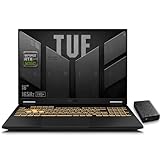
Expect the laptop itself to measure approximately 14 to 14.3 inches wide, 9.5 to 10 inches deep, and 0.75 to 1 inch thick. In centimeters, that is roughly 35.6 to 36.3 cm wide, 24.1 to 25.4 cm deep, and 1.9 to 2.5 cm thick.
Do not forget the charger. A gaming power adapter commonly adds 1 to 2 pounds (0.45 to 0.9 kg), depending on its wattage. A laptop listed at 4.5 pounds may therefore weigh 5.5 to 6.5 pounds in a backpack once you include the adapter, mouse, and protective sleeve.
For 2026 buying decisions, a useful target is a laptop under 4.5 pounds if you commute frequently, or a 4.5- to 5.5-pound model if you want stronger cooling and graphics performance.
Standard Sizes
The table below shows practical size ranges for 16-inch gaming laptops. These are chassis measurements, not screen measurements. Exact dimensions vary by hinge design, rubber feet, rear ventilation, and whether the manufacturer includes protruding ports in its specifications.
| Type | Width | Depth | Thickness | Laptop weight | Typical charger |
|---|---|---|---|---|---|
| Light thin gaming model | 13.9–14.1 in (35.3–35.8 cm) |
9.2–9.7 in (23.4–24.6 cm) |
0.7–0.85 in (1.8–2.2 cm) |
3.8–4.4 lb (1.7–2.0 kg) |
170–200W |
| Typical thin 16-inch model | 14.0–14.3 in (35.6–36.3 cm) |
9.5–10.0 in (24.1–25.4 cm) |
0.8–1.0 in (2.0–2.5 cm) |
4.2–5.0 lb (1.9–2.3 kg) |
200–240W |
| Performance-focused 16-inch model | 14.1–14.5 in (35.8–36.8 cm) |
9.8–10.3 in (24.9–26.2 cm) |
0.95–1.2 in (2.4–3.0 cm) |
5.0–6.0 lb (2.3–2.7 kg) |
240–330W |
A 16-inch screen typically uses a 16:10 aspect ratio. That shape gives you more vertical display space than a traditional 16:9 screen, but it also makes the lid slightly taller. The screen itself measures 16 inches diagonally, while the visible panel is about 13.6 inches wide and 8.5 inches tall on a 16:10 display.
Product examples show how wide the market can be. An entry-level gaming configuration such as the ASUS TUF Gaming A16 may cost around $1,050 to $1,200 and generally falls into the medium-weight category because of its dedicated graphics hardware and cooling system. A GIGABYTE Gaming A16 with a newer-generation graphics card may be priced around $1,200 to $1,300. More powerful ASUS TUF F16 configurations can reach approximately $1,400 to $1,550, often with a heavier charger.
Lower-cost listings around $550 to $650, including machines marketed with Ryzen processors and integrated graphics, may be much lighter. However, confirm that the computer has a dedicated GPU before comparing it with a true gaming laptop. Processor speed alone does not determine gaming performance.
How to Measure Your Space
- Measure the desk width. Reserve at least 15 inches (38.1 cm) of horizontal space for the laptop. A 16-inch model may be only 14 inches wide, but extra room prevents the edges from hanging over the desk.
- Measure front-to-back depth. Allow at least 11 inches (27.9 cm). A laptop that is 9.8 inches deep still needs room for your wrists, cable connections, and rear airflow.
- Check ventilation clearance. Keep approximately 2 to 4 inches (5 to 10 cm) behind the laptop and avoid covering underside intake vents with bedding, clothing, or a soft desk mat.
- Measure the storage compartment. For a sleeve or backpack, look for an interior laptop pocket at least 15 inches wide and 11 inches deep. Measure the pocket rather than relying on the bag’s exterior dimensions.
- Measure the vertical opening. A laptop may fit inside a drawer when closed but fail to fit with its power adapter. Allow at least 2 inches of extra height for the sleeve and accessories.
- Weigh the complete setup. Add the laptop, charger, mouse, headset, and sleeve. This gives you the real carry weight, which can be 25% to 40% higher than the laptop’s advertised weight.
By Room or Use Case
Small home office
A 16-inch gaming laptop works well on a desk that is at least 24 inches wide and 20 inches deep. A 48- to 60-inch desk gives you more flexibility for a monitor, speakers, and mouse. If your desk is only 18 inches deep, choose a slim stand or place the computer toward the back while keeping the rear vents clear.
Dorm room or shared bedroom
Prioritize weight and charger size. A 4-pound laptop with a 1-pound adapter is easier to carry between a desk, common room, and classroom than a 5.5-pound system with a large 300W brick. A 16-inch screen is comfortable for split-screen work, but it may consume most of a compact dorm desk.
Living room gaming
For couch use, the laptop’s underside temperature and weight matter more than its closed dimensions. A lap desk measuring at least 18 by 12 inches provides a stable surface and helps keep ventilation unobstructed. Models around 4 to 5 pounds are usually manageable for short sessions, while heavier systems can become uncomfortable after an hour.
Travel and commuting
For daily travel, aim for a laptop under 4.5 pounds and a compact 170W to 200W charger when possible. A padded backpack compartment should have about half an inch of extra space on every side. If you fly or use public transportation often, remember that the charger, headphones, and accessories can add 2 pounds to your load.
Common Sizing Mistakes
- Confusing screen size with laptop width: A 16-inch diagonal screen does not mean the laptop is 16 inches wide.
- Ignoring the charger: The adapter can add nearly as much inconvenience as an extra pound of laptop weight.
- Measuring only the desk surface: Leave room for airflow, cables, and your hands.
- Assuming every 16-inch model is thin: Gaming laptops with stronger GPUs, larger batteries, and extra cooling may be over an inch thick.
- Buying by processor name alone: A laptop with a fast CPU and integrated graphics may not deliver the same gaming results as one with a dedicated GPU.
- Using a tight sleeve: A sleeve should accommodate the laptop’s thickness, rear feet, and any raised ventilation sections without forcing the zipper closed.
FAQ
Is a 16-inch gaming laptop too heavy to carry?
Not necessarily. A thin model weighing 4 to 4.5 pounds is manageable for regular commuting. The complete kit, including the charger and accessories, is more likely to weigh 5.5 to 6.5 pounds.
What is the lightest practical weight for a 16-inch gaming laptop?
About 3.8 to 4 pounds is exceptionally light for this size. Lighter designs may use lower-power components or integrated graphics. If a dedicated graphics card is important, expect closer to 4.2 to 5 pounds.
How much desk space does a 16-inch gaming laptop need?
Reserve at least 15 inches wide by 11 inches deep for the computer, then add 2 to 4 inches behind it for airflow. A 24-by-20-inch desk area is a comfortable minimum for gaming with a mouse.
Does a larger 16-inch laptop perform better?
Size alone does not guarantee performance. A thicker chassis can provide more room for cooling and a higher-wattage GPU, but compare the graphics card, maximum graphics power, cooling design, memory, and charger wattage before judging performance by dimensions.


