
If your desk doubles as a home office, living room command center, or small apartment setup, a bulky tower and separate monitor can eat up valuable space. A 17-inch thin gaming laptop solves that problem by giving you a full-size keyboard with number pad, a large immersive display, and desktop-class connectivity in a chassis that still slides into a backpack or closes flat on a desk. You get the screen real estate for spreadsheets and multitasking by day, and the horsepower for AAA gaming after hours, without dedicating an entire corner to a traditional desktop.
The trick is finding a thin 17-inch model that actually replaces a desktop without throttling, overheating, or weighing down your setup. True desktop replacements need strong sustained performance, effective cooling, and ports that handle external monitors, storage, and fast charging. As of early 2026, the market is crowded with thin designs that promise that balance but differ widely on processor generation, graphics power, and value. We sorted through the options to highlight eight picks that cover different budgets and use cases, from budget-friendly everyday gaming to high-refresh flagship power.
As an Amazon Associate we earn from qualifying purchases at no extra cost to you.


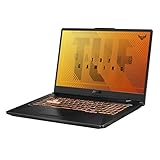





Top 3 picks at a glance
Quick Picks
| Product | Best for | Price |
|---|---|---|
| msi Cyborg 17 17.3″ FHD 144Hz Gaming Laptop: Intel Core 7-240H, NVIDIA Geforce RTX 5060, 16GB DDR5, 1TB NVMe SSD, Type C, Wi-Fi 6E, Win 11 Home: Translucent Black B2RWFKG-074US | Best Overall Desktop Replacement | $1399 |
| NIMO 17.3″ Light-Gaming-Laptop, 6 Cores AMD Ryzen 5 6600H 16GB RAM 1TB SSD (Up to 4.5GHz) Radeon 660M 100W Type-C FHD Backlit Keyboard for Content Creators & Business Student (Renewed) | Best Budget Renewed Pick | $649.98 |
| ASUS TUF Gaming F17 Gaming Laptop, 17.3” 144Hz FHD IPS-Type Display, Intel Core i5-10300H, GeForce GTX 1650 Ti, 8GB DDR4, 512GB PCIe SSD, RGB Keyboard, Windows 10, Bonfire Black, FX706LI-ES53 | Best for Durability on a Budget | $998 |
| NIMO 17.3″ IPS FHD-Gaming-Laptop, AMD Ryzen 5 6600H 6 Cores 16GB DDR5 RAM 1TB SSD (Beat i7-1165G7, Up to 4.5GHz) Radeon 660M GPU-Computer with 100W Type-C Backlit Keyboard Fingerprint Win 11 | Best Value with Fingerprint Security | $699.99 |
| ASUS TUF Gaming A16 Laptop: AMD Ryzen 7 7445HS, 16″ Full HD+ 145Hz Display, NVIDIA GeForce RTX 4050, 16GB DDR5 RAM, 512GB SSD, Backlit Keyboard, Windows 11 | Best 16-Inch Thin Alternative | $1148 |
| NIMO 17.3″ Light-Gaming-Laptop, 6 Cores AMD Ryzen 5 6600H 16GB RAM 1TB SSD (Up to 4.5GHz) Radeon 660M 100W Type-C FHD Backlit Keyboard for Content Creators & Business Student (Renewed) | Best Second Unit or Student Backup | $649.98 |
| msi Crosshair 18 HX AI 18″ 2560×1600 240Hz Display Gaming Laptop, Intel Core Ultra 9 275HX (24 Cores, 2.1-5.4 GHz), NVIDIA RTX 5070 8GB GDDR7, 32GB RAM, 1TB NVMe SSD, Windows 11 Home | Best Premium Power for Creators and Gamers | $1899.99 |
| GIGABYTE Gaming A16 – Intel i7-13620H GeForce RTX 5050 16″ Laptop | Best Mid-Range RTX 5050 Thin Design | $1049 |
How We Picked
We focused on what matters for a true desktop replacement: a large 16- to 18-inch display with at least a 144Hz refresh rate for smooth gaming and scrolling, a modern processor and dedicated or strong integrated graphics capable of handling current games and creative apps, and at least 512GB of SSD storage so you are not managing space from day one. Portability was also key, so we prioritized thin chassis designs that typically range from 0.78 to 0.98 inches thick and weigh between 4.6 and 6.8 pounds, light enough to move between rooms without feeling like a fixed workstation.
We balanced performance tiers against price, with options spanning from around $650 to just under $1900, and weighed memory and storage configurations, wireless standards like Wi-Fi 6E, and practical features such as 100W Type-C charging, backlit keyboards, and fingerprint readers. We did not run lab benchmarks for this roundup and did not invent test results; instead we evaluated each configuration on its component balance, suitability for desktop replacement tasks like gaming, video editing, and multitasking, and overall value for different buyers.
The 8 Best Picks
1. msi Cyborg 17 17.3″ FHD 144Hz Gaming Laptop: Intel Core 7-240H, NVIDIA Geforce RTX 5060, 16GB DDR5, 1TB NVMe SSD, Type C, Wi-Fi 6E, Win 11 Home: Translucent Black B2RWFKG-074US
This is our top desktop replacement for buyers who want modern thin-and-light gaming without compromise. The 17.3-inch FHD 144Hz display gives you room for side-by-side windows and fluid gameplay, while the Intel Core 7-240H and NVIDIA GeForce RTX 5060 handle demanding games and creative workloads. With 16GB of DDR5 and a spacious 1TB NVMe SSD, you can keep a large game library and production files locally, and Wi-Fi 6E plus Type-C keep docking and peripheral connections simple. It is ideal for someone consolidating a tower setup into one portable hub.
- Pro: Strong current-generation CPU and RTX 5060 pairing with 16GB DDR5 and 1TB SSD for long-term desktop use
- Pro: Large 17.3-inch 144Hz display with Translucent Black thin chassis and modern Wi-Fi 6E connectivity
- Con: At $1399 it costs more than budget 17-inch options, so casual gamers may not need this much power
When to skip: If your workload is mostly web browsing, office apps, and light gaming, you can save significantly with an integrated-graphics model.
2. NIMO 17.3″ Light-Gaming-Laptop, 6 Cores AMD Ryzen 5 6600H 16GB RAM 1TB SSD (Up to 4.5GHz) Radeon 660M 100W Type-C FHD Backlit Keyboard for Content Creators & Business Student (Renewed)
Built around the 6-core AMD Ryzen 5 6600H that boosts up to 4.5GHz and Radeon 660M graphics, this renewed 17.3-inch FHD model is a practical pick for students, content creators, and business users who want desktop-like screen space on a tight budget. The 16GB of RAM and 1TB SSD are generous for the $649.98 price, providing smooth multitasking and ample storage without immediate upgrades. The 100W Type-C charging and backlit keyboard add everyday convenience for dorms, home offices, or shared living rooms where a full desktop would dominate the space.
- Pro: Excellent value with 16GB RAM and 1TB SSD plus a large FHD display for productivity and light gaming
- Pro: 100W Type-C support and backlit keyboard enhance portability and late-night work sessions
- Con: Renewed condition means it is not brand new, which may matter for buyers wanting factory-fresh warranty coverage
When to skip: If you need guaranteed new-in-box status or want a dedicated high-wattage GPU for AAA gaming, choose a new RTX model instead.
3. ASUS TUF Gaming F17 Gaming Laptop, 17.3” 144Hz FHD IPS-Type Display, Intel Core i5-10300H, GeForce GTX 1650 Ti, 8GB DDR4, 512GB PCIe SSD, RGB Keyboard, Windows 10, Bonfire Black, FX706LI-ES53
The TUF Gaming F17 leans on durability and a proven 17.3-inch formula. Its 144Hz FHD IPS-Type display delivers smoother motion than standard 60Hz panels, and the Intel Core i5-10300H with GeForce GTX 1650 Ti covers esports titles and creative apps at modest settings. With 8GB of DDR4 and a 512GB PCIe SSD, it remains workable for everyday desktop replacement tasks, while the RGB keyboard and Bonfire Black design fit a gaming setup that lives in a main living area. This is a good fit for buyers who prioritize a tough chassis and large screen over cutting-edge specs.
- Pro: 17.3-inch 144Hz IPS-Type display offers strong visual smoothness for gaming and general use
- Pro: TUF chassis is built for durability, helpful for shared spaces and frequent moves
- Con: Older Core i5-10300H and GTX 1650 Ti with 8GB RAM trail newer CPU and GPU generations in performance and efficiency
When to skip: If you plan to play the latest demanding titles at high settings or keep the laptop for many years, opt for a newer RTX 4050 or higher configuration.
4. NIMO 17.3″ IPS FHD-Gaming-Laptop, AMD Ryzen 5 6600H 6 Cores 16GB DDR5 RAM 1TB SSD (Beat i7-1165G7, Up to 4.5GHz) Radeon 660M GPU-Computer with 100W Type-C Backlit Keyboard Fingerprint Win 11
This new NIMO configuration upgrades the value proposition with 16GB of DDR5 RAM and Windows 11, paired with the same efficient 6-core AMD Ryzen 5 6600H up to 4.5GHz and Radeon 660M graphics. The 17.3-inch IPS FHD display provides wide viewing angles for collaborative work or streaming from the couch, and the 1TB SSD leaves plenty of room for projects and media. Extras like 100W Type-C, a backlit keyboard, and a fingerprint reader make it practical as an always-on desktop replacement for small offices where quick, secure logins and flexible charging matter.
- Pro: New condition with DDR5 memory, 1TB SSD, and Windows 11 at a competitive $699.99 price
- Pro: Fingerprint reader plus 100W Type-C and backlit keyboard add convenience for daily desktop use
- Con: Integrated Radeon 660M graphics will not match dedicated RTX GPUs for high-end gaming
When to skip: If your primary goal is high-frame-rate AAA gaming, invest in a laptop with a dedicated RTX 4050, 5050, or better.
5. ASUS TUF Gaming A16 Laptop: AMD Ryzen 7 7445HS, 16″ Full HD+ 145Hz Display, NVIDIA GeForce RTX 4050, 16GB DDR5 RAM, 512GB SSD, Backlit Keyboard, Windows 11
Slightly more compact at 16 inches but still a strong desktop replacement, the TUF Gaming A16 pairs an AMD Ryzen 7 7445HS with an NVIDIA GeForce RTX 4050, a balanced combo for 1080p gaming and accelerated creative work. The Full HD+ 145Hz display adds a bit of vertical space compared to standard FHD, useful for documents and timelines, and 16GB of DDR5 with a 512GB SSD covers most users without being excessive. Thin for its class and running Windows 11 with a backlit keyboard, it works well for buyers who want a portable hub that can dock to an external monitor at home and travel easily.
- Pro: Ryzen 7 7445HS and RTX 4050 with 145Hz display deliver smooth modern gaming in a thin chassis
- Pro: 16GB DDR5 and Windows 11 provide a current, responsive experience for multitasking
- Con: 512GB SSD and 16-inch panel offer slightly less storage and screen area than 17.3-inch 1TB alternatives
When to skip: If you require a full 17.3-inch viewing area or need 1TB of internal storage without adding an external drive, look at larger-capacity options.
6. NIMO 17.3″ Light-Gaming-Laptop, 6 Cores AMD Ryzen 5 6600H 16GB RAM 1TB SSD (Up to 4.5GHz) Radeon 660M 100W Type-C FHD Backlit Keyboard for Content Creators & Business Student (Renewed)
Identical in core specs to our earlier budget pick, this renewed NIMO 17.3-inch model repeats the formula of a 6-core Ryzen 5 6600H up to 4.5GHz, Radeon 660M, 16GB RAM, and 1TB SSD for $649.98. The large FHD screen and light chassis make it easy to replace a desktop in a bedroom corner or kitchen workspace, while 100W Type-C and the backlit keyboard support flexible placement and evening use. It is best viewed as an affordable second unit, a student primary machine, or a backup desktop replacement where maximizing screen size and storage per dollar matters more than having a discrete GPU.
- Pro: Same strong budget configuration with 1TB SSD and FHD backlit keyboard at a low renewed price
- Pro: Thin light design with 100W Type-C makes it easy to move and dock around the home
- Con: Renewed status and integrated graphics limit appeal for buyers seeking new condition and high-end gaming power
When to skip: If you already own this class of laptop or need dedicated graphics for more demanding titles, step up to an RTX-based model.
7. msi Crosshair 18 HX AI 18″ 2560×1600 240Hz Display Gaming Laptop, Intel Core Ultra 9 275HX (24 Cores, 2.1-5.4 GHz), NVIDIA RTX 5070 8GB GDDR7, 32GB RAM, 1TB NVMe SSD, Windows 11 Home
For users who want maximum desktop replacement performance, the Crosshair 18 HX AI stretches to an 18-inch 2560×1600 240Hz display that excels for competitive gaming and detailed creative work. The Intel Core Ultra 9 275HX with 24 cores ranging from 2.1 to 5.4 GHz and NVIDIA RTX 5070 8GB GDDR7 deliver the highest graphics headroom in this roundup, complemented by 32GB of RAM and a 1TB NVMe SSD. It is the clear choice for creators who edit high-resolution video, run heavy multitasking, or want to drive external 4K monitors while retaining a thin profile for an 18-inch system.
- Pro: Top-tier 24-core Ultra 9 and RTX 5070 with 32GB RAM provide flagship productivity and gaming power
- Pro: Expansive 18-inch 2560×1600 240Hz display offers more pixels and smoother motion than FHD 144Hz panels
- Con: At $1899.99 and with an 18-inch footprint, it is the most expensive and largest option to accommodate on a desk
When to skip: If budget or desk space is tight, a 17.3-inch RTX 5060 or RTX 4050 model will still handle most desktop tasks for less.
8. GIGABYTE Gaming A16 – Intel i7-13620H GeForce RTX 5050 16″ Laptop
The GIGABYTE Gaming A16 brings a newer RTX 5050 to a thin 16-inch form factor anchored by an Intel i7-13620H. It sits between budget integrated graphics and flagship RTX 5070 systems, offering dedicated GPU power for modern games and GPU-accelerated apps without the price or size of an 18-inch machine. At $1049, it is positioned as a mid-range desktop replacement that can comfortably live on a desk with an external keyboard and monitor, then travel when needed. Buyers who want a balance of portability, dedicated graphics, and cost will find this configuration hits a practical middle ground.
- Pro: Dedicated RTX 5050 with Intel i7-13620H brings stronger gaming performance than integrated graphics in a thin chassis
- Pro: $1049 price undercuts larger flagship models while still providing modern dedicated GPU capability
- Con: Specific memory and storage details are less defined than other picks, so verify configuration before buying
When to skip: If you need a full 17.3-inch display or require 32GB RAM and high-refresh 240Hz for competitive play, consider the larger MSI options.
Buying Guide
Screen Size, Resolution, and Refresh Rate
For desktop replacement, display size directly affects comfort. A 17.3-inch FHD panel is the classic sweet spot, while 16-inch Full HD+ adds vertical pixels in a slightly smaller footprint and 18-inch 2560×1600 gives the most workspace and sharpness. For smooth everyday use, look for at least 144Hz; 145Hz and 240Hz options reduce motion blur in games and make scrolling feel more fluid. IPS-type panels are preferred for wide viewing angles when the laptop serves as a shared family screen.
Performance and Memory Needs
Choose your CPU and GPU based on how you will use the laptop as a primary computer. Integrated Radeon 660M with a Ryzen 5 6600H and 16GB RAM handles office work, streaming, and light creative tasks, while dedicated GPUs like RTX 4050, 5050, 5060, and 5070 are better for AAA gaming, video editing, and 3D work. Aim for 16GB of RAM as a baseline for 2026, with 32GB ideal for heavy multitasking. Storage of 512GB is workable, but 1TB NVMe SSD is preferable so you are not juggling external drives immediately.
Thin Design, Ports, and Everyday Features
Thin gaming laptops typically measure under an inch thick, but cooling design matters more than raw thinness for sustained desktop use. Check for Type-C with up to 100W charging for flexible docking, multiple USB-A ports, HDMI or DisplayPort for external monitors, and Wi-Fi 6E for fast wireless when Ethernet is not available. Practical touches such as a backlit keyboard with number pad, fingerprint reader, and Windows 11 Home support make daily desktop replacement more convenient, especially if the laptop lives in a living room or shared workspace.
Our Verdict
The msi Cyborg 17 at $1399 remains the most balanced desktop replacement for most buyers, pairing a large 17.3-inch 144Hz display with a current Intel Core 7-240H, RTX 5060, 16GB DDR5, and 1TB NVMe SSD in a thin Translucent Black design. If your budget is tighter, the NIMO 17.3-inch models around $650 to $700 provide exceptional screen size and storage for the money, with the new DDR5 fingerprint version edging out the renewed units for those who prefer new condition. Power users who need maximum headroom should consider the msi Crosshair 18 HX AI, while value-focused gamers will find the ASUS TUF Gaming A16 and GIGABYTE Gaming A16 compelling mid-range alternatives with dedicated RTX graphics.
FAQ
Is a 17-inch thin gaming laptop truly a desktop replacement?
Yes, for most homes a 17-inch thin model can replace a tower if it has a current processor, at least 16GB of RAM, a 512GB to 1TB SSD, and ports to connect an external monitor, keyboard, and storage. The larger display and full-size keyboard reduce the need for separate peripherals, and thin designs ranging from about 0.78 to 0.98 inches thick still allow effective cooling for sustained workloads when placed on a hard, flat surface.
Do I need a dedicated NVIDIA GPU or is integrated Radeon 660M enough?
Integrated Radeon 660M handles everyday tasks, streaming, photo editing, and light gaming at modest settings. A dedicated GPU such as RTX 4050, 5050, 5060, or 5070 is recommended if you play AAA titles at high settings, edit video, or use GPU-accelerated creative apps, as it provides significantly higher frame rates and rendering performance.
How much should I expect to spend for a good thin 17-inch model?
Budget 17.3-inch integrated-graphics laptops start around $649 to $700 with 16GB RAM and 1TB SSD, mid-range dedicated-GPU thin models typically run $998 to $1399, and premium 18-inch RTX 5070 systems with 32GB RAM and high-resolution 240Hz displays approach $1899. Choose based on whether you prioritize low cost, balanced mid-range power, or maximum future-proofing.
What features help a gaming laptop work better on a desk all day?
Look for a 144Hz or higher display for comfortable viewing, 100W Type-C for single-cable docking and charging, Wi-Fi 6E for stable wireless performance, and a backlit keyboard with number pad for long typing sessions. An SSD of 1TB reduces reliance on external drives, and Windows 11 Home adds modern docking and window management tools that make a large screen more productive as a primary desktop.


