The MSI Vector 16 HX AI with an RTX 5070 Ti is the best overall 16 inch gaming laptop in this group. It pairs the strongest graphics chip on the list with a Core Ultra 7 255HX processor in a chassis that is still easy to carry. The ASUS ROG Strix G16 is the pick if you care most about CPU muscle, and the Alienware 16 Aurora models suit shoppers who want a cleaner, quieter look. A 16 inch laptop usually means a 16:10 panel around 2,560 by 1,600 pixels or a 1,920 by 1,200 panel, which gives more vertical room than 16:9 and a body about as portable as a large gaming laptop gets.
Our Top Picks
 msi Vector 16 HX AI Gaming Laptop 16"16GB RAM | 1TB SSD19 x 12.4 x 3.5 inches7 PoundsCheck on Amazon



Top 3 picks at a glance

Quick List
- Alienware 16 Aurora (RTX 5060) – best for a balanced 1440p-class build with a tidy design
- Alienware 16 Aurora (RTX 5050) – best for entry-level 16 inch gaming and esports titles
- MSI Vector 16 HX AI (RTX 5070 Ti) – best for maximum 16 inch graphics power in this group
- GIGABYTE Gaming A16 – best for an RTX 5070 laptop in a light body, if you accept an older CPU
- ASUS ROG Strix G16 (2025) – best for CPU-heavy games and multitasking with a Ryzen 9
- KAIGERR Light Gaming Laptop – best for office and light play only, not for modern 3D games
Which One Is Right for You?
| If you… | Choose |
|---|---|
| want the most graphics power in a 16 inch frame | MSI Vector 16 HX AI |
| play CPU-bound games or stream while you play | ASUS ROG Strix G16 (2025) |
| want an RTX 5070 and a lighter chassis | GIGABYTE Gaming A16 |
| want a clean look and a sharp 16:10 screen at a middle GPU tier | Alienware 16 Aurora with RTX 5060 |
| play esports titles at modest settings and want the lowest-tier RTX option here | Alienware 16 Aurora with RTX 5050 |
| mostly browse, study and play older or simple games | KAIGERR Light Gaming Laptop |
| plan to keep the laptop for five or more years | MSI Vector 16 HX AI |
Start with the graphics chip, because it sets your ceiling for resolution and frame rate. Then check the CPU generation and the display, since a bright 165 Hz or 240 Hz panel changes how a game feels. The last item on the list is included because it carries the 16 inch name, but it does not belong in the same performance class as the others.
All 6 Picks in Detail
1. Alienware 16 Aurora (RTX 5060) – Best for a balanced build with a tidy design
As an Amazon Associate we earn from qualifying purchases at no extra cost to you.

The Aurora is Alienware’s more accessible 16 inch line. This listing pairs an NVIDIA GeForce RTX 5060 with an Intel Core 7 240H, a 10-core, 16-thread processor that boosts to 5.2 GHz and is based on an older architecture without a neural processing unit. Published specifications for the common configuration list a 16:10 panel at 2,560 by 1,600 and 120 Hz, which is sharp but not as fast as a 165 or 240 Hz screen. It is a good fit for shoppers who want a clean design and a 1440p-class display for games that do not need the highest frame rates. Its two memory slots, support for up to 64 GB in published specifications, and a standard M.2 drive mean the machine can grow with you. Treat the screen details as a lead and confirm them for the exact listing.
- CPU: Intel Core 7 240H
- GPU: NVIDIA GeForce RTX 5060, 8 GB GDDR7
- Display: 16 inch; common configurations list 2,560 x 1,600 at 120 Hz, confirm for this SKU
- Memory: confirm on listing; the series supports up to 64 GB across two slots
- Weight: about 2.5 kg in published specifications
- Extras: confirm on listing
Pros
- Sharp 16:10 screen option
- Understated styling
Cons
- The GPU tier sits below the 5070-class machines
- Refresh rate is lower than the gaming-first rivals
Compared with the RTX 5050 version, it adds roughly 30 percent more CUDA cores, 3,328 versus 2,560 according to published specifications.
2. Alienware 16 Aurora (RTX 5050) – Best for entry-level 16 inch gaming
This is the lowest rung of the RTX ladder on the list and the easiest way into a 16 inch gaming laptop with modern features such as DLSS 4. The listing pairs an RTX 5050 with the same Core 7 240H processor. The RTX 5050 laptop GPU carries 8 GB of GDDR7 and 2,560 CUDA cores in published specifications, enough for esports titles and for many newer games at reduced settings. It suits students and casual players who want a single laptop for school and play. Because the listing name does not state the screen or memory, check those fields carefully, since they affect how much value you get. If the price gap is small, the RTX 5060 sibling is the safer long-term choice.
- CPU: Intel Core 7 240H
- GPU: NVIDIA GeForce RTX 5050
- Display, memory and storage: confirm on listing
- Design: same Aurora chassis family as the RTX 5060 model
- Upgrade path: memory and storage can be changed on the series, per published specifications
- Use case: 1080p play and esports titles
Pros
- Lowest-tier GPU makes it the entry point into this group
- Shares a clean chassis with its sibling
Cons
- Limited graphics headroom for new demanding games
- The listing name does not state the screen or memory
Moving up to the RTX 5060 sibling is the sensible step if your budget allows, because the rest of the machine is the same.
3. MSI Vector 16 HX AI (RTX 5070 Ti) – Best for top-tier 16 inch graphics

This model combines a 16 inch 144 Hz display, a Core Ultra 7 255HX processor, 16 GB of DDR5 memory, a 1 TB PCIe SSD and an NVIDIA GeForce RTX 5070 Ti with 12 GB of GDDR7. The 255HX is a 20-core chip with 8 performance and 12 efficiency cores, which gives plenty of headroom for modern games and background tasks. It suits players who want a single machine for gaming and creative work and who value Thunderbolt 5 and a wide cooling design on MSI’s Vector platform. Its 16 inch size also gives it a roomier keyboard and a larger screen than a 15 inch machine, without stepping up to the bulk of an 18 inch desktop replacement. Confirm the exact display and memory on the product page, since this series ships in several configurations.
- Display: 16 inch, 144 Hz per the listing name
- CPU: Intel Core Ultra 7 255HX
- GPU: RTX 5070 Ti, 12 GB GDDR7
- Memory and storage: 16 GB DDR5 and a 1 TB PCIe SSD
- Platform: MSI Cooler Boost 5 cooling and Thunderbolt 5 on the Vector 16 HX AI series, per MSI
- Upgrades: two memory slots on the series, so the 16 GB can grow
Pros
- Strongest GPU of the six
- Serviceable memory and a modern port set
Cons
- The 144 Hz panel is a step down from the 240 Hz options MSI sells elsewhere
- Heavier and louder under load than the Alienware pair
Compared with the ROG Strix G16, you gain a stronger GPU and give up some CPU thread count; the ASUS is the better call for processor-heavy work.
4. GIGABYTE Gaming A16 – Best for an RTX 5070 in a lighter body

The Gaming A16 combines an Intel Core i7-13620H with an RTX 5070 in a 16 inch frame. Its weight, roughly 2.2 kg in published specifications, is below the heavier Vector and Strix designs. The processor is a previous-generation 10-core part, so it will lag behind the HX chips elsewhere in this list in heavy multitasking, but for a GPU-bound game at 1,920 by 1,200 pixels it can still hold a smooth experience. It is for buyers who want strong graphics on a more modest base. Because the series is sold in several regional variants, the memory, panel and power adapter can differ from one listing to another. Read the model number against the manufacturer’s page so you know exactly what arrives.
- CPU: Intel Core i7-13620H, 10 cores and 16 threads
- GPU: NVIDIA GeForce RTX 5070 laptop GPU, 8 GB GDDR7
- Display: 16 inch 165 Hz IPS panel on common configurations; sizes and resolutions vary by SKU
- Memory and storage: confirm on listing, since regional variants differ
- Connectivity: Wi-Fi 6E and Bluetooth 5.2 on the retail SKU
- Cooling: Windforce-style dual-fan design on the series
Pros
- Lighter than most competitors here
- Recent GPU generation with DLSS 4 support
Cons
- Older CPU generation and Wi-Fi 6E
- Specifications vary by SKU and region
Next to the Alienware 16 Aurora with RTX 5060, it gives a higher GPU tier but a less modern processor.
5. ASUS ROG Strix G16 (2025) – Best for CPU-heavy play and multitasking

The Strix G16 listing pairs an AMD Ryzen 9 9955HX processor with an RTX 5070 and a 16:10 FHD+ panel running at 165 Hz with a 3 ms response time. The Ryzen 9 9955HX is a 16-core, 32-thread chip, which helps in games that lean on the processor as well as in streaming, video work and large compile jobs. It is for players who want a fast CPU and a well-known performance brand, and who are happy to play at 1,920 by 1,200 pixels rather than at higher resolutions. The 16:10 shape adds vertical room for timelines, code and web pages, so the laptop also works as a daily driver for study or work. Confirm the storage size and any extra features on the product page before you buy.
- Display: 16 inch 16:10 FHD+ at 165 Hz and 3 ms
- CPU: AMD Ryzen 9 9955HX
- GPU: NVIDIA GeForce RTX 5070
- Memory: 16 GB DDR5-5600 per the listing name
- Storage: confirm on listing
- VRAM: the RTX 5070 laptop GPU carries 8 GB of GDDR7 according to NVIDIA’s published specifications
Pros
- Very strong 16-core processor
- Fast panel for competitive play
Cons
- 8 GB of video memory limits headroom at high texture settings
- 16 GB of system memory leaves less room than 32 GB
Against the GIGABYTE Gaming A16, it has the far stronger processor for the same GPU tier; the GIGABYTE is lighter.
6. KAIGERR Light Gaming Laptop – Best only for office and light play

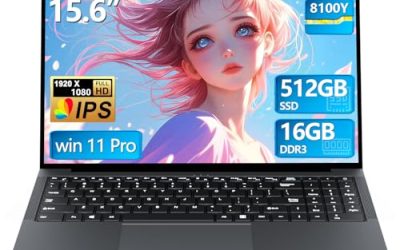
This listing is a 16 inch laptop with an AMD Ryzen R2544 and the name “light gaming.” It does not match the rest of the group. Listings for KAIGERR’s related models show integrated graphics rather than a dedicated NVIDIA GPU, and the listing name here does not mention a graphics card. That means it will not run modern 3D games the way the others will, and we place it last as a runner-up for light tasks. Check the product page for the graphics chip, memory type and display before you decide. If you only need a large-screen laptop for coursework, spreadsheets, streaming video and older casual games, that may be enough. If you want to play recent releases, skip this one and look at the RTX models above.
- CPU: AMD Ryzen R2544 (as named in the listing)
- GPU: not stated in the listing name; sibling listings show integrated graphics
- Display: 16 inch; confirm resolution and refresh rate on listing
- Memory and storage: confirm on listing
- Use case: office work, study, video and simple games
- Design: lightweight budget laptop
Pros
- Large 16 inch screen for everyday tasks
- Suitable for browsing and documents
Cons
- Not comparable with RTX-based gaming laptops
- Many key specifications are not stated in the listing name
If gaming is the goal, even the RTX 5050 Aurora is a far better match.
Specs Compared
| Model | CPU | GPU | RAM | Storage | Screen |
|---|---|---|---|---|---|
| MSI Vector 16 HX AI | Core Ultra 7 255HX | RTX 5070 Ti 12 GB | 16 GB DDR5 | 1 TB PCIe SSD | 16 inch, 144 Hz |
| ASUS ROG Strix G16 (2025) | Ryzen 9 9955HX | RTX 5070 | 16 GB DDR5-5600 | Confirm on listing | 16 inch 16:10 FHD+, 165 Hz |
| GIGABYTE Gaming A16 | Core i7-13620H | RTX 5070 | Confirm on listing | Confirm on listing | 16 inch, confirm on listing |
| Alienware 16 Aurora (RTX 5060) | Core 7 240H | RTX 5060 | Confirm on listing | Confirm on listing | 16 inch, confirm on listing |
| Alienware 16 Aurora (RTX 5050) | Core 7 240H | RTX 5050 | Confirm on listing | Confirm on listing | 16 inch, confirm on listing |
| KAIGERR Light Gaming Laptop | Ryzen R2544 | Not stated; confirm on listing | Confirm on listing | Confirm on listing | 16 inch, confirm on listing |
How We Chose These
We started from the six listed laptops and compared what each listing name states about the processor, graphics chip, memory, storage and display, then added details from manufacturer pages and NVIDIA’s published GPU specifications. We ranked by graphics tier first, then CPU generation and display, and we flagged anywhere a listing name leaves a key detail out. This is a research-based guide, so we did not benchmark or use these laptops, and we do not quote frame-rate numbers. One listing that does not match the facet, because it appears to have no dedicated graphics chip, is described plainly and placed last.
What to Look For
The graphics chip sets the ceiling
For the RTX 50 laptop family, NVIDIA lists 8 GB of GDDR7 on the RTX 5050, 5060 and 5070, 12 GB on the 5070 Ti, 16 GB on the 5080 and 24 GB on the 5090. The CUDA core counts rise with each step: 2,560 for the 5050, 3,328 for the 5060, 4,608 for the 5070 and 5,888 for the 5070 Ti. A good rule of thumb is that an 8 GB card is comfortable for 1080p and 1200p play, and that 12 GB offers more room for 1440p and ray tracing. If you plan to keep a laptop for years, pay extra for the larger memory pool.
Power limits matter as much as the name
Laptop GPUs run at a power limit chosen by the manufacturer, called total graphics power. NVIDIA’s ranges are wide: roughly 50 to 100 W for the 5070 and 60 to 115 W for the 5070 Ti, with extra boost from Dynamic Boost on some designs. Two laptops with the same GPU name can perform differently if one is limited to a lower wattage. Look for a stated wattage on the spec page, and treat a thin chassis with a high-end GPU name with some caution.
CPU generation and core count
Processors range from the 10-core Core 7 240H and i7-13620H to the 16-core Ryzen 9 9955HX and the 20-core Core Ultra 7 255HX. HX chips draw more power and deliver more multi-threaded performance, which helps with streaming, editing and CPU-bound games. For pure GPU-bound play, a 10-core chip is usually enough. Match the processor to the way you use the machine: a gamer who also streams gains most from the HX parts.
Display, size and portability
A 16:10 panel at 2,560 by 1,600 is sharper than 1,920 by 1,200 and shows more vertical content, but it asks more of the GPU. Refresh rates of 165 or 240 Hz help in fast shooters, while 120 Hz is fine for story games. Weight runs from about 2.2 kg for the lighter models to nearly 2.7 kg for the larger ones, before you add a power brick. A worked example: if you commute with the laptop three days a week, the extra 0.5 kg adds up to a noticeable load over a month.
Memory and storage
16 GB of DDR5 is the minimum worth buying and 32 GB gives you room for streaming or editing. Check that the memory is not soldered, because some thin designs lock it in. A 1 TB drive fills quickly with modern games that exceed 100 GB each, so look for a second M.2 slot.
To turn this into a decision, start from the games you play. Esports titles such as shooters and MOBAs run well on an RTX 5050 or 5060 at 1080p-class settings, so spending more on graphics there brings less benefit than a faster screen. Open-world games with heavy textures and ray tracing reward the 12 GB of an RTX 5070 Ti. A simple worked rule: pick the card for your most demanding game, then confirm the CPU is at least a 10-core part, the memory is 16 GB or more, and the screen runs at 120 Hz or higher. Finally, remember that a laptop is hard to upgrade, so buy the graphics tier you will still want in three years.
Questions
Is an RTX 5060 enough for a 16 inch gaming laptop?
It is enough for 1080p and many 1440p games at balanced settings, and DLSS 4 helps in supported titles. Its 8 GB of memory can become a limit in newer games with high-resolution textures. If you want more headroom, step up to a 12 GB card.
Why do two laptops with the same GPU perform differently?
Manufacturers set the power limit and cooling for each design, so the same GPU name can run at different wattages. A thicker chassis with larger fans usually sustains higher power. Check the stated wattage on the spec page when it is available.
Is 16 GB of RAM enough?
For gaming alone, 16 GB works, but 32 GB is better if you stream, edit video or keep many apps open. Look for two memory slots so you can upgrade later.
Should I care about the refresh rate?
Yes, if you play fast competitive games. A 165 or 240 Hz screen makes motion look smoother, but you need a GPU that can reach those frame rates. For slower games, 120 Hz is enough.
Is a laptop labeled light gaming a real gaming laptop?
Not necessarily. Many such models use integrated graphics and handle only simple or older games. A dedicated NVIDIA RTX card in the listing is the clearest sign of a true gaming machine.
How do I check the real specifications before buying?
Match the model number on the product page to the manufacturer’s spec sheet. Retailer listings sometimes shorten or mix details, so confirm the CPU, GPU, memory and display fields there.
Update History
- October 14, 2026 – Initial publication; product set drawn from current catalog listings.
- Check the product page for current specifications and availability before buying.
Sources
- Manufacturer product and specification pages for MSI, ASUS, GIGABYTE and Alienware (Dell)
- NVIDIA published RTX 50 series laptop GPU specifications, as reported by hardware news outlets
- Intel and AMD processor specification pages
- Retailer listing titles and specification fields
- Published laptop reviews, including PCWorld’s Alienware 16 Aurora coverage