Shopping for a B650 board is really a question of what you refuse to pay for. The chipset sits one step below the X670 family on AM5, so most of the platform’s headline features are already on the table: DDR5 memory, support for Ryzen 7000, 8000 and 9000 processors, and at least one fast M.2 slot. What separates a sensible purchase from a wasted one is the layer on top of that. How many M.2 slots do you get, does the graphics slot run at PCIe 5.0, how beefy is the power delivery, and is wireless built in?
This guide covers nine boards from ASUS, ASRock, GIGABYTE and MSI, ordered roughly from full-size ATX models down to compact Micro-ATX designs. Everything below comes from the listing titles, so treat it as a shortlisting method, not a formal evaluation. If you are planning a high-core-count Ryzen build, the ATX entries near the top are the natural fit. If you want a small, quiet tower around a six or eight-core chip, jump to the Micro-ATX picks at the end.
Our Top Picks
 ASUS ROG Strix B650-A Gaming WiFi AMD B650ATX 3x M.2 WiFi6E (Pack of 1)13.4 x 10.8 x 2.9 Inches4.25 PoundsCheck on Amazon
 ASRock B650M-HDV M.2 White Micro-ATX AM5 MotherboardMicro ATX9.6 x 1.77 x 9.6 inches2.6 PoundsCheck on Amazon


Top 3 picks at a glance
Quick Picks
As an Amazon Associate we earn from qualifying purchases at no extra cost to you.


| Product | Best for | Key spec from the title |
|---|---|---|
| GIGABYTE B650 AORUS Elite AX | Feature-rich ATX build | 14+2+1 power phase, PCIe 5.0 M.2, USB-C 3.2 Gen 2 |
| GIGABYTE B650 Eagle AX | Storage-heavy build | Triple M.2 (1x PCIe 5.0, 2x PCIe 4.0), WiFi 6E |
| MSI MAG B650 Tomahawk WiFi | Balanced gaming rig | DDR5, PCIe 4.0, SATA 6Gb/s, USB 3.2 Gen 2 |
| ASUS ROG Strix B650-A Gaming WiFi | Enthusiast styling | 12 + 2 power stages, 3x M.2 slots |
| MSI B650 Gaming Plus WiFi | Sensible mid-range ATX | DDR5, PCIe 4.0, USB 3.2 Gen 2, HDMI/DP |
| ASUS B650E MAX Gaming WiFi W | White-themed future-proof build | PCIe 5.0, 3x M.2, Wi-Fi 6E, 2.5Gb LAN |
| ASRock B650M-HDV M.2 White | Compact white build | Micro-ATX, PCIe 5.0 x16, dual M.2 (Gen5/Gen4) |
| ASRock B650M-HM.2+ | Lean budget build | Micro-ATX, DDR5 6400+ (OC), Gigabit LAN, 6+1 phase |
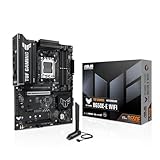
| ASUS TUF GAMING B650E-E WIFI | Durable all-rounder | 8+2+1 80A DrMOS stage, 3x M.2, Wi-Fi 6E |
The 9 Best Options
GIGABYTE B650 AORUS Elite AX
This is the board for someone who wants a full-size ATX layout and does not want to hunt for compromises. It suits builders pairing a Ryzen 7 or Ryzen 9 with a serious graphics card and a fast NVMe drive, and who expect to keep the motherboard through at least one processor upgrade.
The title lists AM5, ATX, support for Ryzen 9000, 8000 and 7000 series, DDR5, a 14+2+1 power phase design, PCIe 5.0 M.2 and a USB-C 3.2 Gen 2 port. That power phase count is among the more generous numbers in this group, and the title is clear about the platform.
- Deep power delivery on paper, which suits higher-core Ryzen chips that draw more current under load.
- PCIe 5.0 M.2 support leaves room for next-generation SSDs when they become affordable.
- Full ATX size leaves space for expansion cards, extra headers and better airflow around the socket.
- The larger ATX footprint rules out compact cases, so check your chassis first.
- Buyers who only need a six-core chip may be paying for headroom they never use.
Skip it if your case is Micro-ATX or if you plan a modest processor and a single SSD. Next to the Eagle AX, it trades some M.2 count information for a stronger power phase headline, so storage collectors may lean toward the next pick.
GIGABYTE B650 Eagle AX
The Eagle AX is aimed at people who collect storage. Anyone building a game-library machine with a boot drive, a games drive and a capture or scratch drive will appreciate how the title spells out the slot layout, because it removes guesswork before you open the manual.
According to the listing, it is an AM5 ATX board with DDR5, triple M.2 slots (one PCIe 5.0 and two PCIe 4.0), a USB 3.2 Gen2x2 Type-C port, WiFi 6E and Realtek gigabit LAN. The socket is written as AM5 LGA 1718.
- Three M.2 slots with a clear Gen5 plus Gen4 split cover most storage plans without adapter cards.
- USB 3.2 Gen2x2 Type-C is a fast connector option for external drives and modern cases.
- WiFi 6E is listed, so a separate wireless card is not needed for a desk far from the router.
- Gigabit LAN is the base wired speed, not 2.5Gb, which matters on fast home networks.
- The title offers no power phase count, so overclocking headroom is harder to judge.
Skip it if you want multi-gig wired networking out of the box. Compared with the AORUS Elite AX above, it leads on documented storage flexibility while the AORUS leads on power delivery detail, and it moves the conversation toward MSI next.
MSI MAG B650 Tomahawk WiFi
The Tomahawk is the pick for buyers who read forum threads, not spec sheets. It targets people who want a recognizable mid-range gaming board that drops into a standard mid-tower without surprises, and who value a familiar name when asking friends for build help.
The title shows Ryzen 9000, 8000 and 7000 support, AM5, DDR5, PCIe 4.0, M.2, SATA 6Gb/s, USB 3.2 Gen 2 and display outputs including HDMI. It is a gaming-focused WiFi model, which tells you wireless is built in.
- Broad processor compatibility is stated clearly in the listing, which reduces BIOS guesswork.
- SATA 6Gb/s support helps if you are reusing older 2.5-inch drives from a previous build.
- Built-in wireless saves buying an add-in card and keeps the case cleaner.
- The title mentions PCIe 4.0, not 5.0, so next-generation SSD fans should read the full spec.
- Few headline numbers for power stages, so heavy overclockers have less to go on.
Skip it if future PCIe 5.0 storage is a priority or if you expect to run a heavily overclocked processor. It sits between the more detailed GIGABYTE listings and the ASUS ROG board that follows, which leans harder on styling and a documented power stage count.
ASUS ROG Strix B650-A Gaming WiFi
This board is for the builder who cares how the machine looks through a glass panel as much as how it runs. It is also a good fit for someone who wants a premium brand badge on a B650 platform and is willing to pay slightly more for the polish.
The title lists a 12 + 2 power stage design, DDR5, three M.2 slots, PCIe 4.0 and 2.5Gb networking, along with Ryzen 9000, 8000 and 7000 desktop support on an ATX board. It is a WiFi model aimed at gamers.
- 12 + 2 power stages suit mainstream and upper-mid Ryzen processors with comfortable margin.
- Three M.2 slots cover most storage plans, from one boot drive to a full library.
- 2.5Gb networking is listed, a step above basic gigabit for local transfers and fast internet plans.
- PCIe 4.0 is the generation named in the title, so there is no PCIe 5.0 M.2 mention.
- Brand and styling premiums often mean less spec per unit of cost than plainer boards.
Skip it if you want the most features for the money or if your case has no window. Compared with the Tomahawk, it offers more explicit M.2 and networking detail, though the Tomahawk keeps a more understated look.
MSI B650 Gaming Plus WiFi
Think of this as the straightforward ATX option. It is for buyers who want a conventional gaming board with wireless, modern ports and DDR5, without paying for flagship cooling or lighting, and who plan to spend the savings on a better graphics card.
The title mentions Ryzen 9000, 8000 and 7000 support, AM5, DDR5, PCIe 4.0, M.2, SATA 6Gb/s, USB 3.2 Gen 2 and HDMI/DP outputs, in a WiFi configuration. It reads as a classic mainstream spec sheet, and it is easy to match against a mid-range processor and graphics card.
- It covers the essentials: DDR5, M.2, SATA and wireless in a standard ATX layout.
- USB 3.2 Gen 2 provides fast external storage speeds for backups and capture drives.
- Video outputs help if you pair it with a Ryzen chip that has integrated graphics while you wait for a GPU.
- No power phase figure appears in the title, so VRM depth is unclear.
- PCIe 4.0 is the only generation named for storage and graphics.
Skip it if you plan to push a top-tier processor hard. It overlaps heavily with the Tomahawk, so compare the full listings before choosing between the two MSI models, then look at the white ASUS board next.
ASUS B650E MAX Gaming WiFi W
This one is for white-build fans who also want the E-tier feature set. The extra letter signals a board aimed at those who expect PCIe 5.0 to matter over the life of the system, and the W at the end flags the light color scheme.
The listing names an AM5 ATX board (the product name carries the B650E tier label) with a white PCB, DDR5, PCIe 5.0, three M.2 slots, Wi-Fi 6E, 2.5Gb LAN, a USB 10Gbps Type-C port and DisplayPort output. The title is generous with port and slot detail.
- PCIe 5.0 is listed, helpful for future graphics and storage upgrades.
- The white PCB makes a clean matching theme with light-colored coolers, cases and memory.
- 2.5Gb LAN and Wi-Fi 6E cover both wired and wireless needs on a modern network.
- White aesthetics only pay off with a window and matching components.
- E-tier features add cost over plain B650 boards that you may never exploit.
Skip it if you are building in a dark, windowless case. Against the TUF B650E-E that closes the list, it trades rugged styling for a lighter theme with a similar feature outline, and the compact ASRock boards sit between them.
ASRock B650M-HDV M.2 White
A compact white board for small-case builders who still want a PCIe 5.0 graphics slot reference in the title. It fits a living-room or desk-side build with a sensible processor, and it keeps cable clutter manageable thanks to its smaller footprint.
The listing says Micro-ATX, AM5, Ryzen 9000, 8000 and 7000 support, PCIe 5.0 x16, DDR5 8200+ (OC), dual M.2 (Gen5 and Gen4) and a USB 3.2 Type-C port. White finish is part of the product name.
- Micro-ATX size fits smaller, easier-to-cool cases and shorter cable runs.
- Dual M.2 split between Gen5 and Gen4 is a modern layout for a board this size.
- High advertised memory overclock ceiling will appeal to tinkerers who like to tune.
- Only two M.2 slots, so heavy storage plans run out of room quickly.
- Micro-ATX offers fewer expansion slots than full ATX, which limits add-in cards.
Skip it if you need three drives or several add-in cards. Compared with the next pick, it adds white styling and a clearer PCIe 5.0 graphics note, but both share the compact format.
ASRock B650M-HM.2+
This is the lean choice. It suits someone building a first AM5 PC around a mainstream Ryzen processor, one SSD and a discrete graphics card, with the budget going to the GPU rather than the board.
The title lists Micro-ATX, AM5, Ryzen 9000, 8000 and 7000 support, DDR5 6400+ (OC), PCIe 5.0 M.2, Gigabit LAN and a 6+1 power design. Nothing in it suggests built-in wireless.
- Small footprint suits compact cases and keeps airflow paths short.
- PCIe 5.0 M.2 is still listed despite the modest positioning, which is a pleasant surprise.
- A straightforward feature set means fewer BIOS options to learn on a first build.
- A 6+1 power design is better suited to mid-range processors than flagship chips.
- Gigabit LAN is the wired speed, and wireless is not stated in the title.
Skip it if you want a Ryzen 9, built-in Wi-Fi or more than one fast SSD. Versus the white ASRock above, it is plainer and more cost-focused, while the TUF below moves up to a sturdier power design.
ASUS TUF GAMING B650E-E WIFI
The TUF line appeals to buyers who value durability messaging and steady performance over flashy extras. It suits a long-lived build where the board is expected to outlast the first processor and survive a couple of memory or storage upgrades.
The title cites AM5, ATX, an 8+2+1 80A DrMOS stage, DDR5, PCIe 5.0 Ready, three M.2 slots, Wi-Fi 6E, 2.5Gb LAN, DisplayPort and HDMI. The 80A figure is a concrete power delivery detail rather than just a phase count.
- 80A DrMOS stages give a meaningful current figure to judge, not only a count.
- PCIe 5.0 Ready with three M.2 slots supports future upgrade paths without a board swap.
- 2.5Gb LAN plus Wi-Fi 6E covers modern networking needs.
- 8+2+1 is a lower phase count than some GIGABYTE and ROG headlines, though per-stage current matters too.
- The ATX size needs a roomy case.
Skip it if you want a white theme or a tiny build. It closes the list as a sturdy, no-nonsense counterpart to the flashier ROG Strix, and it is the one to read about first if durability is your main concern.
Who Actually Needs a B650 Board
Upgraders Leaving AM4
Anyone moving from a Ryzen 3000 or 5000 build has to replace memory as well as the board, because AM5 uses DDR5 only. B650 is the least painful way to make that jump, since it avoids the premium of X670 while delivering the same socket and memory type. Treat it as a platform reset that should last through several processor generations, with a straightforward path from a Ryzen 5 today to something stronger later.
Builders Who Put the Money Into the GPU
If most of your budget goes to a graphics card, the motherboard should be competent, not extravagant. A mid-range B650 board runs a Ryzen 5 or Ryzen 7 without trouble, and the savings help you step up a graphics tier. This is where the Micro-ATX picks make the most sense, especially for a compact desk build.
Who Should Look Elsewhere
Some shoppers also assume that a cheaper chipset means a slower processor. It does not: a Ryzen chip performs the same on B650 as on a pricier board, as long as the power delivery and cooling are adequate. The differences show up in lane counts and extras, not in raw gaming speed.
If you need dual high-speed graphics slots, a large number of SATA ports or extra PCIe 5.0 lanes for several drives, X670-class boards are the better match. Buyers on a strict entry-level plan may find an A620 board adequate, as long as they accept fewer features and slower storage options.
How to Choose
Pick the Form Factor First
Your case sets this decision. ATX boards give you more PCIe slots, more M.2 sockets and usually better power delivery. Micro-ATX boards fit smaller cases and typically cost less, but you give up slots and sometimes heatsink area. Check the case specification for supported board sizes before looking at anything else, because a great board that does not fit is useless. If you already own a mid-tower, ATX is almost always the safer choice.
Count the M.2 Slots and Their Speeds
Plan for at least two M.2 slots, since one drive fills quickly with modern game installs. A PCIe 5.0 slot is nice for the future, but a PCIe 4.0 drive is already fast enough that most gamers cannot feel the difference in loading. Prioritize slot count over generation unless you edit large video files or move huge datasets daily. Three slots gives breathing room for a five-year build.
Judge Power Delivery Sensibly
For a Ryzen 5 or Ryzen 7, a 6+1 or better design is workable. For a 12 or 16-core chip under sustained load, look for designs near 12 phases or 80A stages and a heatsink that covers the voltage regulators. Do not compare phase counts across brands blindly, because per-stage current limits change the picture. A well-cooled 8+2+1 design with 80A stages can match a larger count of weaker stages. Also look at whether the heatsinks are connected by a heat pipe or only sit over the regulators, since airflow in a small case can be limited.
Check Memory and BIOS Support
All B650 boards use DDR5. Aim for a 32GB kit of two sticks running around 6000 MT/s, a sweet spot for Ryzen. Ignore giant overclock claims such as 8200+, since they rarely run stable on real kits and depend on the processor’s memory controller. If you buy a board from older stock for a Ryzen 9000 chip, confirm that it ships with a compatible BIOS or supports flashing without a processor installed.
Connectivity Worth Paying For
Wi-Fi 6E and 2.5Gb LAN are the practical baseline in 2026, and every mid-range model here offers at least one of them. A rear USB-C port at 10Gbps is useful for fast external drives, and a front-panel USB-C header matters if your case has a matching port. Extra USB 2.0 headers or RGB headers matter less than people think. Count the rear ports against your actual devices before paying for a larger set. A builder with a single monitor, a keyboard, a mouse and a headset needs far fewer ports than a streamer juggling cameras and capture gear.
Where Budget Boards Cut Corners
Every board has a cost ceiling, and the savings have to come from somewhere.
Entry-level B650 boards usually trim the VRM heatsink, drop to two M.2 slots, use gigabit LAN, leave out wireless and reduce rear USB speed. None of these cuts matters for a modest Ryzen 5 build. They matter more if you plan to upgrade to a high-core processor later, so decide on your ceiling before you buy. Also expect fewer fan headers and a plainer audio codec on the cheapest models.
One more thing to ignore: marketing names for lighting software, audio branding and gaming-themed heatsink shapes. These rarely change how the board behaves. Spend your attention instead on the manual’s lane-sharing table, the BIOS update path and the warranty terms, which tell you far more about long-term satisfaction. Reading the manual PDF before buying takes ten minutes and prevents most surprises.
A final threshold worth remembering is the power supply. A mid-range Ryzen build with a modern graphics card is comfortable on a quality 650 to 750 watt unit, while a high-core processor with a power-hungry card calls for 850 watts or more. The board does not set that number, but it should not be the weakest link when you reach it.
B650 vs B650E: Is the Extra Letter Worth It?
Shoppers on this chipset face one comparison above all others, and it is the split between plain B650 and the E variant.
| Factor | B650 | B650E |
|---|---|---|
| PCIe 5.0 for M.2 | Supported | Supported |
| PCIe 5.0 for the graphics slot | Board dependent | Expected |
| Typical positioning | Mainstream value | Future-proof mid-to-upper tier |
| Examples in this list | Eagle AX, Gaming Plus WiFi | B650E MAX, TUF B650E-E |
What the E Adds
The E designation signals broader PCIe 5.0 coverage, including the main graphics slot on most boards. Today’s graphics cards rarely saturate PCIe 4.0, so the benefit is mostly insurance for the next generation of cards. Boards in this tier also tend to bring better networking and more M.2 slots, which is where the real day-to-day value often sits. Read the listing, because naming varies by brand and some plain B650 boards add PCIe 5.0 graphics slots anyway.
It also helps to think about which of your parts will actually use the extra lanes. A B650E board with a PCIe 4.0 graphics card and a PCIe 4.0 SSD simply runs those parts at their native speed, so the headline feature sits idle until you upgrade.
When Plain B650 Is Enough
If you are buying a mid-range graphics card and plan to keep it for several years, plain B650 covers you. The PCIe 5.0 M.2 slot is still present for storage upgrades, and you can spend the saved money on memory, cooling or a better processor. Choose B650E mainly when a matching feature set, such as the white theme or extra M.2 slots, happens to come with it, not because of a theoretical bandwidth gain.
The same logic applies if you are weighing a plain B650 ATX board against a B650E Micro-ATX board. Case fit, slot count and cooling usually decide which one makes sense, and the chipset label comes last.
Setup, Compatibility and Upgrade Tips
What to Check Before Buying
Confirm the processor family against the board listing, then check memory support and case size. Verify cooler mounting: AM5 uses the same mounting pattern as AM4 on most coolers, but some older brackets need the new backplate. Also check whether the board has an HDMI or DisplayPort output if you plan to use a processor with integrated graphics, and whether the case includes the front-panel connectors you want.
What to Upgrade First
Resist the urge to change everything at once.
Fill the memory with a matched dual-channel kit before anything else, because DDR5 benefits from two sticks working together. Then add a second NVMe drive in the slot farthest from the graphics card to limit heat. Update the BIOS early, since AGESA releases often improve memory stability and processor support. Only after that should you consider a faster processor.
Common Compatibility Traps
Some M.2 slots share lanes with SATA ports, so populating one can disable another. Check the manual for lane sharing before planning a drive-heavy build. Tall memory heatsinks can collide with large air coolers, and front-panel USB-C headers require a case with a matching cable. Finally, wireless antennas ship separately in some kits, so keep the box contents handy. Lastly, read the memory support list on the manufacturer’s page, because some kits need a manual profile setting before they reach their advertised speed.
A smart habit is to build on the bench first: seat the processor, memory and cooler outside the case, boot into the BIOS, update it, and only then mount everything. That order makes problems far easier to isolate.
Which One Fits Your Situation
You Run a Ryzen 9 and Edit Video
Go with the GIGABYTE B650 AORUS Elite AX for its 14+2+1 power phase headline and PCIe 5.0 M.2 support, which suit heavy sustained loads and large project files.
You Own Many Games and Big Libraries
The GIGABYTE B650 Eagle AX gives you three M.2 slots, so you can spread installs across several drives without reaching for adapters or external enclosures.
You Are Building a Small White PC
The ASRock B650M-HDV M.2 White keeps the form factor compact and the color scheme consistent, with dual M.2 and PCIe 5.0 x16 noted in the title.
You Want a Board That Lasts Through Several Upgrades
Choose the ASUS TUF GAMING B650E-E WIFI, whose 80A DrMOS stages, three M.2 slots and 2.5Gb LAN give room to grow without a platform change.
Common Mistakes
- Choosing a board by RGB and styling while ignoring the M.2 slot count.
- Assuming every B650 board supports a Ryzen 9000 chip without a BIOS update.
- Buying an ATX board for a case that only accepts Micro-ATX.
- Paying for headline memory overclock numbers that rarely run stable.
- Forgetting that Wi-Fi is not included on every model.
- Pairing a flagship processor with a 6+1 power design and expecting no throttling.
Related guides
- Gaming Laptop Battery Draining While Plugged In Fix
- Graphics Cards For Low Wattage Power Supplies
- How To Stop Laptop Thermal Throttling In Software
Frequently Asked Questions
Is B650 good enough for gaming?
Yes. Gaming performance depends mostly on the processor and graphics card, and B650 supports the full range of mainstream Ryzen gaming chips. The chipset only limits extras like the number of high-speed lanes.
Do B650 boards support DDR4?
No. Every board in this guide uses DDR5, and AM5 as a platform does not accept DDR4 modules. Plan for a new memory kit when upgrading from an older AM4 system.
Will these boards run a Ryzen 9000 processor?
The listings for these boards name Ryzen 9000, 8000 and 7000 support. Stock on shelves can ship with older firmware, so look for BIOS flashback or a compatibility note from the seller.
Is Wi-Fi important on a desktop?
It is convenient if your router is far from the PC. Wired LAN remains more stable for gaming, so use a cable when you can and treat Wi-Fi as a backup.
What is the difference between ATX and Micro-ATX?
ATX is larger and has more expansion slots, while Micro-ATX is shorter with fewer slots. Both can run the same processors, so the choice mostly comes down to your case and how many add-in cards you need.
Should I pay extra for PCIe 5.0?
Only if you plan to buy next-generation SSDs or graphics cards. For most players today, PCIe 4.0 covers everything, and the extra money is better spent on memory or a stronger processor.
Final Words
The right B650 board is the one that matches your case, your processor tier and your storage plan, not the one with the longest feature list. Choose ATX with deep power delivery for high-core Ryzen builds, pick Micro-ATX when space is tight, and look at the M.2 count before the styling. Because everything here is based on the listed titles, read the full product page for the exact BIOS version, lane sharing and rear port layout before you commit. A careful match now saves a painful return later, and it keeps your upgrade path open for the processor refreshes that follow.