Under 400 dollars is the point where a graphics card stops being a rescue part and becomes a real decision about how you want to play. At this level 1080p on high settings is a reasonable expectation, 1440p enters the conversation, and the shelf splits into two camps: older-generation cards with generous memory, and a newer-generation card with less. Choosing between them is the single most important call you will make, and it matters more than any fan count or factory clock.
This guide is for buyers who have a cap in mind and want to lock in a card for several years, not just patch a hole. It covers five distinct listings, including one low-profile model for small cases, and judges each one only by what its title states in 2026: memory size, bus width, interface, cooler layout, and generation. Several other cards in the source group were left out because they are display-output or office-class parts that cost little but cannot be called gaming picks. Confirm the final cost of whichever listing you choose against your limit before you order.
Our Top Picks
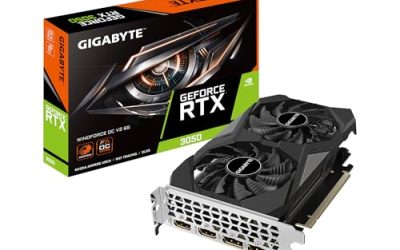
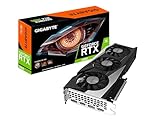
 GIGABYTE GeForce RTX 3050 WINDFORCE OC V2 6GStandard7.5 x 4.4 x 0.1 Inches0.88 PoundsCheck on Amazon


Top 3 picks at a glance
Quick Picks
As an Amazon Associate we earn from qualifying purchases at no extra cost to you.




| Product | Best for | Key spec from the title |
|---|---|---|
| GIGABYTE GeForce RTX 3050 WINDFORCE OC V2 6G | A plain, affordable 1080p entry card | 6GB GDDR6, 96-bit, 2X WINDFORCE fans |
| MSI GeForce RTX 3060 Ventus 2X 12G OC V1 | 12GB capacity in a twin-fan body | 12GB, 192-bit, 15 Gbps GDDR6, boost clock 1807 MHz |
| GIGABYTE GeForce RTX 3060 Gaming OC 12G (REV2.0) | A quiet-leaning triple-fan 12GB card | 12GB 192-bit GDDR6, 3X WINDFORCE fans |
| maxsun GeForce RTX 3050 6GB Low Profile | Small form factor and slim cases | 6GB GDDR6, low profile, PCIe 4.0 |
| MSI Gaming GeForce RTX 4060 8GB | The newest architecture in the group | 8GB GDDR6, 128-bit, 2505 MHz clock, Ada Lovelace |
The 5 Best Options
Four listings were set aside: an ARDIYES GT 740, a MAXSUN Radeon RX 550, a GIGABYTE GT 710 with 2GB of DDR3, and a second MSI RTX 3060 12GB that duplicates the Ventus entry above. The first three are display-output cards, not gaming cards, and the last is a repeat. What remains runs from the plain entry model to the newest architecture.
GIGABYTE GeForce RTX 3050 WINDFORCE OC V2 6G
This is the entry ticket to modern GeForce gaming inside the cap, and it suits someone who wants a safe, uncomplicated card from a major board partner. The title lists 6GB of GDDR6 on a 96-bit bus, two WINDFORCE fans, and a factory overclock in the name. It is the least ambitious design here, and that is its appeal: the smaller card means a lower likelihood of fit problems, and the two-fan cooler is a standard layout that most cases handle without drama. The title omits power connector details, so read the full listing for that. Think of the buyer who is upgrading from integrated graphics or an ancient card and wants to see a big jump without redesigning the whole machine; the lower tier here is meant for them. It also pairs sensibly with a budget processor, because a card in this class will not be held back by a mainstream chip, and you are unlikely to spend money on capacity that your monitor cannot use.
- Current-generation GeForce architecture at the lowest tier in this group.
- Two-fan cooler fits a wide range of mid-tower cases.
- GDDR6 memory with a factory overclock, and a major board partner behind it.
- 6GB on a 96-bit bus is the tightest memory configuration here and will limit texture settings in newer releases.
- If your cap has room, spending a little more buys much more future-proofing.
Skip it if you can stretch to a 12GB model or want to play at 1440p. It is the right pick for a 1080p esports setup or a secondary family machine. Against the low-profile maxsun card later in the list, the Gigabyte is the better choice for standard cases, while the maxsun wins only when the chassis is slim.
MSI GeForce RTX 3060 Ventus 2X 12G OC V1
The Ventus is the balanced middle of the list for buyers who value memory and who still want a card that does not dominate the case. The title gives 12GB, a 192-bit bus, 15 Gbps GDDR6, a boost clock of 1807 MHz, HDMI and DisplayPort outputs, PCIe 4, a Torx twin-fan cooler, and the Ampere architecture label. A 12GB buffer on a 192-bit bus is a combination that holds up well when game textures grow, which is why it remains a popular answer to a cap like this. Its listed boost clock of 1807 MHz and 15 Gbps memory speed are the figures to compare when you look at similar cards, though the title does not tell you the length or the exact power plug, so those details need a second look. Anyone who edits video on the side, uses large texture mods, or simply dislikes reducing settings will find the extra memory a calming choice.
- 12GB of memory gives plenty of room for high texture settings.
- 192-bit bus keeps bandwidth healthy for 1080p and many 1440p scenarios.
- Twin-fan Torx cooler from a major board partner keeps the footprint manageable.
- Ampere is an older architecture than the RTX 4060 listed below.
- Two fans mean it may run louder than the triple-fan Gigabyte under long sessions.
Skip it if you want the newest generation or a very quiet build. The decision between it and the Gaming OC below is largely case space and noise, since both share the same memory figures. Choose the Ventus when the case is moderate in size and you prefer a shorter card.
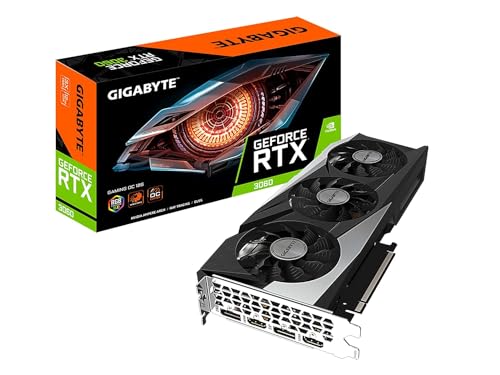
GIGABYTE GeForce RTX 3060 Gaming OC 12G (REV2.0)
This is the same idea as the Ventus with a larger, more relaxed cooler. The title lists three WINDFORCE fans, 12GB of GDDR6, a 192-bit bus, and the REV2.0 revision tag. A triple-fan cooler generally lets each fan spin more slowly, so it suits a living-room machine or a desk where the tower sits near you. It also gives the cooler more surface to work with if your case has limited airflow. Because the title carries a revision label, check that the listing you open matches the REV2.0 name exactly, as an older revision of the same model can differ in small hardware details. Owners of mid-tower cases with a mesh front panel are the natural audience, since they can give the three fans fresh air and enjoy the benefits of the larger heatsink.
- 12GB and a 192-bit bus match the Ventus on the headline numbers.
- Three-fan design supports quieter operation.
- Revision tag in the name helps buyers match the exact model when comparing sellers.
- A larger body requires real clearance in the case and next to the drive cage.
- Same older Ampere design as the Ventus, so the RTX 4060 is the newer pick.
Skip it if your case is compact. If you can fit it, this is the card to choose for a quiet 12GB build. Compared with the Ventus, you gain cooling room and lose a few centimeters of clearance. Compared with the maxsun that follows, you get far more cooling and no restriction on case height.
maxsun GeForce RTX 3050 6GB Low Profile
This listing is the specialist. The title describes a GeForce RTX 3050 with 6GB of GDDR6, a mini, small-form-factor, slim, low-profile design, and PCI Express 4.0. Nothing else in the group is built for a slim chassis, which makes it the answer for anyone with an office-style desktop or a compact home-theater box that cannot take a standard-height card. Buyers should confirm the bracket type in the full listing, since slim cases often need a short bracket. This is the card for the person who inherited a corporate-style desktop, wants it to play current games after work, and cannot swap the case. It also suits a living-room box built around a slim enclosure, where a full-height card would never close the lid.
- Low-profile design opens up slim and small-form-factor cases that other cards cannot enter.
- 6GB of GDDR6 on a PCIe 4.0 interface gives modern entry-level capability.
- Lets a compact family PC play current 1080p titles.
- Compact coolers have less thermal headroom, so sustained loads can run warmer or louder.
- Less brand recognition than the major partners, so read warranty terms with care.
Skip it if your case takes a standard card, because the Gigabyte 3050 offers the same GPU name with a better cooler. This is a problem-solver for tight spaces, not a universal choice. Compared with the RTX 4060 that finishes the list, it sits at the opposite end of size and ambition.
MSI Gaming GeForce RTX 4060 8GB
The RTX 4060 is the newest design in the group, and it appeals to buyers who weigh architecture and efficiency above raw memory size. The title lists 8GB of GDDR6, a 128-bit bus, a clock of 2505 MHz in the Extreme designation, HDMI and DisplayPort outputs, a Torx fan 4.0 cooler, and the Ada Lovelace label. It is a modern card with a narrower bus and less memory than the 3060 pair, which is exactly the trade-off that defines this price tier. The title also mentions a Torx fan 4.0 cooler, a design from a well-known board partner, but gives no length or power-plug detail, so measure and read before you buy. For players who upgrade often and sell the old card when they do, a newer generation tends to keep its appeal longer in the secondhand market, which softens the memory disadvantage.
- Ada Lovelace is the newest generation among the five listings.
- High listed clock speed and a well-known cooler design.
- 8GB of GDDR6 is adequate for 1080p at high settings in most titles.
- 8GB and a 128-bit bus trail the 12GB cards for texture-heavy use.
- It may sit at the top of the cap, so the final cost deserves careful confirmation.
Skip it if you mostly care about texture headroom or plan a long-lived 1440p setup, where the 12GB cards hold an edge. Choose it when you want the freshest architecture and a card that suits an efficient, modern build. It closes the list because, of the five, it is the one most likely to be your final purchase rather than a stopgap.
Who Needs a Card at This Level
People searching with a hard cap tend to fall into a few groups, and each group should pull a different card out of this list.
Upgraders replacing a card from several generations ago
If your current card is more than five years old, almost any option here will feel like a leap. The deciding factor is how long you intend to keep it. For a three- or four-year horizon, take the 12GB models. For a shorter horizon, the newest-architecture RTX 4060 gives a fresh feature set. Either way, upgraders should also check whether the old card’s drivers and the monitor cable will carry over, since a cable that has served for years may not support the refresh rate the new card can drive. A short list of what you play most will help you decide whether the extra memory is practical or simply nice to have.
Builders chasing a quiet, simple system
A triple-fan cooler is worth real money in a shared room. The Gaming OC keeps fan speeds lower for the same airflow, and its extra length matters only if the case is tight. If noise is a major concern, add case fans and a quality power supply to the shopping list. Many people also forget that a card which idles silently still needs a case that vents heat well, so set aside a little of the cap for a pair of intake fans if the existing case is stuffy. Builders in apartments or shared rooms usually value this more than an extra bump in raw speed.
Small-form-factor owners
Slim cases are the reason the maxsun low-profile model exists. If your machine looks like an office desktop, measure the opening before you buy any other card, since most standard cards will not fit at all. In that situation the choice is made for you. Also check the motherboard’s slot, because some slim machines use proprietary layouts, and make sure the power supply has either a spare connector or a card that draws only from the slot.
How to Choose Inside a Firm Cap
Memory capacity matters more than clock speed
For 1080p, 8GB is a comfortable level and 6GB is a minimum. For 1440p or high texture packs, aim for 12GB. A modest factory overclock adds little when compared with the jump from 6GB to 12GB, so never let a boost-clock figure sway you away from capacity. As a rule of thumb, pick the amount of memory first, the generation second, and the cooler third; once those three are settled, the remaining listings in your shortlist are usually separated by warranty terms and case fit. If two cards tie on those points, favor the one with the clearer return policy.
Bus width and generation together
A 96-bit bus is the narrowest here and a 192-bit bus the widest. The RTX 4060 uses a 128-bit bus on a newer design, while the RTX 3060 cards use a 192-bit bus on an older one. Neither is strictly better; the right choice depends on whether you will hit memory limits or want newer features. A narrow bus on a newer design can be offset by architectural improvements, while a wide bus on an older design simply gives older hardware more room to breathe. Look at the cards as complete packages, not as lists of unrelated numbers. In practice, 1080p at high settings is comfortable on 8GB, 1440p at high textures wants 12GB, and 6GB suits lighter games and esports titles.
Power supply and connectors
Check the wattage label and count the PCIe leads, because a card that cannot get enough power will crash under load instead of simply running slowly. A reputable 550-watt unit suits every card in the list, while a basic 450-watt unit calls for care with the 3060 pair. Avoid mixing adapters or unspecified splitters, and confirm whether your chosen listing needs a 6-pin, an 8-pin, or no external plug at all. Older power supplies lose capacity over time, so a unit that is eight or ten years old deserves a replacement when you add a card of this class. Read the label for the amperage on the main 12-volt rail, since that figure matters more than the total wattage printed in large type.
Cooler length and case clearance
Measure from the rear bracket to the front obstruction, and allow space for the power cable. As a threshold, a case that offers at least a few centimeters of spare length beyond the card is comfortable, and one with no spare length leaves no room for the cable bend. Triple-fan cards are the longest; the low-profile maxsun is the shortest and thinnest. Double-check the number of slots the card occupies so it does not cover a second expansion slot you need, such as a capture card or a sound card.
Outputs and your monitor
Match HDMI and DisplayPort to your panel. A high-refresh monitor wants DisplayPort, while a television usually wants HDMI. If a title does not list outputs, assume you need to verify them on the full listing. Buyers with two monitors should confirm the card supports both at their native resolution at the same time, and anyone planning to use a television should check the HDMI version to avoid a capped refresh rate.
What to ignore, and where cheaper models cut corners
Ignore small differences in boost clocks and name decoration such as OC or Extreme, because cooling quality decides what you actually experience. Lesser-known brands may trim warranty length, fan quality, and driver support. A major board partner with clear return terms is worth choosing when two cards are otherwise equal, because a failed card is a bigger cost than a small saving. Look for a stated warranty period, a clear return window, and a seller who names the exact model, and be cautious of listings that bundle vague accessories in place of documentation. A well-documented card is easier to troubleshoot and easier to resell when you upgrade.
Ampere 12GB or Ada 8GB: The Decision That Defines This Cap
The comparison most buyers face here is between the two RTX 3060 12GB cards and the RTX 4060 8GB card. The table summarizes what the listings say.
| Factor | RTX 3060 12GB (Ampere) | RTX 4060 8GB (Ada Lovelace) |
|---|---|---|
| Memory capacity | 12GB GDDR6 | 8GB GDDR6 |
| Bus width | 192-bit | 128-bit |
| Architecture | Ampere | Ada Lovelace |
| Cooler layouts listed | Twin-fan Torx or triple WINDFORCE | Torx Fan 4.0 |
| Best suited to | High textures, longer lifespan | Efficient modern 1080p builds |
Why the 12GB cards hold up
Memory is the one thing you cannot upgrade later. If you play games with high-resolution texture options, or you plan to move to a 1440p monitor, the extra four gigabytes and the wider bus protect you from stutter and forced setting reductions. They are the long-term safe option. The trade-off is that you accept an older design, so you give up the newest efficiency gains. For a buyer who changes cards every couple of years, that may not matter; for a buyer who keeps a PC for five years, the extra memory is likely to matter far more than a generation of architectural polish.
Why the newer card still makes sense
If you play mostly competitive and mainstream titles at 1080p, 8GB is sufficient and the newer architecture brings the more current feature set. Confirm on the manufacturer page which upscaling and encoding features apply, and weigh them against your habits. If most of your play is in online shooters and sports games that run lean on memory, the RTX 4060 can be the more sensible purchase, particularly in a case with modest airflow, because a newer design generally makes better use of each watt it draws. Efficiency also helps in the long run: a card that wastes less power as heat is easier for a modest cooler to handle and keeps the whole case a little calmer.
Setup, Compatibility and Upgrade Tips
What to check before you order
Note your power supply wattage and connectors, measure the case, and look at your monitor ports. Then confirm the motherboard slot generation, since PCIe 4.0 cards will still work on PCIe 3.0 boards but may lose a little bandwidth. For the low-profile card, confirm you have the right bracket for your chassis. It also helps to photograph the inside of the case before you begin, so you can restore cable routing afterward and spot any lead that was never connected. Write down your monitor model and its native resolution as well, so you can confirm in the display settings that the new card is driving it at the right refresh rate once everything is installed.
What to upgrade before or alongside the card
A new graphics card cannot overcome a slow processor or a mechanical drive. A modern six-core processor, sixteen gigabytes of dual-channel memory, and a solid-state drive give the card room to work. If your system is very old, plan the upgrade as a package instead of a single part. When funds are limited, the most effective order is storage first, memory second, and the card third, unless the card is the only component that stops you from playing at all.
Common compatibility traps
Watch for cases with tight drive cages, power supplies without the right plug, and monitors that only accept an input the card does not provide. Remove old driver packages before installing, and update the motherboard BIOS if the board is several years old. Keep the receipt and packaging until the system has been stable for a couple of weeks. Another trap is a motherboard with a plastic-reinforced slot that sags under a heavy triple-fan card; a small support bracket or a vertical mount avoids long-term stress. Also leave a gap between the card and any drive bay in front of it, and route the monitor cable so it does not pull on the connector. After the first boot, open the driver control panel and confirm the card reports the right amount of memory, which also exposes a mislabeled listing early.
Which One Fits Your Situation
You game at 1080p on a plain mid-tower
Pick the GIGABYTE RTX 3050 WINDFORCE OC V2 6G if you want the simplest path, or step up to the MSI RTX 3060 Ventus 2X 12G for much more memory. Between the two, the plain RTX 3050 suits a short list of lighter titles, while the Ventus is the one to take if the shortlist includes anything with high-resolution texture options.
You want a quiet living-room machine
Pick the GIGABYTE RTX 3060 Gaming OC 12G. Its three fans let it run at gentler speeds under load, and the 12GB of memory leaves room if you later move to a sharper monitor. Pair it with a case that has a mesh front and you have a combination that is easy to live with day after day.
You have a slim office-style case
Pick the maxsun RTX 3050 6GB Low Profile. It is the only listing built for that chassis, and it turns an office machine into a capable 1080p player without a case swap.
You want the newest architecture for efficient 1080p play
Pick the MSI RTX 4060 8GB. It brings the latest generation in the group and a respected cooler design, which makes it a sensible anchor for a compact, efficient build that you plan to refresh around rather than replace.
Common Mistakes
- Picking by factory clock speed instead of memory capacity and bus width.
- Forgetting to measure the case for a triple-fan card.
- Buying a standard-height card for a slim chassis.
- Assuming the power supply has the right connector without checking.
- Pairing a strong card with a slow drive or too little system memory.
- Skipping warranty and return terms from an unfamiliar brand.
Related guides
- Gaming Laptop Battery Draining While Plugged In Fix
- Graphics Cards For Low Wattage Power Supplies
- How To Stop Laptop Thermal Throttling In Software
Frequently Asked Questions
Is 12GB worth it over 8GB at this level?
For high texture settings, 1440p play, and keeping the card for several years, yes. For 1080p esports and mainstream titles, 8GB is often enough, so the choice depends on your horizon.
Can a low-profile card handle modern games?
The maxsun model lists a GeForce RTX 3050 with 6GB of GDDR6, which targets 1080p play. Its limits are thermal rather than architectural, so expect it to run warmer than full-size cards. Good case airflow and a clean dust filter make a visible difference with any compact cooler.
Will these cards work on a PCIe 3.0 motherboard?
PCIe is backward compatible, so a card with a PCIe 4 interface will still run. You may give up a little bandwidth, which most 1080p workloads do not notice.
How much power supply headroom is sensible?
A quality 550-watt unit comfortably covers every card in this group. Pay more attention to the connector type and the unit’s age than to the headline wattage.
Does the Torx fan design matter?
It is a branding term for the cooler’s blade design, and the practical effect is quieter, more focused airflow. Judge it alongside fan count and card length instead of treating it as a deciding factor. Two cards with the same fan count can still differ in noise, so read the full listing for dimensions and cooler details.
Should I buy the newest architecture or the most memory?
Buy memory if you plan to keep the card a long time and play at higher texture settings. Buy the newest architecture if you value efficiency and mainstream 1080p performance. If you cannot decide, imagine the monitor you will own in three years; a sharper screen points toward the 12GB models.
Final Words
A firm cap rewards honesty about how you play. If you will keep the card for years and want room for bigger textures, the two RTX 3060 12GB cards are the sturdy answer. If you prefer the freshest generation and play mainly at 1080p, the RTX 4060 is the modern pick. The plain RTX 3050 suits the lightest budgets, and the low-profile maxsun solves one specific problem very well. Measure first, confirm the final cost, and choose the card that fits your case and your habits, because the best graphics card under this cap is the one that still feels like the right decision after years of daily use.