Choosing between a gaming laptop OLED vs IPS for competitive gaming comes down to motion clarity, refresh rate, brightness, and long-term reliability. OLED offers exceptionally fast pixel transitions and deeper blacks, while IPS provides practical advantages in brightness, text clarity, and burn-in resistance. Understanding these differences helps you choose a display that suits your games and playing habits.
OLED vs IPS: What Matters Most in Competitive Gaming?
OLED and IPS use different display technologies, and those differences affect how quickly moving objects appear, how clearly you can track opponents, and how comfortable the screen is during extended gaming sessions. However, panel technology alone does not determine competitive performance. Refresh rate, response time, GPU output, and display tuning also matter.
1. Pixel Response Time and Motion Clarity
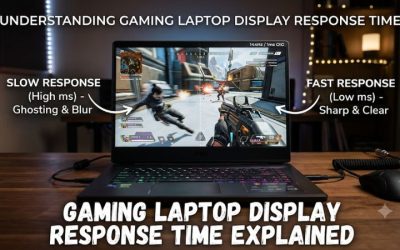
OLED has a significant advantage in pixel response time because each pixel produces its own light and can change brightness without relying on a separate backlight. This allows OLED panels to transition between colors extremely quickly, reducing the trailing effects that can make moving targets harder to follow.
IPS displays use liquid crystals to control light from an LED backlight. Modern fast IPS panels can deliver excellent response times, but their transitions generally take longer than OLED transitions. Depending on the panel and overdrive settings, some motion blur or ghosting may remain during rapid camera movements.
For games such as Counter-Strike 2, Valorant, and Apex Legends, this difference can make OLED particularly attractive. However, a well-tuned IPS panel can still provide excellent motion clarity, especially when its response performance matches its refresh rate.
2. Refresh Rate and Competitive Performance
Refresh rate determines how frequently a display can present a new frame. A 240Hz screen refreshes up to 240 times per second, while a 360Hz screen provides more frequent refresh opportunities. Higher refresh rates can improve motion smoothness and reduce the time between displayed frames.
OLED does not automatically mean a higher refresh rate. Some gaming laptops feature 240Hz OLED displays, while competing IPS configurations offer 240Hz or 300Hz panels. Certain specialized gaming displays can reach even higher refresh rates, making IPS worth considering for players who prioritize maximum frame delivery.
Your laptop GPU must also generate enough frames to take advantage of the display. If your system consistently produces substantially fewer frames than the panel’s refresh rate, paying extra for a much faster screen may provide limited practical value.
3. Contrast, Colors, and Visibility
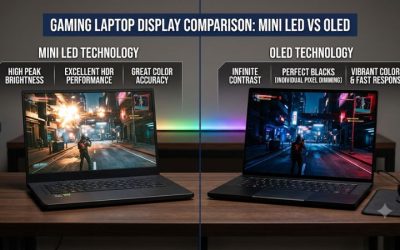
OLED produces excellent contrast because individual pixels can switch off completely to display black. This creates deeper dark areas and helps distinguish objects in shadowy environments. It is particularly appealing in games with dark interiors, nighttime maps, and detailed lighting effects.
IPS uses a backlight, meaning black areas cannot become completely dark. Depending on the panel, some backlight glow or unevenness may be visible in dark scenes. Nevertheless, good IPS displays offer consistent image quality and can provide sufficient contrast for competitive gaming.
Color quality also depends on the specific laptop configuration. A premium IPS panel can offer excellent color reproduction, while OLED generally provides stronger contrast and more visually striking colors. Neither technology automatically guarantees accurate colors or better visibility in every game.
4. Brightness and Long Gaming Sessions
Brightness becomes important when playing in rooms with strong ambient lighting or near windows. IPS gaming laptop displays can offer consistent full-screen brightness, making them practical for environments where controlling reflections is difficult.
OLED displays can produce impressive highlights, especially in HDR content, but their sustained full-screen brightness may be more limited depending on the panel. Some models also adjust brightness to manage power consumption and protect the display.
For competitive gaming, consistent visibility matters more than impressive HDR highlights. Check independent measurements of sustained brightness, screen coating, and reflection handling before choosing between two specific laptops.
Gaming Laptop OLED vs IPS: Complete Comparison
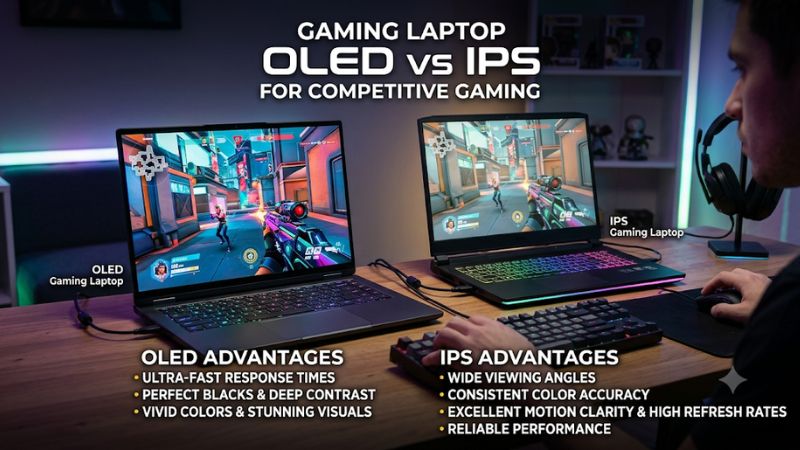
The differences become easier to understand when comparing the characteristics that directly influence competitive gaming. OLED generally leads in pixel response and contrast, while IPS remains attractive for sustained brightness, long-term static content, and affordability. The following table summarizes the practical trade-offs.
| Category | OLED Gaming Laptop | IPS Gaming Laptop |
| Pixel response | Extremely fast | Fast, model-dependent |
| Motion clarity | Excellent | Good to excellent |
| Refresh rate | Commonly up to 240Hz on relevant models | 144Hz, 165Hz, 240Hz, 300Hz and higher depending on model |
| Black levels | True black | Backlight-dependent |
| Contrast | Excellent | Generally lower |
| Brightness | Strong HDR highlights, model-dependent sustained brightness | Often more consistent full-screen brightness |
| Burn-in | Possible over time | No OLED-style burn-in mechanism |
| Text clarity | Can show subpixel fringing | Generally clearer with conventional RGB layouts |
| Battery consumption | Depends on displayed content and brightness | Depends on backlight and brightness |
| Price | Often more expensive | More affordable options available |
1. Which Display Gives You Better FPS and Input Responsiveness?
Neither OLED nor IPS directly increases your laptop’s FPS. Frame rates are primarily determined by the CPU, GPU, memory, cooling, and game settings. The display determines how those frames are presented rather than how many frames your hardware generates.
OLED’s faster pixel transitions can make motion appear cleaner, but they do not automatically reduce every part of system input latency. Keyboard response, mouse polling, game processing, GPU rendering, and display processing all contribute to the time between an action and its appearance on screen.
For competitive players, prioritize a combination of high refresh rate, low input lag, and fast response transitions. A 240Hz OLED can be an excellent choice, but a 300Hz IPS laptop may be more appropriate if your games and hardware can consistently use its higher refresh rate.
2. Burn-In Risk and Long-Term Reliability
Burn-in is one of the main disadvantages to consider when purchasing an OLED gaming laptop. It can occur when certain screen elements remain in the same positions for extended periods, eventually causing uneven pixel aging and persistent image retention.
Competitive games frequently display static elements such as health bars, ammunition indicators, minimaps, and scoreboards. These elements do not automatically cause burn-in, but prolonged exposure to the same interface increases the importance of sensible display maintenance.
Modern OLED laptops may include pixel-refresh routines, screen protection features, and automatic brightness management. These measures help reduce the risk but cannot make burn-in impossible. IPS is the safer option if you regularly display static content for long periods and want to avoid this particular concern.
3. Battery Life and Power Consumption
Battery life depends on more than the panel technology. CPU and GPU power consumption, battery capacity, screen brightness, refresh rate, background applications, and the game being played all influence how long a gaming laptop can operate unplugged.
OLED power consumption varies with displayed content because individual pixels generate their own light. Darker content can require less display power, while bright scenes with large illuminated areas can increase consumption. IPS generally uses a backlight, which has a different power-consumption pattern.
For competitive gaming, battery life should not be the main reason to choose either panel. Demanding games typically consume substantial power, and performance can change when a laptop operates on battery. Compare manufacturer battery specifications and independent battery measurements rather than assuming OLED or IPS always lasts longer.
4. Price and Overall Value
IPS gaming laptops generally provide more choices across different budgets. This makes it easier to find configurations with high refresh rates without paying extra for premium display technology. For players who primarily care about competitive performance, spending more on a stronger GPU or better cooling may provide greater value.
OLED is more appealing when you want both competitive motion clarity and excellent image quality for other activities. The deeper blacks, strong contrast, and rich colors also benefit single-player games, movies, and content creation.
The best purchase is not necessarily the laptop with the most expensive screen. Compare the complete configuration, including GPU power limits, cooling, memory, and display specifications, before deciding whether the OLED upgrade justifies its additional cost.
How to Choose Between OLED and IPS for Competitive Gaming
The right display depends on your games, room lighting, laptop specifications, and how you use the computer outside gaming. Instead of choosing based on panel marketing, compare the actual screen specifications and determine which limitations matter most to your daily experience.
1. Choose OLED for Motion Clarity and Visual Quality
OLED is an excellent choice if you frequently play fast-paced competitive games and want cleaner motion during rapid camera movements. Its fast pixel transitions help reduce ghosting and preserve the appearance of moving objects, which can make tracking opponents more comfortable.
It is also attractive if you play visually demanding games outside competitive titles. Deep blacks, strong contrast, and vibrant colors improve the presentation of cinematic environments without requiring a separate external monitor.
However, consider your tolerance for burn-in risk and the laptop’s brightness characteristics. If you regularly leave static interfaces visible for extended periods, check the available OLED protection features and warranty conditions before purchasing.
2. Choose IPS for Higher Refresh Rate Options
IPS is worth prioritizing when your main objective is achieving the highest available refresh rate within your budget. Some gaming laptops offer high-refresh IPS configurations that are particularly suitable for esports players who prefer extremely fluid motion.
For example, a 300Hz IPS display may be more appealing than a 240Hz OLED configuration if your laptop can sustain frame rates close to those refresh rates. The additional refresh opportunities can matter when playing competitive shooters at reduced graphics settings.
Nevertheless, do not assume that every high-refresh IPS panel has excellent response performance. Check independent measurements where available, including gray-to-gray transitions, overshoot, and motion clarity at different refresh rates.
3. Check the GPU and Display Configuration
A high-quality display cannot compensate for a GPU that struggles to generate enough frames. Before choosing between OLED and IPS, examine the laptop’s dedicated graphics processor, its configured Total Graphics Power (TGP), and its cooling system.
Two laptops with the same GPU model can perform differently because manufacturers configure different power limits and thermal designs. A laptop with a lower-power GPU may struggle to maintain high frame rates even when paired with an expensive 240Hz screen.
Also verify the native resolution and supported refresh rate. A 2560 × 1600 display requires more rendering performance than a 1920 × 1080 display at comparable graphics settings. Make sure the GPU can deliver the frame rates you actually want.
4. Consider Your Gaming Environment
Your gaming environment can influence whether OLED or IPS is more practical. OLED is especially appealing in controlled lighting, where its contrast and dark-scene performance are easier to appreciate. It also works well for players who divide their time between competitive and visually demanding games.
IPS can be a sensible choice if you frequently play in bright rooms, use your laptop for office work, or leave static windows open for long periods. Its conventional RGB subpixel arrangements can also provide clearer text rendering, depending on the exact panel.
Think about how many hours you spend gaming compared with working, browsing, and studying. A display that performs well across all your activities may offer more value than one selected exclusively for its gaming specifications.
FAQ: Gaming Laptop OLED vs IPS for Competitive Gaming
1. Is OLED better than IPS for competitive gaming?
OLED is generally better for pixel response time and motion clarity, while IPS can offer higher refresh rates on certain gaming laptops. If both displays have comparable refresh rates and good implementations, OLED generally has the advantage in reducing pixel-transition blur.
However, the difference does not guarantee better aim or higher FPS. Your GPU performance, frame pacing, input latency, and gaming experience remain important factors.
2. Is a 240Hz OLED better than a 300Hz IPS gaming laptop?
Not necessarily, because the better option depends on your actual frame rate and the display’s response performance. A 240Hz OLED can provide cleaner pixel transitions, while a 300Hz IPS offers more frequent refresh opportunities.
If your laptop consistently generates very high FPS in competitive games, the 300Hz IPS option may be attractive. If motion clarity and image quality matter more, the 240Hz OLED may be the better choice.
3. Can competitive gaming cause OLED burn-in?
Competitive gaming can contribute to OLED burn-in over time because games frequently display static HUD elements in fixed positions. However, the risk depends on usage patterns, brightness, panel protection features, and cumulative operating hours.
Use available pixel-refresh features, avoid unnecessarily high brightness, and enable automatic screen-off settings when appropriate. Check the manufacturer’s warranty because burn-in coverage varies between models and regions.
4. Should I buy an OLED gaming laptop for Valorant or CS2?
An OLED gaming laptop is a strong choice for Valorant and CS2 if you prioritize fast pixel transitions and clear motion. However, a high-refresh IPS laptop can also provide an excellent competitive experience, especially when it offers a higher refresh rate at a lower price.
Prioritize sustained FPS, low system latency, and a display with good response performance. If your budget is limited, investing in a stronger GPU and a capable cooling system may be more beneficial than paying extra solely for OLED.
Final Thoughts
Choosing a gaming laptop OLED vs IPS for competitive gaming depends on whether you prioritize motion clarity or practical value. OLED is the stronger choice for fast pixel transitions and contrast, while IPS offers excellent high-refresh options and avoids OLED burn-in. Compare the complete laptop configuration before making your final purchase.
Related guides
More from Amazon
Programs that pair well with the guide above. Offers and eligibility are set by Amazon and may change.
Free shipping on eligible items, Prime Video and more. Eligible new members can start with a free trial.
Start a Prime free trialAd-free music streaming. Eligible new subscribers can start with a free trial.
Try Music Unlimited freeA Prime membership for ages 18-24 with a trial period. Eligibility is set by Amazon.
See Prime for Young AdultsAudiobooks and podcasts to listen to on the go. Eligible new members can start with a free trial.
Try Audible freeAs an Amazon Associate we earn from qualifying purchases.