Choosing between a gaming laptop 165Hz vs 240Hz display comes down to your games, GPU performance, and budget. A 240Hz panel offers smoother motion and shorter refresh intervals, but it is not automatically worth the extra cost. This comparison explains the practical differences and helps you choose the right display.
165Hz vs 240Hz Gaming Laptop Displays: What Changes?
The difference between these refresh rates is measurable, but how much you notice depends on the game and your hardware. Both options already provide a substantially smoother experience than conventional 60Hz screens. The important question is whether your laptop can deliver enough frames to make the additional refreshes useful without sacrificing resolution, image quality, or battery efficiency.
1. Refresh Rate and Frame Delivery
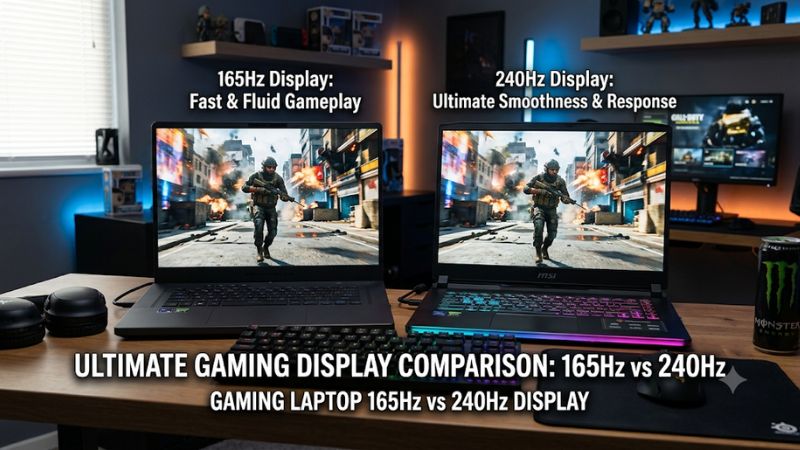
Refresh rate describes how many times a display can update its image per second. A 165Hz panel can refresh up to 165 times per second, while a 240Hz panel can refresh up to 240 times. However, the screen does not create additional frames. Your CPU and GPU must produce them.
The difference becomes clearer when comparing frame intervals. At 165Hz, each refresh interval lasts approximately 6.06 milliseconds. At 240Hz, it falls to approximately 4.17 milliseconds. That gives the faster panel more opportunities to display updated frames during quick movements.
However, the improvement is not equivalent to gaining additional GPU performance. A laptop producing 90 FPS cannot fully use either panel’s maximum refresh rate. The 240Hz option becomes more meaningful when the system consistently delivers frame rates approaching its higher ceiling.
2. Motion Clarity and Competitive Gaming
A 240Hz display can make fast camera movements, tracking, and rapidly changing objects appear smoother when the game produces sufficiently high frame rates. This is particularly relevant in competitive shooters, where players frequently make quick adjustments and follow moving targets.
A 165Hz panel remains highly capable for competitive gaming. Games such as Counter-Strike 2, Valorant, and Overwatch 2 can feel responsive at this refresh rate, especially when paired with a GPU that maintains consistent frame delivery. Not every player will notice a meaningful improvement after moving to 240Hz.
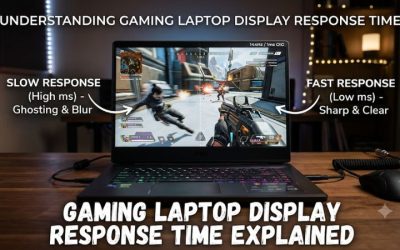
Another important consideration is pixel response time. A panel with a high refresh rate but slow pixel transitions can still produce ghosting and motion smearing. Independent display evaluations, including RTINGS’ laptop reviews, consider refresh rate alongside motion performance and variable refresh rate support rather than treating the Hz specification as the entire picture.
RTINGS.com+1
3. Input Responsiveness and Frame Timing
Higher refresh rates can reduce the time between display updates, which helps the screen present new information sooner. This matters in competitive games where small differences in responsiveness can influence how quickly players perceive movement and react to opponents.
Nevertheless, display refresh rate is only one part of the complete input-latency chain. Mouse polling, CPU processing, GPU rendering time, game-engine behavior, and display response all contribute. Buying a 240Hz laptop will not automatically make every game feel faster if another component is limiting performance.
4. Everyday Gaming and Visual Experience
For everyday gaming, the difference between these displays is less dramatic than competitive marketing might suggest. Adventure games, RPGs, strategy titles, and simulation games often prioritize visual detail, resolution, and consistent performance over extremely high frame rates.
A good 165Hz display can therefore provide a more balanced experience for someone who plays several genres. You can enjoy smooth desktop navigation, responsive gameplay, and high-quality visuals without paying extra for refresh capacity that many demanding games cannot consistently use.
What Matters More When Choosing a 165Hz or 240Hz Laptop?
Refresh rate should be considered alongside the laptop’s graphics hardware, screen resolution, panel technology, and power consumption. Two gaming laptops with identical refresh-rate specifications can deliver very different experiences. Looking beyond the advertised Hz rating helps prevent paying more for a display that does not match the rest of the system.
1. GPU Performance and Actual FPS
The GPU determines how many frames your laptop can render under a particular workload. A powerful NVIDIA GeForce RTX or AMD Radeon laptop GPU has a better chance of supplying the high frame rates needed to benefit from a 240Hz display.
Consider the resolution and graphics settings as well. Rendering at 1920 × 1080 generally requires less GPU processing than rendering at 2560 × 1600. Consequently, a laptop might achieve high frame rates on a Full HD screen but struggle to reach the same figures at a higher resolution.
For this reason, gaming laptop 165Hz vs 240Hz display comparisons should always consider the GPU’s actual performance rather than its product name alone. Check the laptop’s GPU power configuration, cooling capability, and independent gaming benchmarks before making a decision.
2. Resolution and Panel Technology
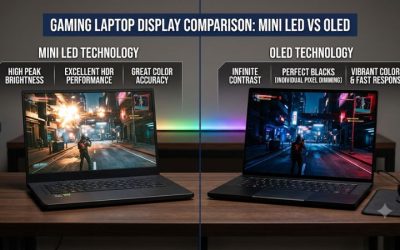
Resolution affects image sharpness and GPU workload, while panel technology influences contrast, color reproduction, and motion characteristics. A 165Hz OLED screen can offer a different visual experience from a 240Hz IPS screen, even though the latter has a higher refresh rate.
For example, ASUS lists a 16-inch TUF Gaming F16 configuration with a 2560 × 1600 OLED panel running at 165Hz. Another configuration offers a 2560 × 1600 IPS display with a higher maximum refresh rate. This demonstrates why comparing Hz without examining panel specifications can lead to misleading buying decisions.
Tech Specs|Laptops For Gaming|ASUS Global+1
| Display characteristic | 165Hz | 240Hz |
| Maximum refreshes per second | 165 | 240 |
| Frame interval | 6.06ms | 4.17ms |
| Motion smoothness | Very smooth | Smoother at high FPS |
| Competitive gaming | Excellent | Better suited to high-FPS play |
| Demanding AAA games | Balanced option | Useful when FPS is sufficiently high |
| GPU requirements | Easier to utilize | Higher frame-rate demands |
| Typical buying priority | Balanced gaming | Competitive responsiveness |
The table describes refresh-rate characteristics, not guaranteed gaming performance. Actual results depend on the complete laptop configuration and display implementation.
3. Battery Consumption and Power Efficiency
A high-refresh-rate display can consume more power than the same display operating at a lower refresh rate. The difference depends on panel technology, brightness, display electronics, and laptop power management. This is especially important when you frequently use your gaming laptop away from an outlet.
Microsoft confirms that lowering display refresh rate can reduce display power consumption on supported laptops. Windows also provides Dynamic Refresh Rate on compatible hardware, allowing the system to adjust refresh behavior according to usage.
Microsoft Support+1
However, choosing 165Hz does not automatically guarantee longer battery life than choosing 240Hz. Two laptops can have completely different battery capacities, processors, GPUs, and display technologies. Check independent battery-life measurements for the exact configuration rather than assuming the refresh-rate number determines overall endurance.
4. Variable Refresh Rate and Response Time
Variable Refresh Rate (VRR) is another important feature when comparing gaming laptop displays. Technologies such as NVIDIA G-SYNC and AMD FreeSync can synchronize display refresh behavior with compatible GPU frame output, helping reduce screen tearing and inconsistent presentation.
Response time deserves equal attention. It describes how quickly pixels transition between colors or brightness levels. A display with good pixel response can maintain clearer moving images, whereas slower transitions may leave visible trails behind objects.
Check the manufacturer’s specifications and independent reviews for actual response-time measurements, VRR support, and performance at different refresh rates. Do not assume that every 240Hz panel has better motion clarity than every 165Hz alternative. Panel quality and implementation still matter.
Which Gaming Laptop Refresh Rate Should You Choose?
The right decision depends on your gaming habits and how long you intend to keep the laptop. Competitive players who regularly achieve high frame rates can benefit from 240Hz, while most general-purpose gamers can comfortably choose 165Hz. Consider the following situations before spending extra on a faster panel.
1. Choose 165Hz for Balanced Gaming
A 165Hz laptop is a sensible choice for gamers who enjoy a combination of competitive multiplayer games, single-player adventures, and demanding AAA releases. It offers smooth motion without making extremely high frame rates a purchasing requirement.
It is also a reasonable option when your budget is limited. Rather than paying extra for 240Hz, you could prioritize a stronger GPU, additional RAM, a better SSD, or a higher-quality display. These upgrades may have a more noticeable impact on your overall experience.
For gaming laptop 165Hz vs 240Hz display decisions, 165Hz is particularly attractive when you prefer playing visually demanding games at higher resolutions instead of reducing graphics settings to chase maximum FPS.
2. Choose 240Hz for Competitive Gaming
A 240Hz display makes more sense if competitive shooters and esports titles account for most of your gaming time. When your hardware consistently produces high frame rates, the shorter refresh interval can improve motion presentation and provide a more responsive visual experience.
It is especially attractive to players who already use high-refresh-rate external monitors or have experience with competitive settings. However, your laptop needs sufficient CPU and GPU performance to maintain the frame rates required to benefit from the panel.
Before choosing this configuration, check independent benchmarks for the games you actually play. Pay attention to average FPS and 1% lows, since unstable frame delivery can reduce the practical benefit of a faster screen.
3. Check the Actual Display Configuration
Manufacturers sometimes sell the same laptop model with multiple display options. These configurations may differ in resolution, panel type, brightness, color coverage, and refresh rate. A higher refresh-rate option is not necessarily the better overall display.
ASUS provides a useful example with its 2026 TUF Gaming F16 specifications. The listed configurations include a 165Hz 2.5K OLED option and a 300Hz 2.5K IPS option that defaults to 240Hz in certain GPU modes. The maximum advertised refresh rate therefore does not always represent the default operating mode.
Tech Specs|Laptops For Gaming|ASUS Global+1
Check the exact model number and regional configuration before purchasing. Also verify whether the advertised maximum refresh rate requires a specific performance mode, since changing GPU modes can affect power consumption and operating behavior.
4. Verify and Adjust Refresh Rate in Windows
After purchasing a gaming laptop, confirm that Windows is actually using the intended refresh rate. Some systems may operate at a lower setting depending on their power profile, display configuration, or graphics mode.
In Windows 11, follow these steps:
- Open Settings.
- Select System > Display.
- Open Advanced display.
- Select your laptop’s internal display if multiple displays are connected.
- Find Choose a refresh rate.
- Select 165Hz or 240Hz if the option is available.
Microsoft documents this process and notes that available refresh rates depend on the display’s supported configurations. Selecting certain refresh rates can also change the available resolution.
Microsoft Support+1
If the desired option is missing, check the laptop manufacturer’s display specifications, graphics drivers, and GPU mode. Do not assume that installing a different driver can turn a native 165Hz panel into a 240Hz display.
Frequently Asked Questions
Is 240Hz noticeably better than 165Hz for gaming?
240Hz can feel noticeably smoother than 165Hz in fast-paced games when your laptop produces sufficiently high FPS. The difference is most relevant to competitive players who regularly achieve frame rates approaching 240 FPS. For demanding AAA games running at lower frame rates, the improvement is generally less significant.
Does a 240Hz gaming laptop need 240 FPS?
No, a 240Hz display does not require the game to run at exactly 240 FPS to function. It can display lower frame rates, particularly when supported VRR technology is available. However, consistently high frame rates are necessary to take full advantage of its maximum refresh capability.
Does a 240Hz display drain more battery than a 165Hz display?
It can consume more display power, but the actual difference depends on the panel and laptop configuration. Lowering the refresh rate can help reduce power consumption. Battery capacity, brightness, GPU activity, and power management also influence overall battery life.
Is a 165Hz OLED better than a 240Hz IPS gaming laptop?
It depends on your priorities. A 165Hz OLED display may offer deeper blacks, stronger contrast, and fast pixel transitions, while a 240Hz IPS panel prioritizes higher refresh capacity. Compare brightness, response time, color accuracy, resolution, and VRR support before deciding.
Final Thoughts
The gaming laptop 165Hz vs 240Hz display decision ultimately depends on your performance expectations. A 165Hz panel offers excellent everyday gaming value, while 240Hz is more attractive for competitive players with powerful hardware. Compare actual FPS, resolution, and panel quality before paying extra for a faster display.
Related guides
More from Amazon
Programs that pair well with the guide above. Offers and eligibility are set by Amazon and may change.
Free shipping on eligible items, Prime Video and more. Eligible new members can start with a free trial.
Start a Prime free trialAd-free music streaming. Eligible new subscribers can start with a free trial.
Try Music Unlimited freeA Prime membership for ages 18-24 with a trial period. Eligibility is set by Amazon.
See Prime for Young AdultsAudiobooks and podcasts to listen to on the go. Eligible new members can start with a free trial.
Try Audible freeAs an Amazon Associate we earn from qualifying purchases.