The best gaming laptops with RTX 3070 and 3080 graphics are the ones with a high power limit, good cooling and a display that matches the GPU. Both chips are older-generation parts now, so they make sense mainly for buyers who want strong 1080p and 1440p performance and are comparing configurations, not current-generation models.
Our Top Picks
Top 3 picks at a glance
Read This First: Laptop RTX 3070 and 3080 Are Not Fixed Chips
Laptop makers set the power limit of each GPU, and that number changes performance more than the model name does. NVIDIA allows a range of total graphics power (TGP) for each laptop chip, and Notebookcheck’s lists show the maximum TGP of RTX 3070 Laptop designs spanning roughly 85 W to 140 W, and RTX 3080 Laptop designs from about 90 W to 155 W (sources disagree slightly on the endpoints). A thin laptop with an RTX 3080 at the low end of that range can perform close to a well-cooled RTX 3070 in a thicker chassis. So read the TGP, the cooling and the memory, not just the badge.
- Memory: RTX 3070 Laptop has 8 GB; RTX 3080 Laptop is listed with 8 GB or 16 GB depending on the variant.
- Power limits: vary by model. Check the maker’s spec sheet for the TGP and whether Dynamic Boost adds extra watts.
- Age: these are 2021 to 2022 GPUs. Newer cards offer better efficiency and features, so older stock is a value play, not a future-proof one.
Picks at a Glance
- Best thin-and-light RTX 3070: Alienware x15 R1.
- Best RTX 3080 for 1440p: Alienware M15 R6 (QHD 240Hz).
- Best RTX 3080 for esports: ASUS ROG Strix Scar 15 (300Hz).
- Best value RTX 3070: ASUS TUF Dash (RTX 3070, 32GB DDR5).
- Best large-screen RTX 3070: HP Omen 17 (17.3-inch QHD 165Hz).
- Best premium build: Razer Blade 15 (RTX 3070).
- One step up (RTX 3070 Ti): Acer Predator Triton 500 SE and Acer Nitro 5.
| Laptop | GPU | CPU | Display | RAM / storage |
|---|---|---|---|---|
| Alienware x15 R1 | RTX 3070 | Core i7-11800H | 15.6 in FHD 360Hz | 16GB / 1TB |
| Alienware M15 R6 | RTX 3080 8GB | Core i7-11800H | 15.6 in QHD 240Hz | 32GB / 1TB |
| ASUS ROG Strix Scar 15 (2021) | RTX 3080 | Ryzen 9 5900HX | 15.6 in FHD 300Hz | 16GB / 1TB |
| ASUS TUF Dash | RTX 3070 | Core i7-12650H | 15.6 in FHD 144Hz | 32GB DDR5 / 1TB |
| HP Omen 17 | RTX 3070 | Core i7-11800H | 17.3 in QHD 165Hz | 16GB / 512GB |
| Razer Blade 15 | RTX 3070 | 10th-gen 8-core Core i7 | 15.6 in FHD 360Hz | 16GB / 1TB |
| Acer Predator Triton 500 SE | RTX 3070 Ti | Core i7-12700H | 16 in WQXGA 240Hz | 16GB / 1TB |
| Acer Nitro 5 AN515-58 | RTX 3070 Ti | Core i7-12700H | 15.6 in QHD 165Hz | 16GB / 2TB RAID 0 |
The Best Gaming Laptops With RTX 3070 and 3080
Alienware x15 R1: Best Thin RTX 3070 Laptop
As an Amazon Associate we earn from qualifying purchases at no extra cost to you.
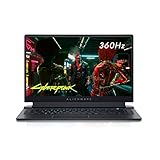
The Alienware X15 R1 in this configuration pairs a Core i7-11800H with an NVIDIA GeForce RTX 3070, 16GB of DDR4 memory and a 1TB SSD behind a 15.6-inch FHD display running at 360Hz with 1ms response. Published reviews of the x15 R1 list a 90 W TGP with up to 20 W of Dynamic Boost for the RTX 3070, which is lower than larger gaming laptops, a trade-off for the slim body.
- RTX 3070, Core i7-11800H
- 15.6 in FHD, 360Hz, 1ms
- 16GB DDR4, 1TB SSD, Windows 11 Home
Best for: portability with strong 1080p performance. Skip if: you want the highest sustained GPU power; thicker laptops can run an RTX 3070 at a higher power limit.
Pros: thin chassis; fast 360Hz screen; 1TB SSD. Cons: lower TGP than thicker designs; DDR4 memory; sustained load runs warm in thin designs.
Alienware M15 R6: Best RTX 3080 With a QHD Screen
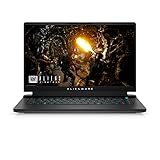
The Alienware M15 R6 pairs an RTX 3080 (8GB GDDR6) with a Core i7-11800H, 32GB of DDR4 and a 1TB SSD behind a 15.6-inch QHD 240Hz display. It is the pick for someone who wants an RTX 3080 laptop with a sharper 1440p panel and plenty of memory.
- RTX 3080 8GB GDDR6, Core i7-11800H
- 15.6 in QHD, 240Hz
- 32GB DDR4, 1TB SSD
Best for: 1440p gaming on a 15-inch laptop. Skip if: you want a thin, light body or a confirmed power limit; check the maker’s spec for the TGP of this configuration.
Pros: QHD 240Hz screen; 32GB of memory; RTX 3080. Cons: older-generation platform; thicker and heavier than the x15.
ASUS ROG Strix Scar 15 (2021): Best RTX 3080 for Esports
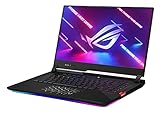
The ASUS ROG Strix Scar 15 (2021) combines an NVIDIA GeForce RTX 3080 with an AMD Ryzen 9 5900HX, 16GB of DDR4 and a 1TB SSD behind a 15.6-inch FHD IPS-type display running at 300Hz. It also lists an opti-mechanical per-key RGB keyboard, and it is aimed at players who want high frame rates at 1080p.
- RTX 3080, Ryzen 9 5900HX
- 15.6 in FHD IPS-type, 300Hz
- 16GB DDR4, 1TB SSD, opti-mechanical keyboard
Best for: competitive players who want 1080p at very high refresh. Skip if: you want a 1440p screen; this configuration is FHD only.
Pros: powerful CPU and GPU pairing; 300Hz display; strong keyboard. Cons: 1080p only; the Ryzen 9 5900HX platform is an older generation; bulky.
ASUS TUF Dash: Best Value RTX 3070

The ASUS TUF Dash gaming laptop is a 15.6-inch 144Hz FHD model with a 12th-gen 10-core Core i7-12650H, an RTX 3070, 32GB of DDR5 RAM and a 1TB PCIe SSD, with a backlit keyboard, HDMI, Wi-Fi 6 and Windows 11 Home. The 32GB of DDR5 is generous for this class.
- RTX 3070, Core i7-12650H (10 cores)
- 15.6 in FHD, 144Hz
- 32GB DDR5, 1TB PCIe SSD, Wi-Fi 6
Best for: a well-equipped RTX 3070 laptop with modern memory. Skip if: you want a 240Hz or QHD screen.
Pros: 32GB DDR5; newer 12th-gen CPU; 1TB SSD. Cons: 144Hz FHD display only; the GPU power limit is not listed, so check the maker.
HP Omen 17: Best Large-Screen RTX 3070

The HP Omen 17 (17-ck0020nr, 2021) pairs an RTX 3070 with a Core i7-11800H, 16GB of RAM, a 512GB SSD and a 17.3-inch Quad HD 165Hz display, with an RGB keyboard. A larger chassis typically allows better cooling headroom than thin 15-inch designs, which suits sustained gaming.
- RTX 3070, Core i7-11800H
- 17.3 in QHD, 165Hz
- 16GB RAM, 512GB SSD, RGB keyboard
Best for: desk-based players who want a big 1440p screen. Skip if: you carry your laptop often, or want more than 512GB of storage.
Pros: large QHD screen; larger chassis for cooling; RGB keyboard. Cons: only 512GB of storage; ships with Windows 10 per the listing; heavy.
Razer Blade 15 (RTX 3070): Best Premium Build
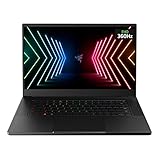
The Razer Blade 15 Gaming Laptop in this listing combines an RTX 3070, a 10th-gen Intel 8-core Core i7, 16GB of RAM, a 1TB SSD and a 15.6-inch FHD display at 360Hz. Razer’s aluminum chassis is the main draw, and this is an earlier-generation configuration, so check what you are getting against newer options.
- RTX 3070, 10th-gen 8-core Core i7
- 15.6 in FHD, 360Hz
- 16GB RAM, 1TB SSD
Best for: players who value build quality and a compact premium chassis. Skip if: you want the newest CPU platform.
Pros: premium aluminum build; 360Hz screen; 1TB SSD. Cons: older CPU generation; premium positioning; runs warm in thin designs.
Acer Predator Triton 500 SE: Best Thin Option One Step Up (RTX 3070 Ti)

The Acer Predator Triton 500 SE is a 16-inch WQXGA 240Hz G-Sync gaming and creator laptop with an Intel Core i7-12700H, an RTX 3070 Ti, 16GB of LPDDR5, a 1TB Gen 4 SSD, Killer Wi-Fi 6E, a fingerprint reader and a backlit keyboard. It is one tier above the RTX 3070, with a taller 16:10 screen that suits both play and creative work.
- RTX 3070 Ti, Core i7-12700H
- 16 in WQXGA, 240Hz, G-Sync
- 16GB LPDDR5, 1TB Gen 4 SSD, Wi-Fi 6E
Best for: players who also do creative work and want a 16:10 screen. Skip if: you want an exact RTX 3070 or 3080 and not a Ti.
Pros: high-resolution 240Hz display; modern CPU; fast storage. Cons: LPDDR5 memory is soldered, so it cannot be upgraded; costs more than the 3070 picks.
Acer Nitro 5 AN515-58: Best RTX 3070 Ti on a Tighter Budget

The Acer Nitro 5 AN515-58-7583 is a 15.6-inch gaming laptop with an Intel Core i7-12700H, an RTX 3070 Ti Laptop GPU, a QHD 165Hz 3ms IPS display, 16GB of DDR4, a 2TB SSD in RAID 0, Killer WiFi 6 and an RGB keyboard. It carries a lot of storage and a QHD screen at a lower tier than premium brands.
- RTX 3070 Ti Laptop GPU, Core i7-12700H
- 15.6 in QHD, 165Hz, 3ms IPS
- 16GB DDR4, 2TB SSD (RAID 0)
Best for: value-focused players who want a QHD screen and big storage. Skip if: you worry about data safety; RAID 0 spreads data across drives, so a single drive failure loses everything.
Pros: QHD 165Hz display; 2TB storage; RTX 3070 Ti. Cons: RAID 0 risk; plastic build; not a pure 3070.
Alienware x15 R1 Gaming Laptop: What You Should Know
The Alienware x15 R1 is the most-searched laptop in this group, so here is a quick summary from published reviews. It was introduced as Dell’s thinnest gaming laptop, uses Alienware’s Element 31 thermal interface and offers up to RTX 3080 (8GB GDDR6) graphics, Core i7 or i9 processors up to the i9-11900H, up to 32GB DDR4-3200 and displays up to 1080p at 360Hz or 1440p at 240Hz, according to Notebookcheck and Tom’s Hardware. Both the RTX 3070 and 3080 configurations run at about a 90 W TGP with up to 20 W of Dynamic Boost, which Notebookcheck notes is lower than the 140 W TGP on the earlier Alienware m15 R4. That is why an x15 R1 RTX 3080 tends to perform like a strong 3070 and not like a full-power 3080 laptop.
If you see an “Alienware x15 R2” listed, it is the 12th-gen Intel refresh. The listing we reviewed shows a Core i7-12700H with an RTX 3070 Ti 8GB, so it sits one tier above the R1.
Also Consider
- Razer Blade 17 (RTX 3070 Ti): a 17.3-inch QHD 240Hz premium option with a 12th-gen Core i7.
- ASUS ROG Zephyrus G15 (RTX 3070): a 15.6-inch QHD laptop with a Ryzen 9 5900HS, often praised for portability.
- Alienware X15 R2 (RTX 3070 Ti): the 12th-gen refresh of the x15 with a 360Hz FHD display.
What to Expect in Games: Resolution and Settings
Frame rates depend on the game, the CPU and the power limit, so treat the guidance below as planning estimates and not as measured results. An RTX 3070 or 3080 laptop at a decent power limit handles most games at 1080p on high or ultra settings and many at 1440p on high settings, particularly with DLSS enabled where supported. The newest, most demanding games may need medium settings at 1440p on a lower-power 3070, and the 8 GB memory limit can matter at ultra textures.
| Use | Sensible target | Notes |
|---|---|---|
| Competitive shooters | 1080p at 240Hz to 360Hz | CPU and cooling matter as much as the GPU |
| Single-player story games | 1440p at 60Hz to 120Hz with high settings | DLSS helps keep frame rates steady |
| Creative work and gaming | 1440p or 16:10 display with good color | Look for sRGB or DCI-P3 coverage and 32GB of RAM |
| VR and external monitors | Higher power limit, good ports | Check HDMI and USB-C video output |
Cooling, Noise and Keeping the Laptop Healthy
High-end laptop GPUs generate a lot of heat in a small space, and sustained load is where the difference between thin and thick designs shows. A few habits keep these older laptops running well.
- Raise the back. A stand or cooling pad improves airflow under the chassis, which helps thin laptops hold their boost clocks.
- Clean the vents. Dust builds up in older machines. Blow out the intake and exhaust with compressed air every few months.
- Use the maker’s performance profile. Alienware, ASUS and others offer balanced, performance and quiet modes that change fan curves and power limits. Pick the one that matches your session.
- Watch temperatures. A GPU that reaches the mid-80s Celsius regularly may be throttling. Lower the frame cap or turn down a few settings to improve stability.
- Check the battery. If a used or older stock laptop has a worn battery, replacement is possible but check the maker’s service guidance first.
Buying an Older-Generation Gaming Laptop Safely
Because RTX 3070 and 3080 laptops are previous-generation machines, you will often meet leftover stock, third-party sellers and unusual configurations. A few checks protect you.
- Confirm the exact configuration. Match the GPU name, CPU, RAM, storage and display against the maker’s spec sheet. Listings sometimes mix model years.
- Check the warranty start date. Older stock may have used part of its warranty period already. Confirm who covers repairs.
- Look for the power limit. If the listing does not give it, check the maker’s page for the model number.
- Avoid unclear storage setups. RAID 0 and unusual drive combinations are fine if you back up often, but they raise the risk of data loss.
- Compare with current models. A current RTX 40 or 50 series laptop may match or beat an RTX 3080 laptop with better efficiency and battery life, so compare before choosing older stock.
RTX 3070 vs RTX 3080 Laptop: Which Do You Need?
Choose an RTX 3070 laptop if you play at 1080p or 1440p on a normal high-refresh display, want a lighter and cooler machine, or want to keep the cost tier lower. Choose an RTX 3080 laptop if you want the extra headroom for 1440p at high settings, you play demanding games with ray tracing, or you can get one with a higher power limit and good cooling. Be wary of paying extra for a 3080 in a thin chassis with a low TGP, because the real gain may be small. A useful rule: a thicker 3070 laptop with a high power limit and a QHD screen is often a better buy than a thin 3080 with a low limit.
Ray tracing and DLSS
Both chips support ray tracing and DLSS. Ray tracing cuts frame rates noticeably, and on an RTX 3070 laptop it is best used in single-player games with DLSS turned on. The RTX 3080 has more room, but the same rule applies: use DLSS and check how the effect looks on your own screen before you commit to it.
External monitors and ports
If you plan to connect the laptop to a desk monitor, check the available ports. Models with HDMI 2.1 or DisplayPort over USB-C can drive a high-refresh external monitor, and laptops that route the display through the GPU, instead of integrated graphics, give the best results with variable refresh rate.
How We Chose
This is a research-based guide. We did not use these laptops ourselves. We selected models whose store listings state an RTX 3070 or RTX 3080 (plus two RTX 3070 Ti models as a labeled step up), compared CPU, memory, storage, display and chassis, and cross-checked power limits against Notebookcheck’s TGP lists and the Alienware x15 R1 coverage from Notebookcheck and Tom’s Hardware. We limited each brand to two listings and skipped renewed and unavailable items. Where a listing did not state a power limit, we say so and suggest checking the maker’s page. We use cost tiers and not exact prices because retail stock of these older models changes quickly.
Buying Guide: RTX 3070 and 3080 Laptops
RTX 3070 or RTX 3080?
The RTX 3080 Laptop GPU has more cores, and some versions have 16 GB of memory, but in a thin chassis with a low power limit the gap to an RTX 3070 shrinks. If the 3080 version costs much more, a well-cooled 3070 in a thicker chassis is often the better value.
Power limit and cooling
Look for the TGP and Dynamic Boost numbers in the maker’s spec sheet, and favor models with larger chassis, vapor chambers or liquid metal when you want sustained performance. Thin laptops run hot under long sessions, so a cooling pad helps.
Display
- FHD at 144Hz to 360Hz: best for competitive play, and easy for the GPU.
- QHD at 165Hz to 240Hz: the best balance for RTX 3070 and 3080 laptops.
- Screen size: 15.6 inches for portability, 17.3 inches for desk setups.
Memory and storage
Aim for 16GB of RAM at minimum and 1TB of storage. Check whether the RAM is upgradeable, since some thin models use soldered memory. Be careful with RAID 0 storage, which speeds up reads but increases the risk of losing all data.
Battery and noise
Gaming laptops with these GPUs last a short time on battery under load, and fans are loud at full power. Plan to play plugged in, and use the maker’s quiet or balanced profile for desk work.
Age and support
Because RTX 30 laptops are an older generation, confirm the warranty terms and whether the seller is the maker or a third party. Check driver support dates on NVIDIA’s site.
Are the Most Expensive Gaming Laptops Worth It?
Searches such as “most expensive gaming laptop in the world 2022” usually lead to limited-edition or luxury-customized machines, and the ranking differs from source to source, so we do not name one. What matters for a buyer is that price at the top of the market buys materials, branding and exclusivity more than gaming performance. A standard RTX 3080 laptop from a mainstream maker plays the same games as a luxury edition with the same GPU and power limit. The money is better spent on cooling, display quality and storage.
FAQ
What is the best RTX 3070 laptop?
For most players, the ASUS TUF Dash is the best-value RTX 3070 laptop, and the Alienware x15 R1 is the best thin option. For a large screen, choose the HP Omen 17.
What is the best RTX 3080 laptop?
The Alienware M15 R6 is the best RTX 3080 pick for a QHD screen, and the ASUS ROG Strix Scar 15 suits esports at 300Hz.
Is an RTX 3080 laptop worth it now?
It can be, if you find one at a low-cost tier and want strong 1080p to 1440p performance. Newer cards are more efficient, so compare against current models before buying.
Is a laptop RTX 3070 the same as a desktop RTX 3070?
No. The laptop chip runs at a lower power limit and is a different configuration, so it performs below the desktop card. The gap depends on the model’s TGP.
Does the Alienware x15 R1 have good cooling?
Alienware uses its Element 31 thermal interface to cool the slim chassis, but the power limit is around 90 W plus Dynamic Boost, so it is tuned for a thin body and not for maximum performance.
How much VRAM do these laptops have?
RTX 3070 Laptop GPUs have 8 GB. RTX 3080 Laptop GPUs are listed with 8 GB or 16 GB, so check the exact configuration.
What is the most expensive gaming laptop in the world?
There is no single verified answer, because luxury and limited-edition models are customized and lists differ. Mainstream laptops with the same GPU play games the same way.
Which One Should You Buy?
- Portable RTX 3070: Alienware x15 R1.
- RTX 3080 and a QHD screen: Alienware M15 R6.
- RTX 3080 for esports: ASUS ROG Strix Scar 15.
- Best value and modern memory: ASUS TUF Dash.
- Big-screen desk laptop: HP Omen 17.
- Premium chassis: Razer Blade 15.
- A step up to 3070 Ti: Acer Predator Triton 500 SE, or Acer Nitro 5 on a tighter budget.
Sources
- Notebookcheck: RTX 3070 and RTX 3080 Laptop GPU TGP lists and Alienware x15 R1 review
- Tom’s Hardware: Alienware x15 and x17 announcement and specs
- NVIDIA GeForce RTX 30 Series laptop product pages
- Dell, ASUS, HP, Razer and Acer laptop specification pages
Last updated: November 2026
Related guides
More from Amazon
Programs that pair well with the guide above. Offers and eligibility are set by Amazon and may change.
Free shipping on eligible items, Prime Video and more. Eligible new members can start with a free trial.
Start a Prime free trialAd-free music streaming. Eligible new subscribers can start with a free trial.
Try Music Unlimited freeA Prime membership for ages 18-24 with a trial period. Eligibility is set by Amazon.
See Prime for Young AdultsAudiobooks and podcasts to listen to on the go. Eligible new members can start with a free trial.
Try Audible freeAs an Amazon Associate we earn from qualifying purchases.