Massively multiplayer games ask for a different kind of laptop than shooters do. A raid with forty players, a crowded capital city at peak hours or a large-scale siege can stress the processor and memory as much as the graphics card, and sessions regularly run for three or four hours without a break. That changes what matters: steady performance over long sessions, enough RAM to keep a game, a voice chat app and a browser guide open together, and a screen that stays comfortable when you stare at it through a whole evening of questing.
This 2026 guide is for players of the big online worlds who want a portable rig, whether that means a dorm-room setup, a laptop that travels between two homes, or a machine that handles raid night and then spreadsheets in the morning. The seven laptops below range from true RTX-equipped systems to lighter integrated-graphics models. Because MMO demands vary widely between older and newer titles, the reviews stay close to what each listing title actually states.
Our Top Picks
 HP Victus 15.6" Full HD 144Hz Gaming Laptop16GB | 512GB SSD19 x 12 x 3 inches7 poundsCheck on Amazon



Top 3 picks at a glance
Quick Picks
As an Amazon Associate we earn from qualifying purchases at no extra cost to you.


| Product | Best for | Key spec from the title |
|---|---|---|
| ASUS ROG Strix G16 (RTX 5060) | High-end MMOs at high settings | Core i7 14650HX, RTX 5060, 16GB DDR5, 1TB Gen 4 |
| HP Victus 15.6 | Entry-level RTX play | Core i5-12450H, RTX 3050, 16GB, 144Hz FHD |
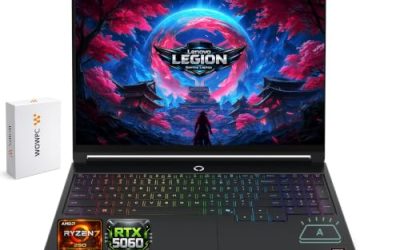
| Acer Nitro V 16S AI | Maximum memory and refresh rate | Ryzen 7 260, RTX 5060, 16-inch 180Hz, 32GB |
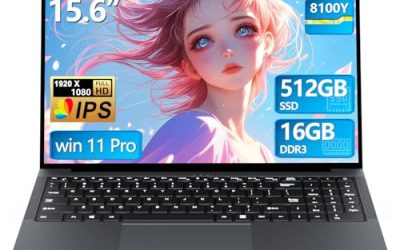
| Core Processor 15.6 Gaming Laptop | Older and lighter online games | Up to 3.40GHz, 16GB RAM, 512GB SSD |
| KAIGERR Gaming Laptop | Casual MMO and productivity mix | Ryzen 7430U, 16GB DDR4, 512GB SSD |
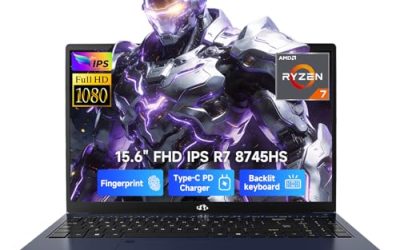
| NIMO 15.6 Light-Gaming | Portable play with fast charging | 8-core Ryzen 7, 16GB DDR5, Radeon 680M |
| ASUS ROG Strix G16 (RTX 5050) | Midrange build with a quick panel | Core i5 14450HX, RTX 5050, 16GB DDR5-5600 |
How to Choose
Prioritize the processor and 16GB of RAM
MMOs are famous for hammering the CPU when many characters share a screen. Look for a modern multi-core processor with a stated HX or H series name, or an eight-core Ryzen 7, rather than a low-power chip aimed at office use. Sixteen gigabytes of RAM is the practical floor for these games, because the client, voice chat, a browser with a guide open and background apps all compete. If you stream your raids, 32GB gives meaningful breathing room. It also helps to remember that MMO clients leak memory over very long sessions, so a machine with a little spare capacity stays smooth deep into the night where a tight configuration starts to stutter.
Choose graphics based on the games you actually play
Older MMOs run well on integrated graphics such as the Radeon 680M, while newer ones with detailed effects benefit from a dedicated RTX card. An RTX 3050 or RTX 5050 is a reasonable entry point for 1080p play, an RTX 5060 gives extra headroom for high settings, and none of them is required for lighter titles. Do not pay for a graphics tier you will not use if your favorite game is a decade old. On the other hand, if you plan to move to a newer online world within the life of the laptop, buying one tier above today’s need is cheaper than replacing the whole machine.
Look for a fast, comfortable screen
Combat in many online games rewards smooth motion, so a 144Hz panel is a good target and 165Hz or 180Hz is a bonus. A 16:10 aspect ratio shows more vertical space for hotbars and chat windows. Full HD or the slightly taller FHD+ and WUXGA resolutions are plenty on a 15.6 or 16-inch screen; an IPS panel keeps colors and viewing angles consistent over long sessions. Also glance at the response time when it is listed: the 3ms figure on the ASUS models is a sign of a panel built for motion, not just for office work.
Storage, cooling and keyboard for long sessions
Large MMOs, with their many expansions, can take well over 100GB, so treat 512GB as a minimum and 1TB as comfortable. Long sessions also expose weak cooling, so favor listings from gaming lines over generic ones, and check the keyboard: a backlit layout helps in dim rooms, and MMO players use many hotkeys. Ignore listing phrases such as “beat i7” on budget models; they are seller claims, not measurements.
The 7 Best Options
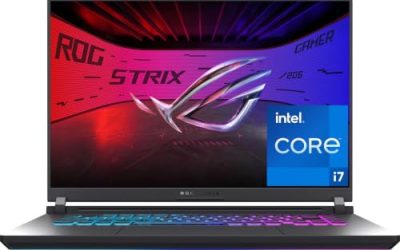
ASUS ROG Strix G16 (RTX 5060)
This is the strongest all-around fit for demanding online worlds. The title lists a 16-inch FHD+ 16:10 display at 165Hz with a 3ms response time, an RTX 5060, a Core i7 14650HX, 16GB of DDR5 and a 1TB Gen 4 drive. The 3ms response time and 16:10 shape are the kind of details long-session players tend to notice after a few evenings of play.
- Strength: the Core i7 HX processor suits the CPU-heavy scenes common in raids and cities.
- Strength: the 16:10 screen shows extra vertical space for hotbars and chat.
- Trade-off: 16GB of RAM leaves less headroom than the 32GB option if you also stream.
Skip it if you only play older, lighter MMOs and do not need a dedicated RTX card, since the extra graphics power would sit idle.
HP Victus 15.6
The Victus is the entry-level way into dedicated graphics. The title lists a 15.6-inch full HD 144Hz display, a Core i5-12450H, an RTX 3050, 16GB of RAM, a 512GB PCIe SSD, Wi-Fi 6 and a backlit keyboard. For a first gaming laptop aimed at older and midrange online games, that list covers the essentials without overreaching.
- Strength: a real RTX card and 144Hz screen at the lowest graphics tier among the discrete options.
- Strength: a backlit keyboard helps for late-night sessions.
- Trade-off: the Core i5-12450H and RTX 3050 are older, so newer MMOs may need settings turned down.
Skip it if you want the latest graphics generation or plan to stream while playing, because both pull on a platform that is already a few generations old.
Acer Nitro V 16S AI
For players who run a game plus streaming, voice chat and browser guides at once, this is the one to look at. The title lists a Ryzen 7 260 processor, an RTX 5060 laptop GPU, a 16-inch WUXGA IPS display at 180Hz and 32GB of memory. The title also quotes 572 AI TOPS for the graphics chip, which describes AI workloads rather than game frame rates, so it is best treated as a bonus.
- Strength: 32GB of RAM is the most among the dedicated-graphics models here.
- Strength: a 180Hz IPS display is the fastest panel in the group.
- Trade-off: a 16-inch body takes more desk and bag space than the 15.6-inch options.
Skip it if portability matters more than memory and refresh rate.
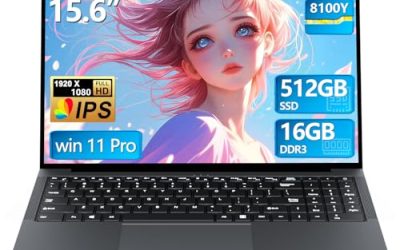
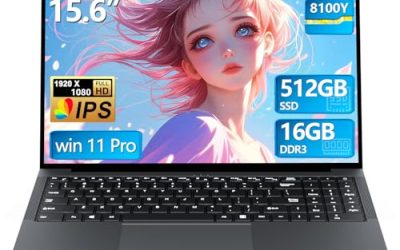
Core Processor 15.6 Gaming Laptop
This generic listing offers a Core processor with speeds up to 3.40GHz, 16GB of RAM, a 512GB SSD and a 15.6-inch full HD display, with Wi-Fi and Bluetooth 5.0. The title names no specific chip or graphics card, so it makes sense for lighter online games. Its value lies in its plain, familiar layout and enough memory to keep the game and a browser open.
- Strength: 16GB of RAM and a 512GB SSD meet the minimum for MMO play.
- Strength: a full HD 15.6-inch screen is a familiar, comfortable size.
- Trade-off: no processor model or graphics chip is named, which makes performance hard to judge.
Skip it if you want to confirm what graphics hardware is inside before buying.
KAIGERR Gaming Laptop
The KAIGERR lists an AMD Ryzen 7430U processor with a boost up to 4.3GHz, 16GB of DDR4, a 512GB SSD and a 1920P FHD display, along with Wi-Fi 6, USB 3.2 and a Type-C port plus a webcam. Treat it as a general-purpose laptop with a gaming label, and set expectations for older or less demanding online games.
- Strength: 16GB of RAM and 512GB of storage match the basics older MMOs need.
- Strength: Wi-Fi 6 and USB-C add flexibility for a laptop that doubles as a work machine.
- Trade-off: the U-series processor is low-power, and the title lists no dedicated graphics card.
Skip it if you play recent online games with demanding effects; the listing points toward everyday computing with the occasional older game.
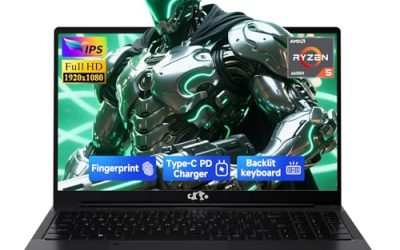
NIMO 15.6 Light-Gaming
Listed as a light-gaming laptop, this model has an eight-core AMD Ryzen 7, 16GB of DDR5, a 256GB SSD, Radeon 680M integrated graphics, a full HD display, a 100W fast-charge USB-C system and a backlit keyboard. Treat the up to 4.75GHz speed and the Beat i7 12650H wording as seller claims, since the title does not describe sustained performance.
- Strength: eight cores and DDR5 memory suit CPU-heavy MMO scenes.
- Strength: 100W fast charging through USB-C simplifies cables for travel.
- Trade-off: only 256GB of storage will fill fast with large MMO installs.
Skip it if you want a large game library without adding storage. The “beat i7” wording is a seller comparison, and the unit makes more sense as a travel companion than as a primary raid rig.
ASUS ROG Strix G16 (RTX 5050)
A step below its sibling, this model keeps the same 16-inch 16:10 FHD+ 165Hz, 3ms display and pairs it with a Core i5 14450HX, an RTX 5050 laptop GPU, 16GB of DDR5-5600 and a 512GB drive. It suits players who want the look and screen of the ROG line while staying at the more modest end of the RTX family.
- Strength: same fast, tall display as the higher-tier sibling.
- Strength: the HX series processor suits the CPU-heavy parts of MMO play.
- Trade-off: 512GB of storage will need managing as game installs grow.
Skip it if you want the RTX 5060 tier or a 1TB drive from day one, because moving up later means replacing the machine rather than a part.
Which One Fits Your Situation
You raid several nights a week
The ASUS ROG Strix G16 with the RTX 5060 pairs a Core i7 HX processor with a 165Hz tall display and a 1TB drive. That mix suits long sessions with many players on screen.
You stream or run voice chat and guides alongside the game
The Acer Nitro V 16S AI has 32GB of RAM and a 180Hz screen, which gives the most room for background apps while the game runs at full tilt.
You mostly play older MMOs on a tight budget
The NIMO 15.6 Light-Gaming, with its eight-core Ryzen and Radeon 680M graphics, or the KAIGERR Gaming Laptop covers lighter titles. Add external storage if the internal drive fills, and plug into a wired network when raiding to keep latency steady.
You want a first RTX laptop
The HP Victus 15.6 puts an RTX 3050 and a 144Hz screen in a familiar 15.6-inch body. Choose the ASUS ROG Strix G16 with the RTX 5050 if you can stretch for newer graphics and a Core i5 HX processor, which also brings the faster 165Hz panel.
Common Mistakes
- Spending on graphics and ignoring the processor: crowded MMO scenes lean heavily on the CPU.
- Settling for 8GB of RAM: client, voice chat and browser guides need 16GB at least.
- Choosing a small drive: MMOs with many expansions grow past 100GB quickly.
- Trusting generic listings: if a title names no chip or graphics card, you cannot judge its power.
- Playing over weak Wi-Fi: a wired connection or Wi-Fi 6 reduces lag spikes during raids.
Related guides
- Gaming Laptop Battery Draining While Plugged In Fix
- Graphics Cards For Low Wattage Power Supplies
- How To Stop Laptop Thermal Throttling In Software
Frequently Asked Questions
Do MMOs need a dedicated graphics card?
Not always. Older titles run on integrated graphics such as the Radeon 680M, but newer MMOs with detailed effects benefit from an RTX card.
Is a high refresh rate useful for online RPGs?
It helps with smooth camera movement and combat, especially in action-focused titles. For slower tab-target games the difference is smaller, so it is a bonus rather than a requirement.
How much storage should I get?
Plan for at least 512GB, and 1TB if you play more than one large game. Online games add content with each expansion, so installs only grow.
Is a gaming mouse needed for MMOs?
A mouse with extra side buttons can speed up hotkey use, but it is an accessory rather than part of the laptop choice. This guide focuses on the laptops themselves.