A gaming laptop’s physical lifespan and its gaming-relevant lifespan are two different clocks. The hardware itself, if properly maintained, commonly runs reliably for 4 to 6 years or longer, but its ability to run new AAA titles at your preferred settings typically starts declining around year 3 to 4 as GPU and VRAM requirements for new releases climb faster than a fixed-hardware laptop can keep up with.
This guide breaks lifespan down by component, since batteries, SSDs, cooling systems, and the GPU/CPU itself all degrade or become outdated on different timelines and for different reasons. Understanding which clock is actually running out on your laptop determines whether a targeted repair or upgrade extends its useful life meaningfully, or whether replacement is the more sensible path.
As an Amazon Associate we earn from qualifying purchases at no extra cost to you.






Top 3 picks at a glance
What Determines a Gaming Laptop’s Lifespan
Three separate factors determine how long a gaming laptop stays useful: physical component reliability (whether parts fail from wear, heat, or age), performance relevance (whether the hardware can still run current software at acceptable settings), and battery/thermal degradation (which affects day-to-day usability even when core components still function). A laptop can score well on one axis and poorly on another, which is why “how long does a gaming laptop last” does not have a single clean answer.
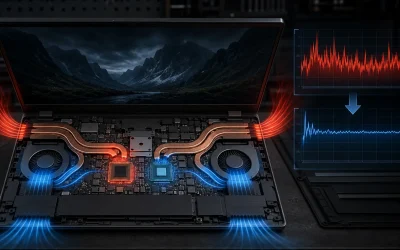
Build quality and thermal design have an outsized effect on physical longevity specifically. Laptops with more generous heatsink surface area, more heat pipes, and better airflow paths run components at lower sustained temperatures, and since heat is the single biggest accelerant of electronic component degradation (affecting everything from solder joint fatigue to battery chemistry breakdown), a well-cooled laptop genuinely outlasts a poorly-cooled one with otherwise identical internal specs.
Usage pattern matters as much as build quality. A laptop used for two hours of daily gaming in a temperature-controlled room, cleaned regularly, and charged sensibly will outlast an identical model run for six-plus hours daily in a hot room, never cleaned, and left plugged in at 100 percent charge continuously, often by a factor of two or more in terms of when serious issues first appear.
Software and driver support also play a role that is easy to overlook: manufacturers eventually stop releasing BIOS and chipset driver updates for older laptop models, and while this does not stop the hardware from functioning, it can mean missing out on stability fixes, security patches, or compatibility updates for new game engines and anti-cheat systems, which is a softer but real form of obsolescence separate from hardware failure.
Battery Lifespan and Degradation Over Time
Lithium-ion batteries, the type used in essentially all gaming laptops, degrade based on charge cycles (one full cycle equals a full 0-100 percent discharge and recharge, though this can accumulate across multiple partial charges) and, independently, based on time and heat exposure regardless of cycle count. Most manufacturers rate their batteries for 500 to 1,000 full cycles before capacity drops to roughly 80 percent of original, which for a laptop used daily typically translates to 2 to 4 years before noticeably reduced unplugged runtime.
Heat accelerates chemical degradation independently of cycling, which is particularly relevant for gaming laptops since the battery often sits physically close to heat-generating components like the CPU, GPU, or VRMs. A battery in a laptop that runs hot regularly, whether from poor cooling maintenance or from gaming while charging, will typically show faster capacity loss than an identical battery in a well-cooled, well-maintained chassis, even at the same cycle count.
Keeping the battery charge level between roughly 20 and 80 percent when possible, rather than habitually charging to 100 percent or letting it fully deplete, measurably slows degradation, since lithium-ion chemistry experiences more stress at the extremes of its charge range. Many manufacturer utilities (Armoury Crate, Omen Gaming Hub, Legion Toolkit, and similar) include a “battery health mode” or charge limit setting specifically for this purpose, capping charging at 80 percent for users who primarily game while plugged in and do not need full capacity day to day.
Battery replacement, when needed, typically costs $60 to $120 for parts on most models and is one of the more straightforward internal repairs, often accessible through the same bottom panel used for RAM and storage upgrades, though some ultra-thin chassis glue the battery in place, making replacement a more involved job better left to a repair technician.
SSD and Storage Lifespan
NVMe SSDs degrade based on total data written over their lifetime, measured in terabytes written (TBW), a rating manufacturers publish for each drive model. A typical 1TB gaming laptop SSD carries a TBW rating between 300 and 600 terabytes, meaning the drive is warrantied to endure that much total write volume before the flash memory cells are expected to begin failing at an elevated rate.
For context, average gaming and general computing use, including game installs, Windows updates, and typical file activity, writes roughly 10 to 20TB per year for most users, which means a drive rated for 300TBW would theoretically last 15 to 30 years of typical use before approaching its rated endurance limit. In practice, very few gaming laptop SSDs fail from write exhaustion; controller failures, firmware bugs, or physical/thermal issues are far more common causes of premature SSD death than genuinely wearing out the flash memory.
Heat is again a relevant factor: NVMe SSDs that run consistently hot, particularly in cramped laptop M.2 slots without adequate thermal pads, can experience accelerated wear on the flash cells and are more prone to thermal throttling during sustained writes (such as installing a large game), which affects performance more than outright lifespan but is worth monitoring with a tool like CrystalDiskInfo, which reports both temperature and a general health percentage based on SMART data.
Practically, most users will replace or add storage capacity long before an SSD approaches genuine write-endurance failure, simply because modern game install sizes (80-150GB for many AAA titles) fill a drive’s usable space faster than they threaten its rated lifespan, making capacity rather than wear the more common reason for a storage-related laptop upgrade.
Cooling System Wear and Its Effect on Longevity
Fans are the primary mechanically wearing component inside a gaming laptop, since they are the only part with continuously moving mechanical elements (bearings) subject to physical wear over thousands of hours of operation. Most laptop fans are rated for tens of thousands of hours of operation, which translates to several years of regular gaming use, but dust accumulation forces fans to spin faster and longer than necessary to compensate for reduced airflow, accelerating bearing wear well before the fan’s rated lifespan would otherwise be reached.
Thermal paste between the CPU/GPU die and the heatsink degrades chemically over time, losing thermal conductivity as it dries out, typically becoming noticeable after two to three years of regular use. This is a gradual process rather than a sudden failure, showing up as slowly climbing temperatures and increasingly frequent throttling rather than any dramatic symptom, which is why many owners attribute it to “the laptop getting old” rather than recognizing it as a specific, fixable maintenance issue.
Heat pipes themselves, the sealed copper tubes that transport heat from the die to the heatsink fins via internal fluid evaporation and condensation, rarely fail outright in normal use, but manufacturing defects or physical shock from drops can cause a pipe to lose efficiency or fully fail, producing a sudden, isolated spike in one component’s temperature that cleaning and repasting will not resolve.
Because cooling system health has a compounding effect on every other component’s longevity (heat accelerates battery degradation, stresses solder joints, and increases SSD wear), regular cleaning and, when needed, repasting are the highest-leverage maintenance activities for extending a gaming laptop’s overall useful life, arguably more impactful than any single other maintenance step available to a typical owner.
GPU and CPU: Hardware Longevity vs Performance Relevance
The GPU and CPU themselves, being solid-state silicon with no moving parts, have very long physical lifespans under normal operating conditions and, absent thermal abuse or a manufacturing defect, will typically continue functioning reliably for well beyond the laptop’s practical useful life in other respects. Outright GPU or CPU failure from age alone is uncommon; when these components fail, it is more often due to sustained excessive heat, a power delivery fault, or physical damage than simple time-based wear.
Performance relevance is the more meaningful clock for gaming specifically. New game releases progressively raise minimum and recommended VRAM, GPU compute, and CPU core requirements, and a laptop GPU that comfortably ran new releases at high settings in its first year or two often needs reduced settings by year 3 to 4, not because the hardware degraded, but because software requirements moved past it. This is especially pronounced for VRAM capacity, since laptops in the mid-range tier commonly ship with 8GB, which some newer AAA titles at high texture settings can exceed even at 1080p.
This distinction matters for how you think about “lifespan”: a laptop can remain 100 percent physically functional for gaming years after it stops being able to run current releases at your preferred settings, meaning many owners retire a laptop for performance reasons well before any hardware failure would force the issue. Understanding this ahead of a purchase (buying a GPU tier with some headroom above your current needs) extends the years before performance relevance, rather than physical failure, becomes the limiting factor.
Older laptops remain perfectly capable for older titles, esports games with modest requirements, indie games, and non-gaming productivity use well beyond their AAA gaming relevance window, which is worth considering before assuming a laptop is “done” simply because it struggles with the newest releases at maximum settings.
Typical Lifespan Benchmarks by Component
The table below summarizes realistic lifespan expectations by component, based on typical usage patterns and manufacturer specifications, useful as a general reference rather than a guarantee for any specific unit.
| Component | Typical Lifespan | Primary Degradation Cause |
|---|---|---|
| Battery | 2-4 years to 80% capacity | Charge cycles + heat exposure |
| SSD (write endurance) | 15-30 years typical use | Total data written (TBW) |
| Cooling fans | 4-7 years | Bearing wear, accelerated by dust |
| Thermal paste effectiveness | 2-3 years before notable decline | Chemical drying/degradation |
| GPU/CPU (hardware failure) | 6-10+ years under normal conditions | Sustained heat abuse, power faults |
| GPU performance relevance (AAA gaming) | 3-4 years at original settings | Rising game requirements, not hardware wear |
These ranges assume reasonably normal use and at least basic maintenance; a laptop that is never cleaned, regularly runs hot, or is subjected to physical abuse can see meaningfully shorter timelines across nearly every category, while a well-maintained laptop with proactive cleaning and sensible battery habits can exceed these ranges.
Extending Your Gaming Laptop’s Lifespan
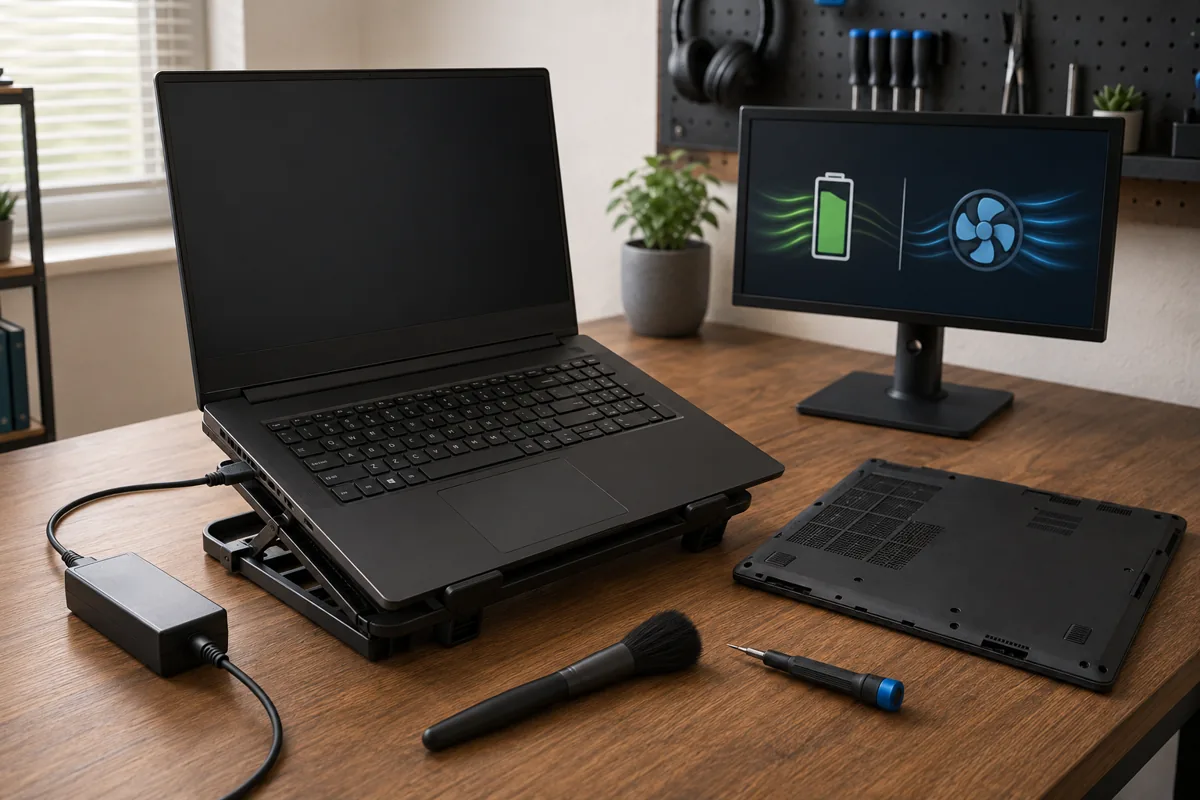
Cleaning the fans and heatsink every four to six months is the single highest-leverage maintenance habit, since it directly addresses the root cause behind accelerated degradation of nearly every other component, from the battery to the SSD to the fans themselves. This is a twenty-minute task requiring only a screwdriver and compressed air, and it consistently produces a measurable temperature reduction on any laptop that has gone more than six months without it.
Managing battery charge habits, keeping the laptop between roughly 20 and 80 percent charge when not actively needing full capacity, and using a manufacturer’s battery health/charge-limit mode if available, meaningfully slows battery degradation without any real downside for users who primarily game while plugged in near an outlet.
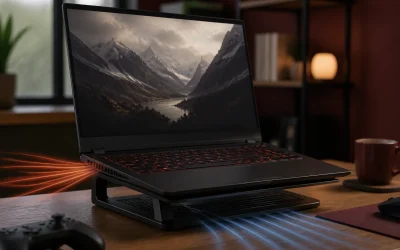
Using the laptop on a hard, flat, elevated surface rather than soft surfaces like beds or couches preserves normal intake airflow, which keeps operating temperatures lower across every component simultaneously; a cooling pad or simple laptop stand accomplishes the same thing for users who frequently game in less ideal locations.
Repasting around the two to three year mark, before thermal paste degradation becomes severe enough to cause consistent throttling, is a proactive maintenance step that keeps temperatures closer to factory-new levels throughout the laptop’s middle years, rather than waiting until throttling becomes a noticeable problem to address it reactively.
Upgrading RAM and storage as needed, rather than replacing the entire laptop when only memory or storage capacity is the limiting factor, extends the years a laptop remains genuinely useful for its intended purpose at a fraction of replacement cost, particularly relevant given that GPU and CPU performance relevance, not RAM or storage capacity, is usually what eventually pushes an owner toward replacement.
Signs Your Laptop Is Reaching End of Life
Consistent, severe thermal throttling that persists even after cleaning, repasting, and fan curve adjustments suggests the cooling system’s total capacity is genuinely insufficient for the components inside, a limitation from the original chassis design that maintenance alone cannot fully overcome, and one of the clearer signals that hardware is struggling rather than simply needing upkeep.
Battery runtime dropping to a fraction of its original rating (for example an original 5-hour laptop now lasting under 90 minutes unplugged) despite sensible charging habits indicates the battery has reached the end of its useful cycle life; this is repairable via battery replacement if the laptop is otherwise in good condition, but is worth weighing against overall replacement value on an older machine.
Increasingly frequent blue screens, random shutdowns under load, or system instability that persists after fresh driver installs and Windows reinstalls can indicate degrading motherboard components, failing power delivery, or a GPU/CPU nearing genuine hardware failure, particularly on a laptop with a history of running hot; this is a stronger signal to consider replacement than simple performance decline.
An inability to run even moderately demanding current titles at low settings, where the GPU was once capable of medium-to-high settings in similarly aged titles, signals that performance relevance has genuinely lapsed rather than any fixable issue, and no maintenance step restores GPU compute capability that the hardware never had for current-generation requirements.
When to Repair vs Replace
Repairs that address a single, isolated component issue on an otherwise healthy laptop are almost always worth pursuing: battery replacement ($60-$120), RAM or storage upgrades ($150-$220), fan replacement (typically $30-$80 for parts), and repasting (largely a DIY cost of $10-$15 for compound) all extend useful life at a small fraction of replacement cost, provided the rest of the laptop remains in good working order.
Repairs involving the motherboard, GPU, or CPU itself are a different calculation, since these repairs often cost $300 to $600 or more when performed by a professional (laptop GPUs and CPUs being soldered means repair typically means board-level work rather than a simple part swap), and on a laptop already three or more years old, this cost frequently approaches or exceeds the laptop’s remaining market value, making replacement the more sensible financial choice in most cases.
Consider the age-adjusted math: a repair costing 40 percent or more of a comparable new or refurbished laptop’s price, on a machine already showing its age in other respects (battery, cooling headroom, GPU performance relevance), rarely makes sense compared to putting that money toward a replacement with a fresh warranty and several more years of relevant performance ahead of it.
According to Aaron Whitfield, Mobile Systems Editor with a decade of testing portable gaming hardware using a thermal camera and sustained-load benchmark suite, the laptops that reach 6+ years of genuinely useful life are almost always ones with proactive cleaning schedules and sensible battery charging habits from the first year of ownership, not ones that received a single major repair late in life; prevention consistently outperforms intervention for laptop longevity.
If your current laptop is showing early signs of aging but is not yet at true end of life, our gaming laptop thermal throttling fixes and how to upgrade a gaming laptop guides cover the highest-value interventions before considering replacement. If you have decided replacement makes more sense, our best refurbished gaming laptop picks and best gaming laptop under $1,500 roundup are good starting points for finding a well-specced next machine.
Fans running dirty for months are one of the quieter ways a laptop’s lifespan gets cut short, since the extra heat wears down other components faster — our laptop cleaning guide outlines a maintenance schedule that keeps airflow clear.
Frequently Asked Questions
How many years does a gaming laptop typically last?
Most gaming laptops remain fully functional for 4 to 6 years, though their ability to run new AAA titles at high settings usually declines starting around year 3 to 4 as GPU requirements rise, so “lasting” and “staying competitive for gaming” are two different timelines worth separating when budgeting for a replacement.
How many charge cycles does a gaming laptop battery last?
Most laptop batteries are rated for 500 to 1,000 full charge cycles before dropping to around 80 percent of original capacity, which typically translates to 2 to 4 years of daily use before noticeable capacity loss, though keeping the battery between 20 and 80 percent charge when possible extends this considerably.
Does an SSD wear out over time in a gaming laptop?
Yes, but slower than most users expect; a typical 1TB gaming laptop SSD is rated for 300 to 600 terabytes written (TBW), and average gaming and general use writes only 10 to 20TB per year, meaning most SSDs would take 15 to 30 years of typical use to reach their rated write endurance limit.
Is it worth repairing a 4-year-old gaming laptop?
It depends on the repair cost relative to replacement value; a battery replacement ($60-$120) or RAM/SSD upgrade ($150-$220) is almost always worth it on a laptop that still meets your performance needs, while a motherboard or GPU-related repair often costs more than the laptop’s remaining useful value and is usually better spent toward a replacement.
What kills a gaming laptop the fastest?
Sustained heat from neglected cooling (dust buildup and dried thermal paste) is the leading cause of accelerated component degradation, followed by physical damage from drops or spills, and battery mismanagement (constant 100% charge or full discharge cycles), all of which are largely preventable with basic maintenance habits.